Dec 4, 2016 1:35 PM UTC
Question

Spry Option

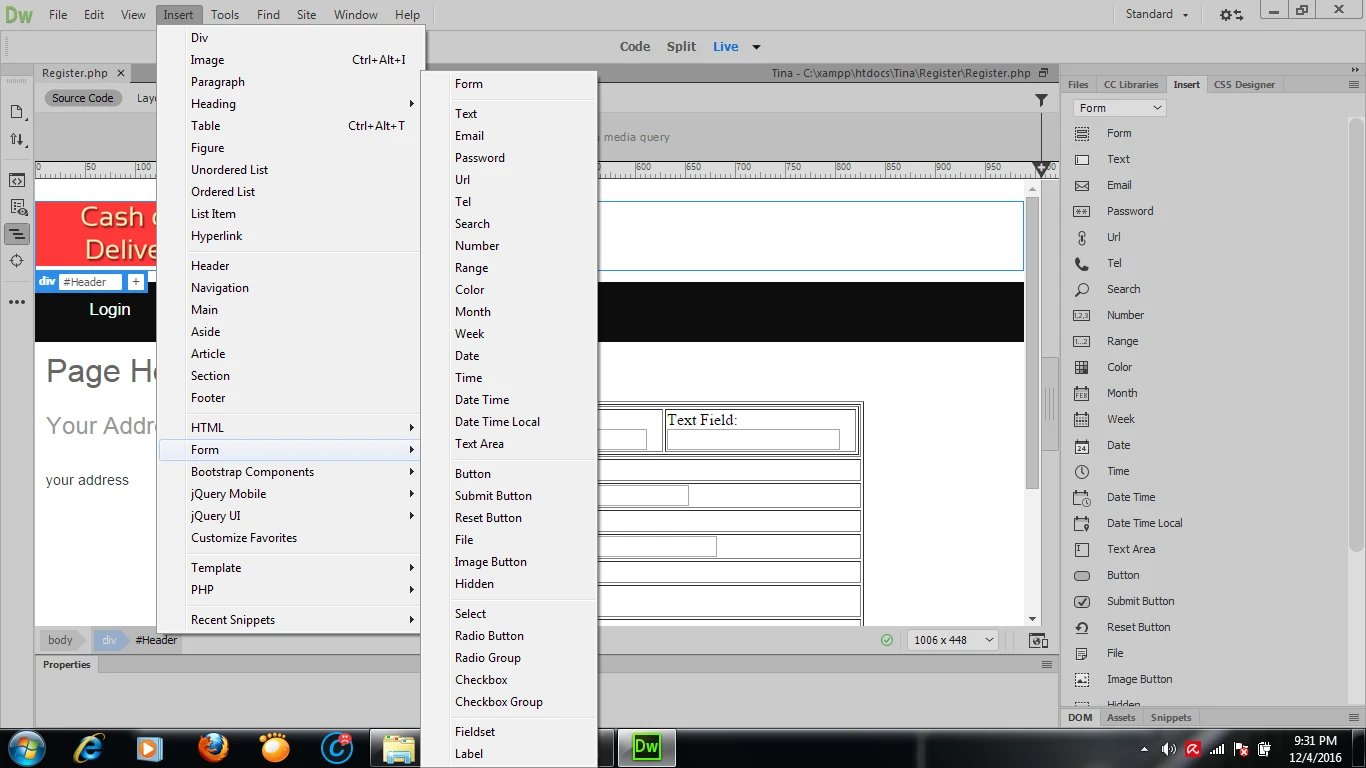
Hai guys. Im Mani and im doing a college project. now im creating the register file and i have to click the spry validation text field and i cant find the option in this version.pls help. im stuck in the middle.

This topic is closed to new replies. Start a new post to keep the conversation going.

4 replies

Nancy OShea
Community Expert
Community Expert
Dec 4, 2016 5:32 PM UTC

For required fields, use the HTML5 required attribute.

<form action="form_to_email.php" id="form1">

<p>Name: <input type="text" name="name" required placeholder="First & Last"></p>

<p>Email: <input type="email" name="email" required placeholder="yourname@domain.com"></p>

<p><input type="submit" value="Submit"></p>

</form>

Browser support is good.

Translate
Nancy O'Shea— Product User & Community Expert
BenPleysier
Community Expert
Community Expert
Dec 4, 2016 2:30 PM UTC

The Spry framework never passed the pre-release stage and was discontinued as an inclusion into Dreamweaver after Dreamweaver CS6 back in 2012.

As far as client side validation is concerned, you can now do that to a certain degree by using HTML5 form input attributes. To learn more about these attributes go to HTML Input Attributes

To learn more about client side form validation go to HTML5 Form Validation

Do remember though, that client side validation, although giving useful user feedback, is no substitute for a more secure server side validation.

Translate
Wappler is the DMXzone-made Dreamweaver replacement and includes the best of their powerful extensions, as well as much more!
Dec 4, 2016 3:00 PM UTC

Thanks for your reply Sir. How about server behaviors and bindings option.with that only i can connect the page to my local server.pls guide me. Thank you.

Translate
BenPleysier
Community Expert
Community Expert
Dec 4, 2016 3:21 PM UTC

tamilm93772890 wrote:

Thanks for your reply Sir. How about server behaviors and bindings option.with that only i can connect the page to my local server.pls guide me. Thank you.

Have a look at the tutorial that Nancy has supplied Alt-Web Design & Publishing: Responsive Contact Form with Bootstrap 3.2 and PHP (Part 1)

Please note that the tutorial uses Bootstrap 3 for its styling and PHP as server side script. What this means for you is that you need to make sure that your server (local and remote) need to have PHP scripts enabled. Most remote servers do have that ability. To setup a local server have a look at How to set up a testing server in Dreamweaver

As far as Bootstrap is concerned, you can ignore that if you wish, but then you will need to supply your own style rules.

Translate
Wappler is the DMXzone-made Dreamweaver replacement and includes the best of their powerful extensions, as well as much more!