


Inspiring
February 11, 2017
Answered

SSIs and .php files not properly set up

  • February 11, 2017
  • 1 reply
  • 1190 views

[Using DW CC 17.0.1 on macOS Sierra]

Earlier this week, I set up a Testing Server on three of sixteen directories, with the help of Nancy Oshea and Jon Fritz. However, I see that my setup efforts haven't been successful. When I right-click a file in the Files panel and choose "Open in browser" to see locally any of the files in those three directories, I cannot connect to the newly created localhost and I get this error message on my browsers. . .
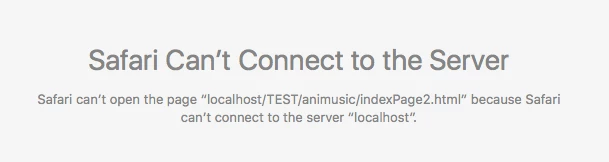
Note: When I do similarly to pages in the other thirteen directories — that don't currently have a Test Server on a localhost set up on them — those pages open as they should in browsers. So, obviously, I've not set up the Testing Server in those three directories correctly.

I've since contacted my host/server to resolve this, but the technician would only confirm that my definition was incorrectly set up but couldn't advise me on how to personally set up the localhost.

So, who can help me correctly set up my Testing Server on those three directories?

If it helps, below I'll provide screen shots of the DW setup windows, as well as the pathway to my files that I've placed on XAMPP.

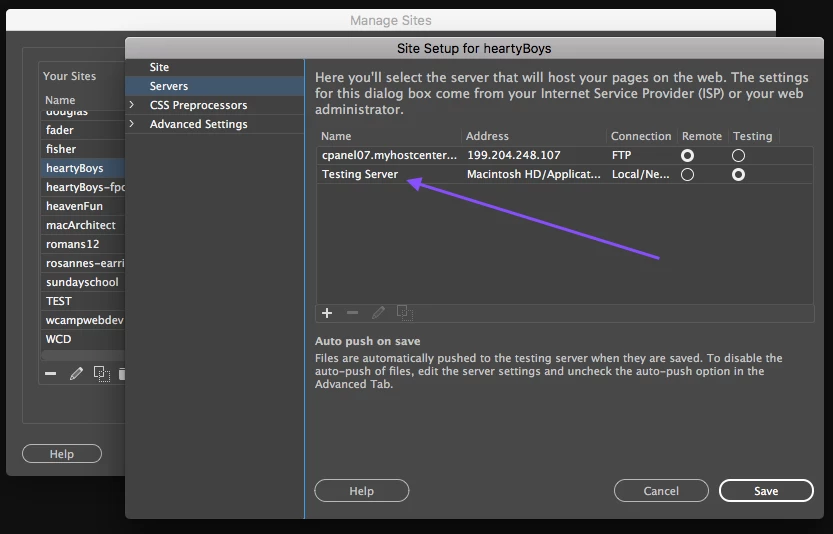
1.  This first shot shows the Testing Server setup window for one of the three problematic directories (titled "heartyBoys").
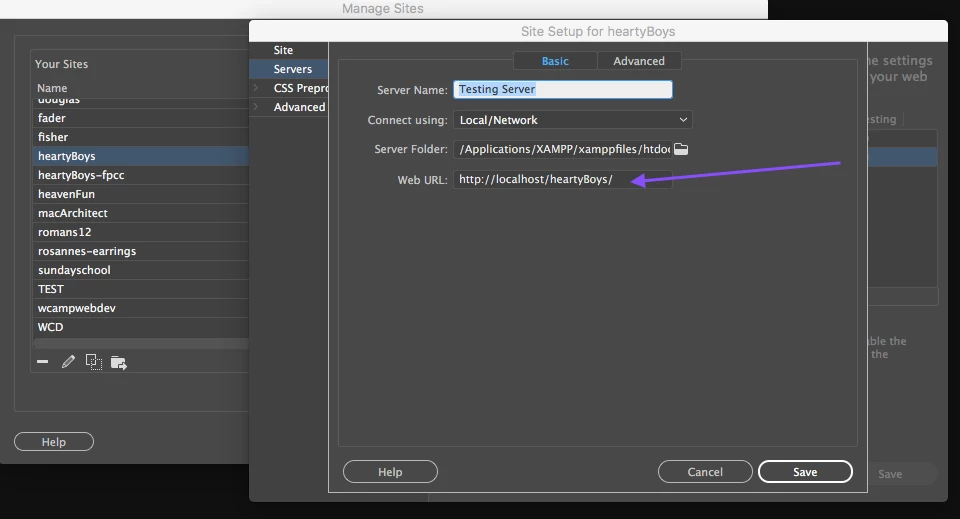
2.  This shot shows for the same "heartyBoys" directory the entries I made in the four fields.
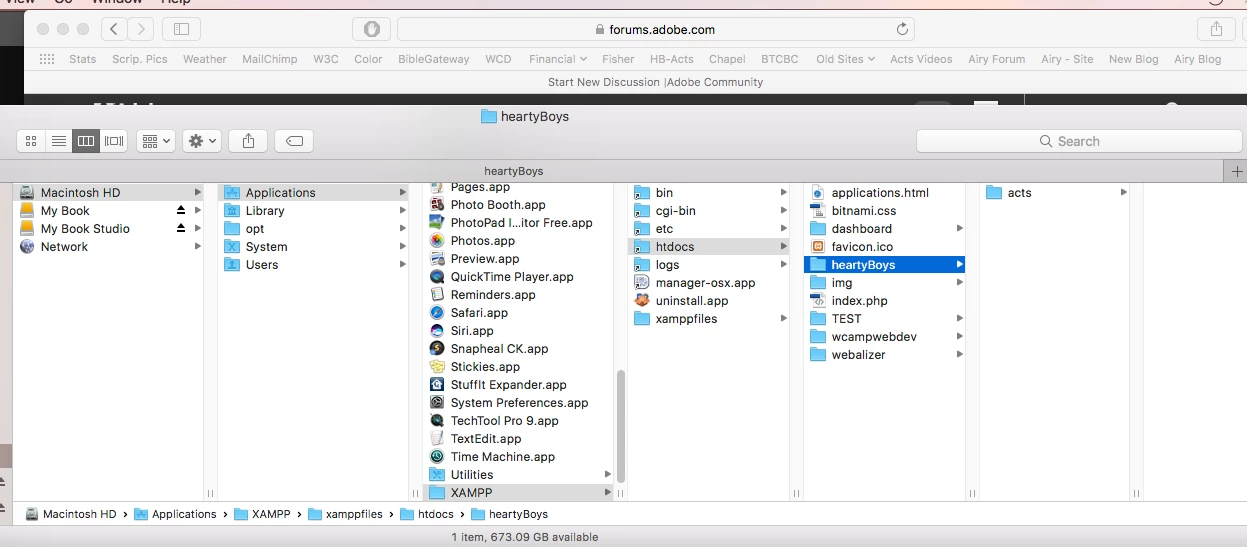
3.  And here is the pathway to the "heartyBoys" directory that I copy/pasted into, and now resides in, the "htdocs" folder of XAMPP.
Would someone familiar with such Testing Server setups please show me my error and what exactly I need to enter so I can get this process to work as it should? I'll be most appreciative.

Warren
    This topic has been closed for replies.
    Correct answer osgood_

    Thanks, Nancy.

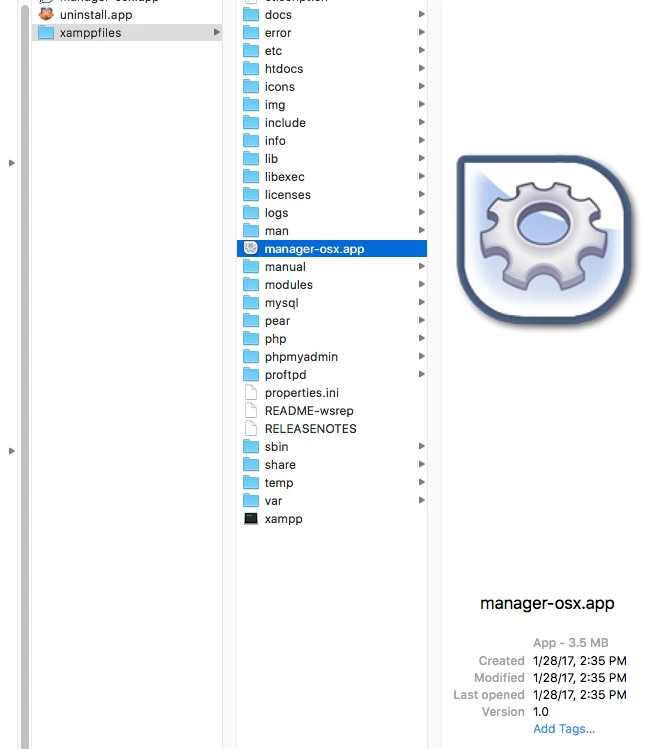
    The video, though outdated, helped me find the appropriate link to download. After selecting it, I realized that it was the identical download that I'd made last week at your direction. What was missing in your directive was the step I needed to take after installing it to "activate XAMPP." On Macs, the file that triggers the activation of XAMPP appears to be titled "manager-osx". Had I known last week to open it, select the "Manage Servers" tab, and click its "Start" button, I'd have been up and running a week ago and wouldn't have burdened you and Jon with my inquiries and numerous screen shots.

    Nevertheless, the three "previously problematic" directories are now fully accessible locally. [Hoooooooray!]

    Regarding your question: "Do you have a shortcut icon for it on your desktop yet?" It leaves me wondering. Am I to keep a shortcut icon on my desktop's Dock location so that I can open or activate it routinely in the future? If so, why and when? Otherwise, why else might I want to use its shortcut icon?

    And, if I need to retain such a shortcut icon on my desktop, is the image shown below the shortcut icon to use for Mac users? When clicked, it opens that handy "Manage Servers" activation window.

    I look forward to receiving your answers, Nancy. Then I'll happily return to creating .php conversion files for pages needing new SSI creations. Thanks.

    (  ; - )

    Warren


    When  you have the server running you should see an icon in the dock. If you want it to stay in the dock you need to click on it and choose that option - keep in dock - otherwise everytime you need to start the server you will have to browse to the application icon in the xamp folder and click on it rather than clicking on it in the dock, which is your short cut on a mac

    You need to start the server every time you turn your mac on if you want to view your dynamic website pages otherwise youll just see the message you originally posted.

    1 reply

    pziecina
    Legend
    February 11, 2017

    This message is because your testing server is not running.

    Go to the menu item for xampp, and select 'start', in order to start your local host testing server.

    wcampAuthor
    Inspiring
    February 11, 2017

    Thanks for your prompt e-reply, PZ. I've not been asked to do what you suggest I do. I'm encouraged by your recommendation.

    However, I don't know where to locate the "menu item for xampp". Please direct me to where I can find it and its "start" button.

    Many thanks!

    Warren

    pziecina
    Legend
    February 11, 2017

    I'm on a pc, but if you go to the mac equivelent of the start button, (the place that shows you all the installed programs, and where you start them from). You should see a folder/listing for the xampp program, the start option should be in this.