Participating Frequently
April 19, 2021
Answered

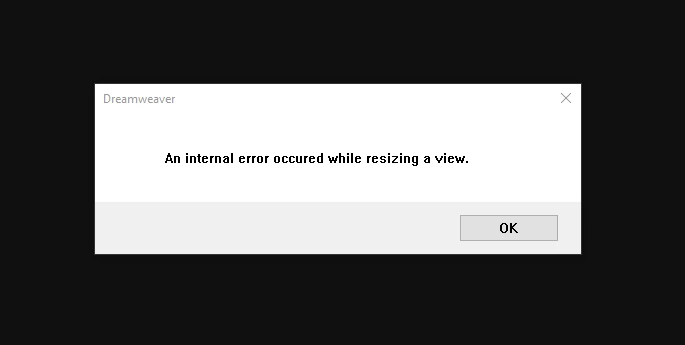
Start Up Error - "An internal error occured while resizing a view"

  • April 19, 2021
  • 3 replies
  • 1473 views

I am getting the following error in 2019, 2020 and 2021 versions of Dreamweaver when starting the application.  I am on a Windows 10 plaform and have never had this issue until Friday.  I was actually in Dreamweaver 2019 working when it hung just trying to open a folder.  Since that time this is the error I get every time I attempt to open the application. 


Any help would be greatly apprecatided. 


Correct answer Nayan_Kankariya

Hi @ItsMeKk ,


Thanks for reverting on this. We would not want users to modify site related data since retrieving the site again could be cumbersome and might loose the required site related data. We can have remote connect session at your convinient time to investigate and try fixing the issue (please revert with your availability on the private message).


Have a pleasant day!


Regards,

Nayan

Dreamweaver Team

3 replies

Participant
September 18, 2025

Hi There, 

I have the same error message coming up, have tried cleaner tool and reinstalling....... is there anything else i can try? 

Nayan_Kankariya
Community Manager
Community Manager
April 20, 2021

Hi @ItsMeKk ,


Thanks for trying out the suggestions provided by Nancy and Ben. Can you please confirm if you have removed all the previous Dreamweaver versions related folders within %appdata% and regedit. Also, as you have already tried cleaner tool and re-installed Dw, we can try out disabling the loading of site and see if the issue gets resolved.


Please let us know your convinient time for a remote connect session(details sent in private message) so that we can investigate the issue since we see the issue is machine specific and try fixing the same on your machine.


Have a pleasant day!


Regards,

Nayan

Dreamweaver Team

ItsMeKkAuthor
Participating Frequently
April 20, 2021

Hi Nayan,


How do I disable loading Site data?


Nayan_Kankariya
Community Manager
Nayan_KankariyaCommunity ManagerCorrect answer
Community Manager
April 21, 2021

Hi @ItsMeKk ,


Thanks for reverting on this. We would not want users to modify site related data since retrieving the site again could be cumbersome and might loose the required site related data. We can have remote connect session at your convinient time to investigate and try fixing the issue (please revert with your availability on the private message).


Have a pleasant day!


Regards,

Nayan

Dreamweaver Team

Nancy OShea
Community Expert
Community Expert
April 19, 2021
Nancy O'Shea— Product User & Community Expert
ItsMeKkAuthor
Participating Frequently
April 19, 2021

Thank you for the suggestion Nancy.  Unfortunately, I am still getting the same result.  Frustrating as I need to some coding.

Nancy OShea
Community Expert
Community Expert
April 20, 2021

I can honestly say I've never seen that error message before.  So I don't know what it is or what's causing it.


You say it only happens with files in one particular folder?


Is the local site folder defined in DW and does it reside on your primary hard drive, not a networked or cloud drive like DropBox.


Can you try creating a new computer user profile with administrative permissions?


Nancy O'Shea— Product User & Community Expert