kaidowhims
Participant
February 14, 2017
Answered

Starter template bootstrap issues with the linked CSS file

  • February 14, 2017
  • 2 replies
  • 3632 views

Hello,

Here are some basic points to be aware of:

  • I'm on a MAC
  • Using the latest update for Dreamweaver
  • Uninstalled Dreamweaver and re-installed.
  • I've done a clean install of my OS
  • Installed dreamweaver on a fresh OS and

NOTE: I'm still having issues with the CSS files of new Starter templates for bootstrap.

Here's a break down of what I'm doing and seeing.

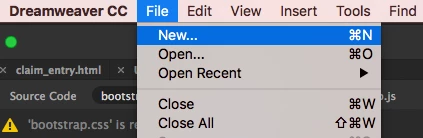
  1. I was playing around with the starter templates from bootstrap as you can see in the screenshots below:
2. When Dreamweaver opens the new project. My CSS file is from a previous project.

See screenshot below.
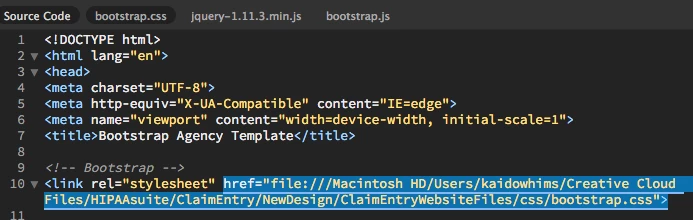
Since this is a new project it should be creating a temp folder and it shouldn't be referencing/linking to the CSS file of an old project.

This is only happening with the bootstrap starter templates. Here's an example of a starter template "Basic Layouts".

(To be clear this is not bootstrap template.)

See the screenshot below.
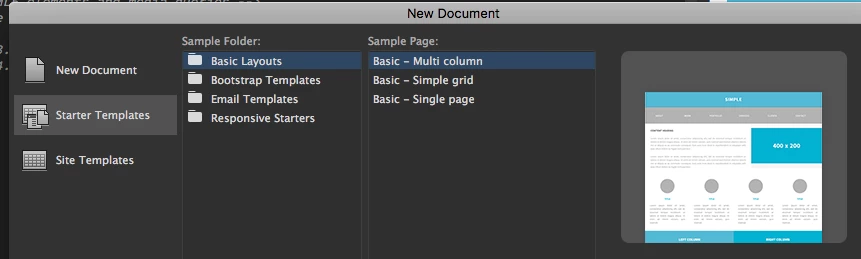
NOTE: you'll notice that the CSS file was created within a temp folder. At least until I save the project somewhere onto my computer.

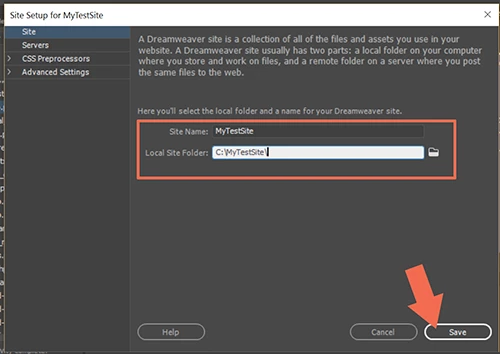
    This topic has been closed for replies.
    Correct answer kaidowhims

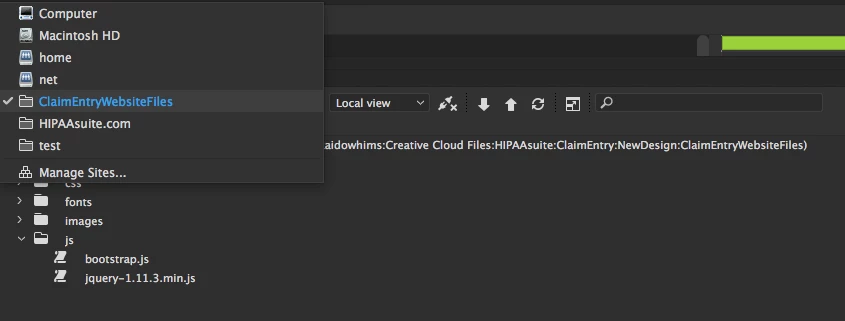
    Go to Site > New Site.  Enter a Site Name. See screenshot.

    Nancy


    Your information helped me figure it out what the issue was. It was placing the bootstrap.css file in the wrong place because I had my previous project site selected.

    See screenshot here:

    Somethings to point out:

    1. I did what you suggested and clicked on "manage site".
    2. Then, setup a new site called "test".
    3. When I tried to create a new "Starter Template" and picked one of the bootstrap templates.
    4. It worked and the css was in the temp folder here: Application Support/Adobe/Dreamweaver CC 2017/en_US/Configuration/Temp/Assets/eam610b2a60.TMP/css/bootstrap.css

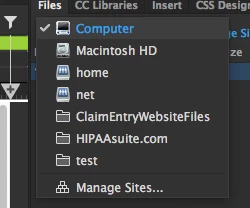
    • Then I changed from the "test" site to "Computer" and tried creating a new Starter Template all over again, but without a site selected and it worked. The CSS files where linked from a "Temp" folder again like it should be.

    See screenshot below:

    Here's the link that was create even though I didn't set the site definition stuff:

    Application Support/Adobe/Dreamweaver CC 2017/en_US/Configuration/Temp/Assets/eam610b2a60.TMP/css/bootstrap.css

    Thank you for your help figuring this out. Much appreciated. Take care.

    2 replies

    pziecina
    Legend
    February 14, 2017

    This is happening because you have not defined your site definition in Dw.

    As far as Dw is concerned the starter template is an extension of what you have previously created, (obviously without defining the site). Dw does not define a 'temp' file for such things, it relies on you defining the site, in order to know what it is doing.

    kaidowhims
    Participant
    February 14, 2017

    Thank you for responding.

    1. I'm not sure what you mean by site definition. Where is that within Dreamweaver?
    2. Your comment, "Dw does not define a 'temp' file for such things, it relies on you defining the site, in order to know what it is doing." I'm not sure if that is entirely correct, because Dreamweaver does create "Temp" files for their starter templates. It does that because Dreamweaver doesn't know where the files should go. Once you save it and choose the destination for your project that's when Dreamweaver will move your files. 

    Here's an example of what I mean. If I create a starter template site from Dreamweaver.

    See screenshot:

    It puts the files here:

    file:///Macintosh HD/Users/kaidowhims/Library/Application Support/Adobe/Dreamweaver CC 2017/en_US/Configuration/Temp/Assets/eam12578f84.TMP/css/multiColumnTemplate.css

    NOTE:

    1. You can see I bolded the "Temp" folder where Dreamweaver places the files until you save it to wherever you want it to go.
    2. This is how my "Bootstap Templates" use to handle the "bootstrap.css" file before.
    3. The reason I think the "Bootstrap.css" file isn't being created as a temp when I create new starter templates, is because I clicked "Make Writable" here at the top of the page. See the screenshot:
    4. I think it's kind of stupid that clicking "Make writable" would screw up dreamweaver starter templates. That's just a personal feeling.

    Nancy OShea
    Community Expert
    Community Expert
    February 14, 2017

    #1 are you working within a defined local site folder?

    I use different site folders for different projects.

    #2 have you saved & named the newly created files in your new site folder yet?

    Nancy

    Nancy O'Shea— Product User & Community Expert
    kaidowhims
    Participant
    February 14, 2017

    Thank you for responding.

    Answer to point number 1: No, but that shouldn't matter because these are templates that Dreamweaver creates on the fly. So when the html/css/js first open up in Dreamweaver. They will be placed within a temp folder. Then, when I am ready to Save the site. Then I'll be asked where to save the html/css/js. Either way the real issue is how Dreamweaver is creating these "Starter Bootstrap" files for me and not creating a new CSS files. Instead it's referencing my older project. 

    Answer to point number 2: Yes, I saved it in a folder on my desktop top called "test". I named the html file "test".

    See the screenshot below:

    NOTE: Where the html is being save is fine, but the CSS "bootstrap.css" is for some reason being linked to my older project. Which is clearly outside of my "test" folder that I created on my desktop.

    See screenshot below:

    Nancy OShea
    Community Expert
    Community Expert
    February 14, 2017

    The importance of local site definitions is to ensure proper assets management and file paths.   And without a defined site folder, DW can do neither of those things for you.   It's your choice.

    Nancy

    Nancy O'Shea— Product User & Community Expert