tuilorraine
Inspiring
April 14, 2018
Answered

strange unwanated color zone in transparent zone of .png image background

  • April 14, 2018
  • 3 replies
  • 1160 views

I have a .png image on the page of my dreamweaver page created from a DW starter template.
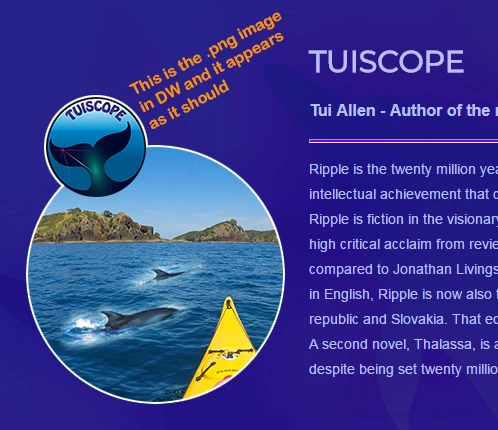
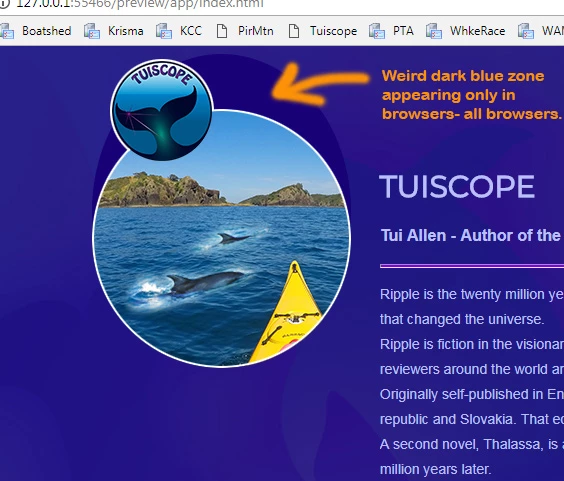
The image is all transparent outside of the double circle area. In the DW preview it shows as it should but when shown in any browser it has this weird dark blue zone. The page background is an image in gradients of dark-blues but they are screened out by this dark-blue shadow on the .png. See orange text on two images below:

This topic has been closed for replies.
Correct answer tuilorraine

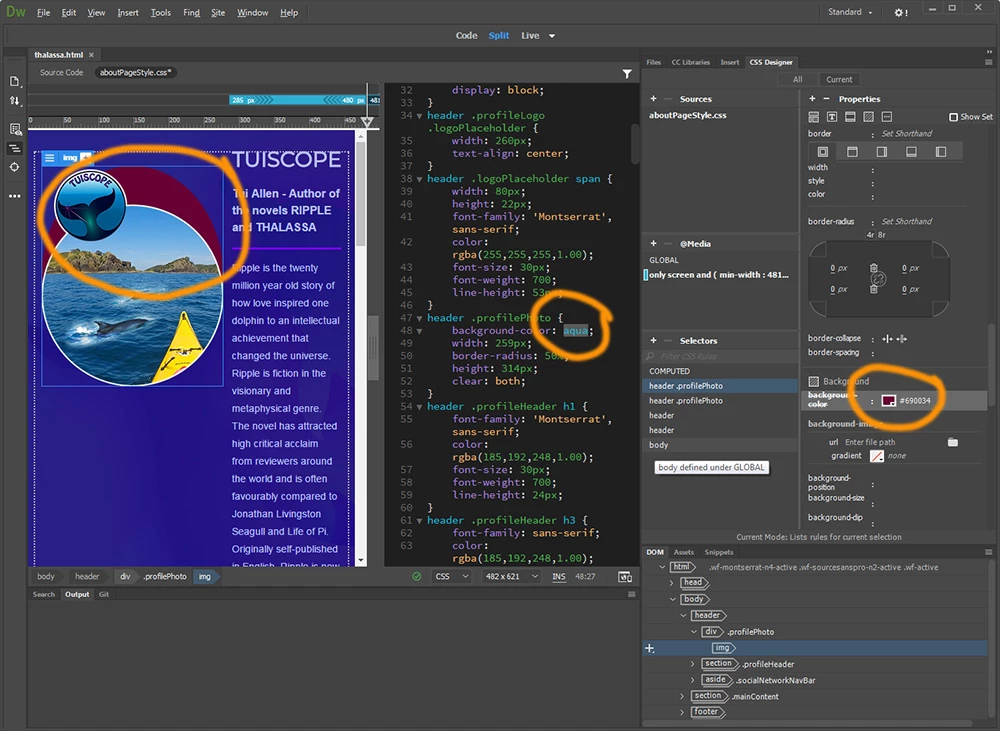
I just noticed in one of your other posts that there is a good reason for the blob of different colour. Please see

Guess what! I solved the issue. It frustrated me all day yesterday almost to the point of tears at times. And in the end it was so simple I can't understand why it took me so long to work it out, but it's because I'm so new to responsive design.


I'm working, as I said, with a starter template which has created the media queries for me as part of the template. That image with the two circles (shown above) was replacing a simpler circular image in the template and of course if I'd stuck to the same circular shape as the template I would probably have had no problem.

I used css to put a transparent background on that image but the transparency  did not seem to be working and I kept getting that solid colour where there should have been none.
My error was not realising I would need to make the change across all the media queries - not just in one place in the css file.

With no live page to show you, I guess I should have copied my css into this discussion and one of you would probably have picked it up straight away.

And it works fine with my lovely dark-blue background dolphin image too so I can use it after all.


3 replies

Nancy OShea
Community Expert
Community Expert
April 14, 2018

It looks like it might be an image artifact.   Until you put your problem page online though, we are just guessing. 

Nancy O'Shea— Product User & Community Expert
tuilorraine
Inspiring
April 14, 2018

Here's an interesting thing. Originally this page had a plain dark blue background. The problem surfaced when I changed the background to the dark blue image with the gradients and barely-visible dolphin shapes. It looks very similar to the original plain background, but just a little more interesting.
So this morning I removed the background image and went back to the plain dark-blue background color. The "artifact" (or whatever it is) was gone. That's all very well but I really do prefer it with the background image. I tried the background image again. The artifact came back. So it must be something to do with the interaction between the .png and that background image.
Still hoping to find a work-round.

magical_Skyline0D4A
Inspiring
April 14, 2018

Sometimes when adding changes to an element using the CSS Designer panel it can happen inadvertently the same class is added to a selected item in the live preview.

Let me explain, you click on the + in the CSS Designer panel and write the class "foo" for a div , at the same time your mouse cursor is on the menu and the "foo" class is also added to the menu.

Try to check if this is the case

tuilorraine
Inspiring
April 14, 2018

Okay, I'm narrowing it down I think. There was a border-radius property in the Css for the "header .profilePhoto" selector. When I removed that - the artifact is still there but now it is a plain rectangle surrounding the image. Then when I included a background red color property, the artifact became a bright red rectangle around the .png image. At this point the solution seems obvious. Just change the background color to transparent. I did that. But it is not transparent - it is black.i can't get the transparency to work there in a way the browsers understand.

Nancy OShea
Community Expert
Community Expert
April 14, 2018

No code, no link to work in progress, no ideas. 

Nancy O'Shea— Product User & Community Expert
BenPleysier
Community Expert
Community Expert
April 14, 2018

Please supply a link to the online location of the site.

Wappler is the DMXzone-made Dreamweaver replacement and includes the best of their powerful extensions, as well as much more!
tuilorraine
Inspiring
April 14, 2018

it is not online yet. I am creating it in my home computer. It's nowhere near ready to upload.

BenPleysier
Community Expert
Community Expert
April 14, 2018

Much is the pity. The problem is that it is impossible to say what the cause of the problem is without seeing it in situ.

Wappler is the DMXzone-made Dreamweaver replacement and includes the best of their powerful extensions, as well as much more!