このトピックへの返信は締め切られました。
解決に役立った回答 Nayan_Kankariya

Hi Nautrino,

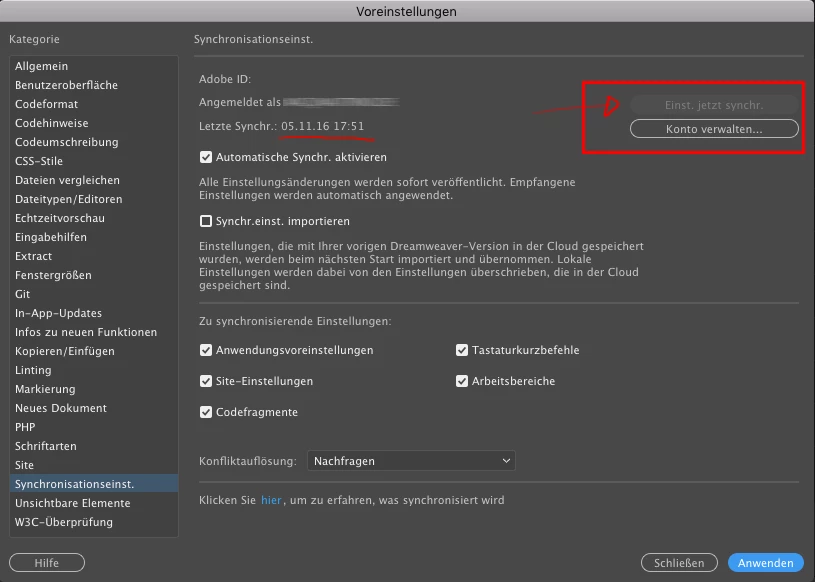
Can you please quit all running Adobe applications, sign out from Creative Cloud Desktop App and sign-in again with your Adobe ID. This would be first check for sync settings to work, if not, we can investigate it further and resolve this issue for you.

Thanks,

Nayan

Dreamweaver Team

返信数 1

Nayan_Kankariya
Community Manager
Community Manager
October 26, 2017

Hi Nautrino,

Can you please quit all running Adobe applications, sign out from Creative Cloud Desktop App and sign-in again with your Adobe ID. This would be first check for sync settings to work, if not, we can investigate it further and resolve this issue for you.

Thanks,

Nayan

Dreamweaver Team

Catworker作成者
Inspiring
October 26, 2017

thanks - I did this already yesterday but without getting better. not in dw 2017, not in dw 2018.

I then deleted my sync settings online in my adobe account - nothing changed.

After I started my Mac this morning, it worked.

whatsoever, halleluja, I'm happy now.

BenPleysier
Community Expert
Community Expert
October 27, 2017

It takes a while for a newly installed version of Dreamweaver to be synced. When the program is first installed, you will see the synchronising errors

Once the syncing has completed, you will see the tick

Wappler is the DMXzone-made Dreamweaver replacement and includes the best of their powerful extensions, as well as much more!