


Participant
June 11, 2017
Answered

Table caption is vertical?

  • June 11, 2017
  • 1 reply
  • 353 views

I am working on The Striped Umbrella website for a graduate class I am taking. We are currently working on inserting tables. I have inserted the table and set the table selector properties, but for some reason my table's caption isn't displaying correctly and I am not sure what to do. It displays like this in DW, however it displays vertically (see next screen image) in Live view as well as when I check the page in a browser. Can anyone help me get it to display horizontally?
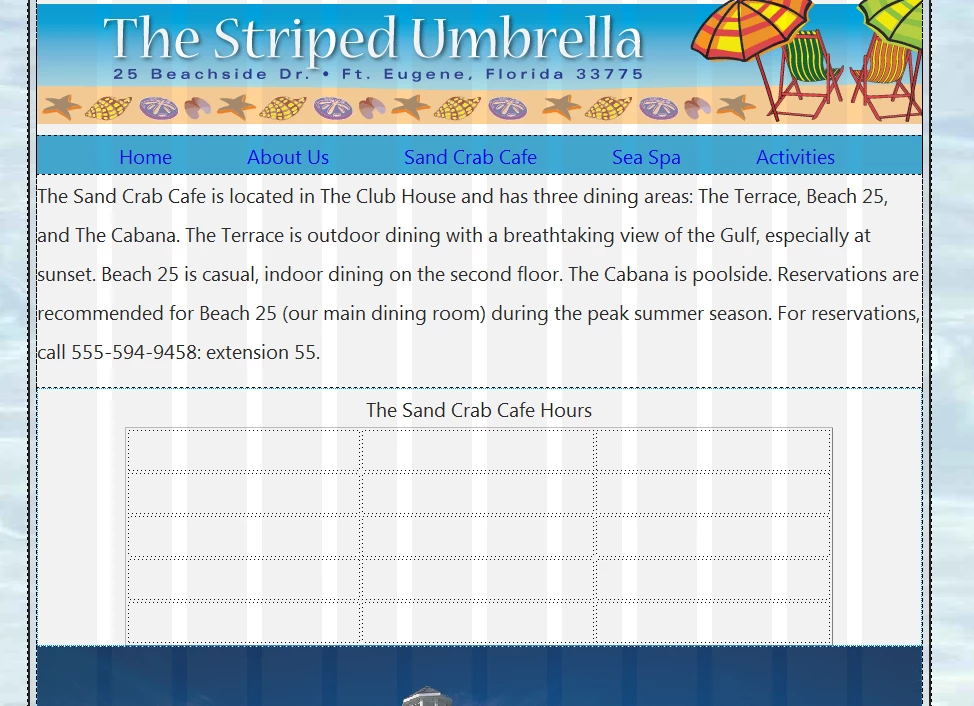
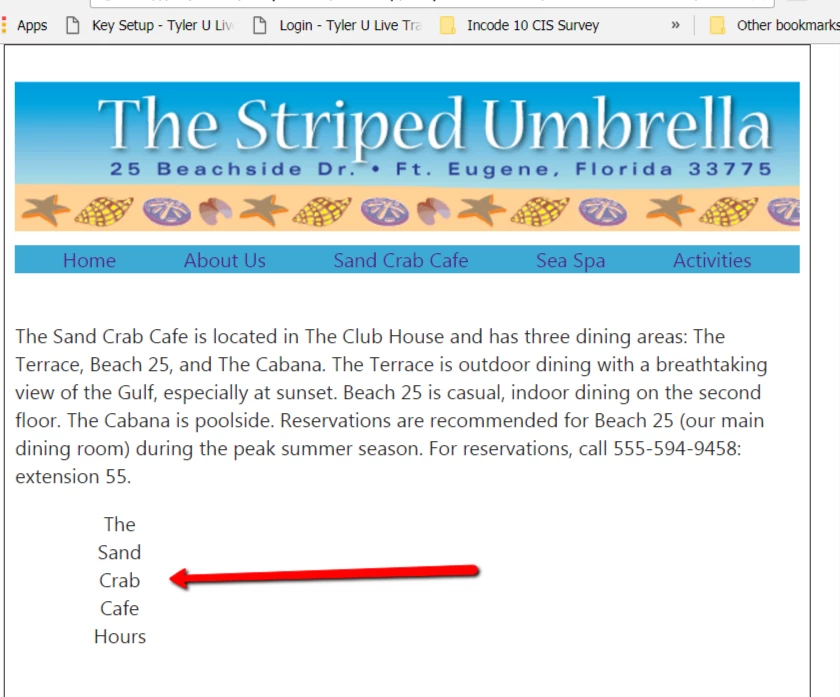
My code is as follows:

<div class="fluid table_div"><table>

  <caption>

    The Sand Crab Cafe Hours

  </caption>

  <tbody>

    <tr>

      <th scope="col"> </th>

      <th scope="col"> </th>

      <th scope="col"> </th>

    </tr>

    <tr>

      <td> </td>

      <td> </td>

      <td> </td>

    </tr>

    <tr>

      <td> </td>

      <td> </td>

      <td> </td>

    </tr>

    <tr>

      <td> </td>

      <td> </td>

      <td> </td>

    </tr>

    <tr>

      <td> </td>

      <td> </td>

      <td> </td>

    </tr>

  </tbody>

</table>

This topic has been closed for replies.
Correct answer Amydia

Oddly this self resolved after an hour or so. I have no idea why, but I'll take it! Thank you anyway, Nancy!

1 reply

Nancy OShea
Community Expert
Community Expert
June 12, 2017

Try this:

<!doctype html>

<html lang="en">

<head>

<meta charset="utf-8">

<title>HTML5 Table</title>

</head>

<body>

<table width="700" border="1">

<caption>Some Text Here....</caption>

<tbody>

<tr>

<th scope="col"> </th>

<th scope="col"> </th>

<th scope="col"> </th>

</tr>

<tr>

<td> </td>

<td> </td>

<td> </td>

</tr>

<tr>

<td> </td>

<td> </td>

<td> </td>

</tr>

</tbody>

</table>

</body>

</html>

Nancy O'Shea— Product User & Community Expert
AmydiaAuthorCorrect answer
Participant
June 12, 2017

Oddly this self resolved after an hour or so. I have no idea why, but I'll take it! Thank you anyway, Nancy!