

Participant
June 13, 2023
Question

Table issue Dreamweaver

  • June 13, 2023
  • 3 replies
  • 413 views

Hello,


I am new to the software.


Please me to fix this.


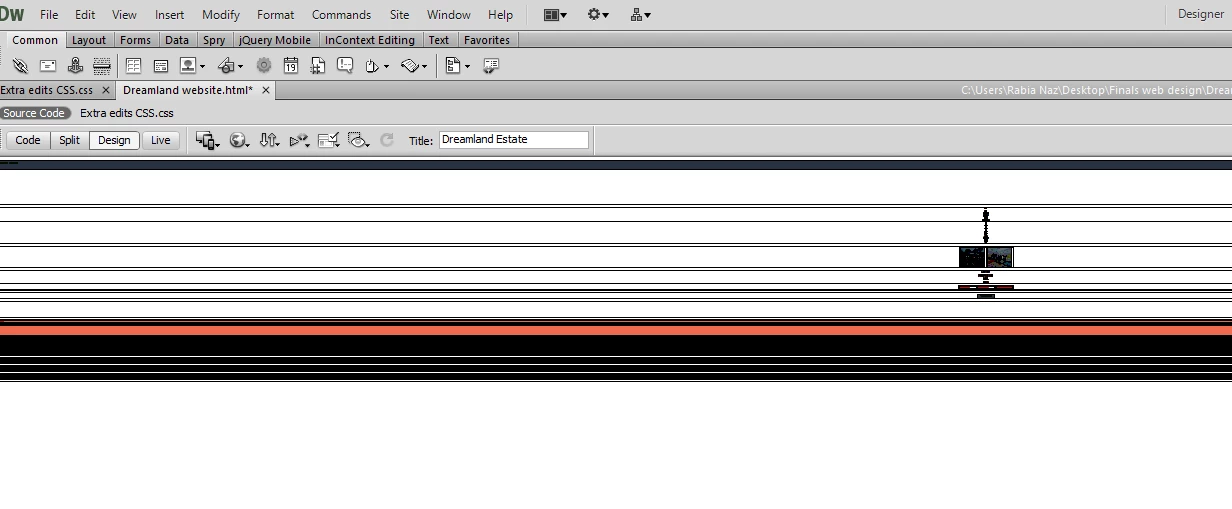
why is the table too big?  Its 1000px only.

    This topic has been closed for replies.

    3 replies

    Nancy OShea
    Community Expert
    Community Expert
    June 13, 2023

    CS6 from 2012 isn't fit for modern use.  No 10+ year old web software is.  The web has changed too much.


    Please use modern software or online service.  If not Dreamweaver CC, then something else.


    CODE TUTORIALS:
    - https://www.w3schools.com/html/
    - https://www.w3schools.com/css/
    - https://www.w3schools.com/js/
    ================
    CODE EDITORS:
    -- Adobe Dreamweaver CC - https://www.adobe.com/products/dreamweaver.html
    -- Codespaces (free, browser-based) - https://github.com/features/codespaces
    -- Nova (Mac only, formerly called Coda) - https://nova.app/
    -- Pinegrow - https://pinegrow.com/
    -- Sublime Text - http://www.sublimetext.com/
    -- Visual Studio Code (free) - https://code.visualstudio.com/
    -- Wappler ~ Visual Web App Builder - https://wappler.io/

    ONLINE SITE BUILDERS:
    -- Squarespace - https://www.squarespace.com/
    -- Webflow - https://webflow.com
    -- Wix - https://www.wix.com/
    -- WordPress (open source) - https://wordpress.org/


    Nancy O'Shea— Product User & Community Expert
    Nancy OShea
    Community Expert
    Community Expert
    June 13, 2023

    Nobody uses tables for layouts anymore.  That was an old-school approach from the last century.


    Modern websites use responsive CSS layouts that fit on all devices (mobile, tablet, desktops...) and all points in between.


    1. Go to File > New > Starter Templates > Bootstrap Templates. 

    2. Choose a layout and hit CREATE button. 

    That should give you a good starting point to work with.  🙂


    Hope that helps.


    Nancy O'Shea— Product User & Community Expert
    B i r n o u
    Legend
    June 14, 2023
    quote

    That should give you a good starting point to work with.  🙂

    By @Nancy OShea


    Do you mean by using Bootstrap ?... </joke>

    Community Expert
    June 13, 2023

    Well, without seeing your code, it's hard to see what's going on under the hood.
    However, a few comments on the fly :


    At the end, these are only the first elements that stand out...and d'on't forget to split the doc view (code and display) and send us a screenshot, that will help us to help you.