


michaelo80245243
Participant
January 11, 2017
Question

Template problem when uploading my website

  • January 11, 2017
  • 3 replies
  • 204 views

I have recently 'inherited' a company website from the person who used to work here and am in the process of trying to add new webpages. I can create the pages easily enough and they look fine on my computer when I load them in various browsers. I am using (as far as I'm aware) the same Dreamweaver template that was used to create the other pages that are currently live on the website. However, when I go to upload the new page through Filezilla, I get an image that looks like this when I type in the URL:
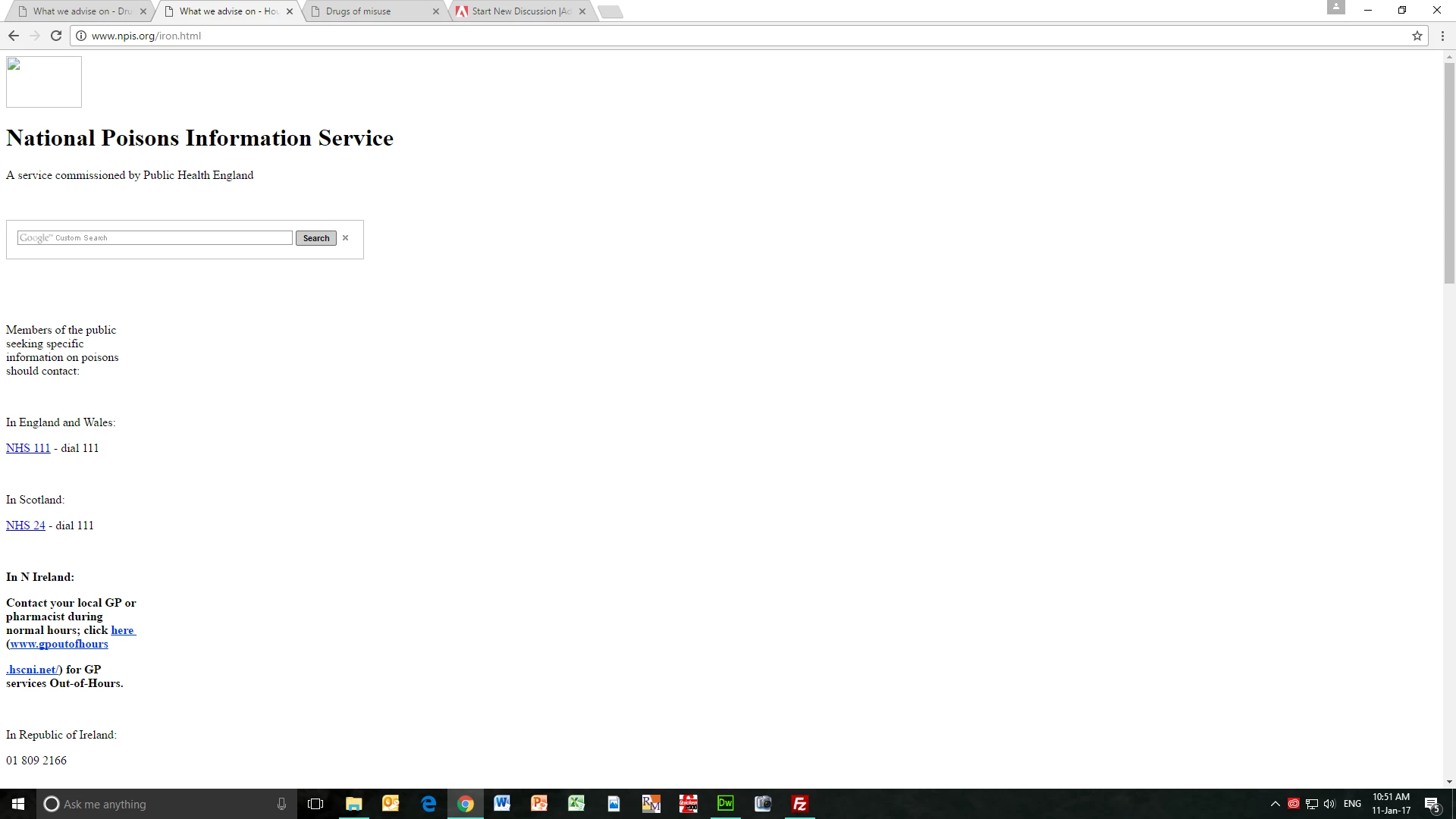
Clearly the template isn't attaching properly to the new webpages I am creating. The current webpages look fine, by my new ones that I am trying to add do not! Does anyone have any solutions? Any suggestions would be great!

This topic has been closed for replies.

3 replies

Jon Fritz
Community Expert
Community Expert
January 11, 2017

The exact method of creating a page from a .DWT Template varies by version.

Which DW are you using?

In older versions it was File > New... > Page From Template
In newer versions it is File > New... > Site Templates > choose the site > choose the Template > Create

If you're using any other method than one of those two when creating a new page from a Template, it won't work correctly. For example, you can't open the .DWT Template file and use Save As to create a .html file, the links won't work.

BenPleysier
Community Expert
Community Expert
January 11, 2017

In addition to what osgood_ has said, you may like to have a look at How to design web pages based on Dreamweaver templates

Wappler is the DMXzone-made Dreamweaver replacement and includes the best of their powerful extensions, as well as much more!
Legend
January 11, 2017

You cant be creating and saving the page made form the  template correctly as the path to your files are incorrect:

<link href="../Dreamweaver%20link/twocolumnfixed.css" rel="stylesheet" type="text/css" />

<script src="../Dreamweaver%20link/SpryAssets/SpryMenuBar.js" type="text/javascript"></script>

<link href="../Dreamweaver%20link/SpryAssets/SpryMenuBarVertical.css" rel="stylesheet" type="text/css" />

<a href="../Dreamweaver%20link/index.html"><img src="../Dreamweaver%20link/NPIS%20logo.GIF" width="100" height="68" class="fltrt" /></a>

if you look at the path to the files in a correct page such as the index.html page or cpdday.html you will see the correct path:

<link href="twocolumnfixed.css" rel="stylesheet" type="text/css" />

<script src="SpryAssets/SpryMenuBar.js" type="text/javascript"></script>

<link href="SpryAssets/SpryMenuBarVertical.css" rel="stylesheet" type="text/css" />

<a href="index.html"><img class="fltrt" src="NPIS logo.GIF" width="100" height="75" /></a>

So the question is how are you producing the new page/s.

1) You select New from template > choose the template from the site folder > then save the page into your site folder with a name.

2) Open it and start adding and editing.