


Participant
February 18, 2018
Answered

Text direction changed (flliped) after update to 2018 version

  • February 18, 2018
  • 1 reply
  • 436 views

Hi friends.

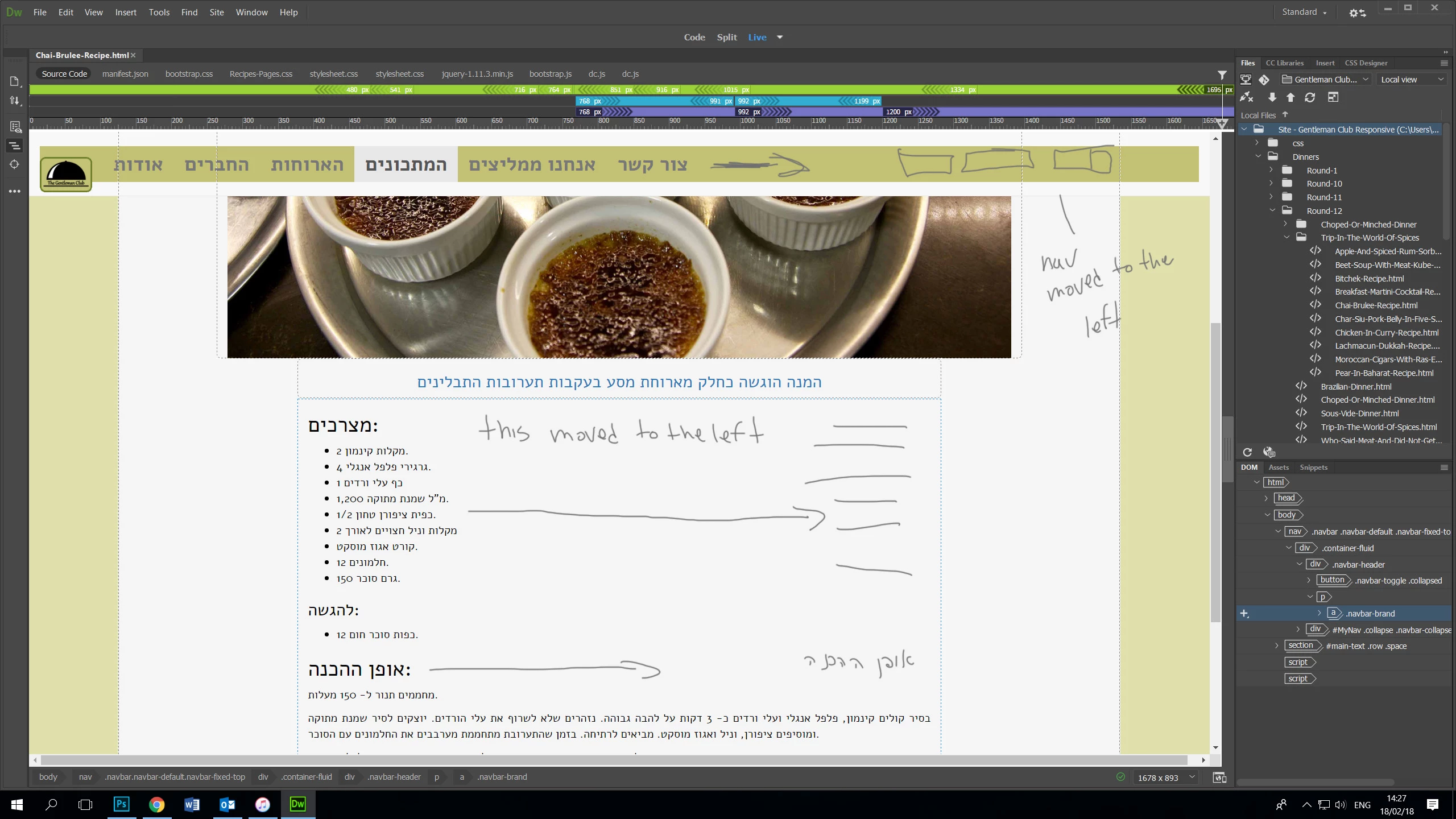
After updating Dreamweaver to 2018 version all the text positioning has moved from right to left (navigation, paragraph...)

the text is still right to left (the characters didn't flip)  but the text direction if flipped.

In the 2017 version, it was all good.

Couldn't find any way to change it. when checking the creative cloud app it says that the Hebrew support is installed.

Any ideas what I'm doing wrong?

Hanan

This topic has been closed for replies.
Correct answer BenPleysier

If it is still OK in the browser, then it is a problem with Dreamweaver. Go to Help -> Submit Bug/Feature Request and make it known to those that can do something about it.

Also have a look at the pre-release version, it may have been fixed there - Adobe Prerelease

In the meantime, I suggest that you stick with version 2017.

1 reply

BenPleysier
Community Expert
BenPleysierCommunity ExpertCorrect answer
Community Expert
February 18, 2018

If it is still OK in the browser, then it is a problem with Dreamweaver. Go to Help -> Submit Bug/Feature Request and make it known to those that can do something about it.

Also have a look at the pre-release version, it may have been fixed there - Adobe Prerelease

In the meantime, I suggest that you stick with version 2017.

Wappler is the DMXzone-made Dreamweaver replacement and includes the best of their powerful extensions, as well as much more!
