
Inspiring
June 8, 2021
Answered

The "Close" button no longer works

  • June 8, 2021
  • 2 replies
  • 804 views

Hello:


I recently discovered a chronic problem using DW 2021 v. 21.1 (on a Mac using Big Sur v. 11.3).


When I finish using the Find and Replace in Files feature, it's impossible to close that window.

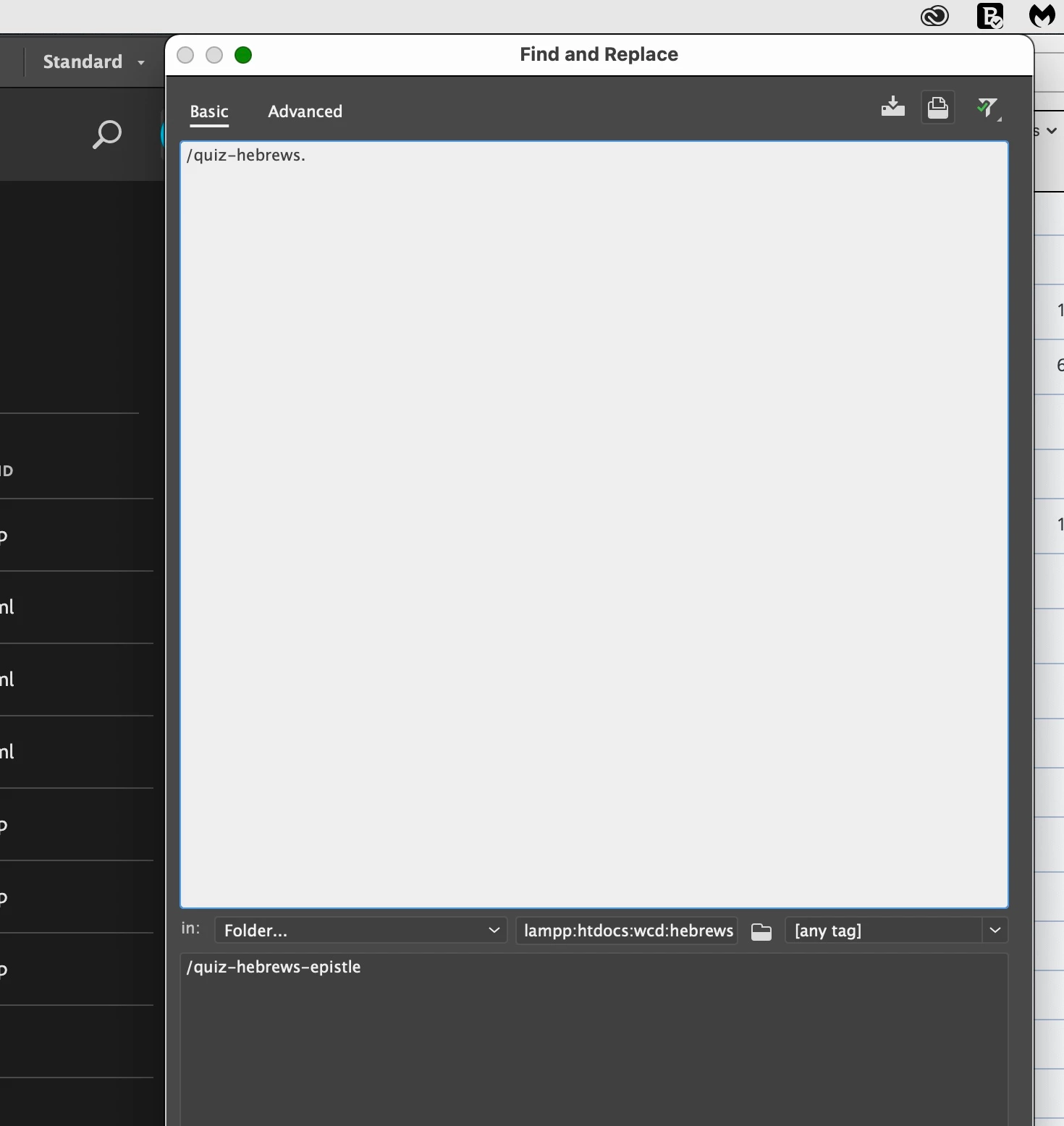
I shut down and relaunched DW. When I opened that Find and Replace in Files window, the Close icon is greyed out and non-functional. I must drag it off the screen or restart DW to get it to disappear.


here's a screenshot documenting the greyed out or empty Close button.
 

How should I pursue correcting this recurring problem?


Warren


    This topic has been closed for replies.
    Correct answer Nancy OShea

    Try hitting the Esc key.  It works for me. 🙂


    2 replies

    Nancy OShea
    Community Expert
    Community Expert
    June 8, 2021

    Restart computer.

    If you continue to have trouble in DW, try Restoring Preferences.  That fixes most problems.

    https://helpx.adobe.com/dreamweaver/kb/restore-preferences-dreamweaver.html


    Nancy O'Shea— Product User & Community Expert
    Nancy OShea
    Community Expert
    Nancy OSheaCommunity ExpertCorrect answer
    Community Expert
    June 8, 2021

    Try hitting the Esc key.  It works for me. 🙂


    Nancy O'Shea— Product User & Community Expert
    wcampAuthor
    Inspiring
    June 8, 2021

    Yes. That works for me also. Hoooooray!

    I trust that you've advised engineers of this problem and will correct it in the next version.


    Thanks, again, Nancy!


    Warren

    Nancy OShea
    Community Expert
    Community Expert
    June 8, 2021

    No I did not report it to the DW engineers because 1) it's NOT my problem and 2) I don't have Big Sur. 

    If you care to submit a bug report, feel free to do it from your DW Help menu.  That's what it's there for. 


    Nancy O'Shea— Product User & Community Expert