
RX391527121
Participant
Mar 2, 2018 5:27 AM UTC
Answered

The DW has stopped working while launching in windows 10 pro x64
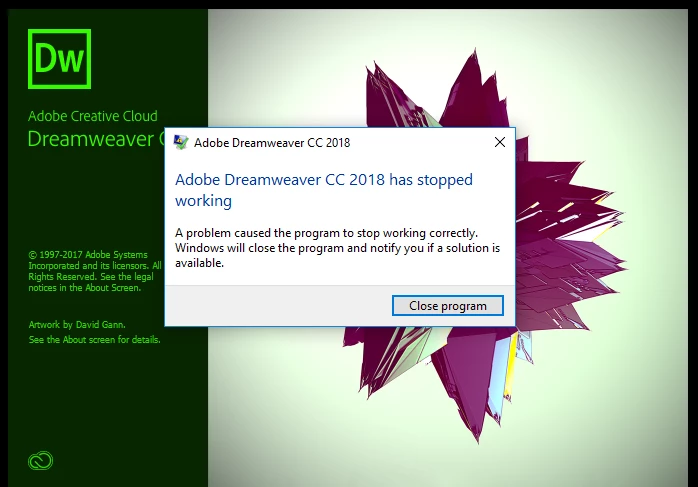
This is the result from event viewer:

...........................................................

Faulting application name: Dreamweaver.exe, version: 18.0.0.10136, time stamp: 0x59cb9662

Faulting module name: Dreamweaver.exe, version: 18.0.0.10136, time stamp: 0x59cb9662

Exception code: 0xc0000005

Fault offset: 0x0000000000f8c177

Faulting process ID: 0x348

Faulting application start time: 0x01d3b1e4072e27d1

Faulting application path: C:\Program Files\Adobe\Adobe Dreamweaver CC 2018\Dreamweaver.exe

Faulting module path: C:\Program Files\Adobe\Adobe Dreamweaver CC 2018\Dreamweaver.exe

Report ID: c8a27f72-2bc7-4b0c-a8ac-cfffceaa2488

Faulting package full name:

Faulting package-relative application ID:

...........................................................

can somebody help me to fix it asap?

Please........

i'll really appreciate it.

stressed out 😕😕

    This topic is closed to new replies. Start a new post to keep the conversation going.
    BenPleysier
    BenPleysierCorrect answer
    Community Expert
    Mar 2, 2018 12:02 PM UTC

    Please have a look at this answer Re: dreamweaver cc 2018 crashes when opening on windows 10

    Wappler is the DMXzone-made Dreamweaver replacement and includes the best of their powerful extensions, as well as much more!

    2 replies

    Preran
    Legend
    Mar 5, 2018 9:49 PM UTC

    Did Ben's solution help you? Do you still need assistance?

    Thanks,

    Preran

    Translate
    BenPleysier
    Community Expert
    BenPleysierCommunity ExpertCorrect answer
    Community Expert
    Mar 2, 2018 12:02 PM UTC

    Please have a look at this answer Re: dreamweaver cc 2018 crashes when opening on windows 10

    Translate
    Wappler is the DMXzone-made Dreamweaver replacement and includes the best of their powerful extensions, as well as much more!