
Inspiring
June 5, 2018
Question

Too many copies of website?

  • June 5, 2018
  • 1 reply
  • 686 views

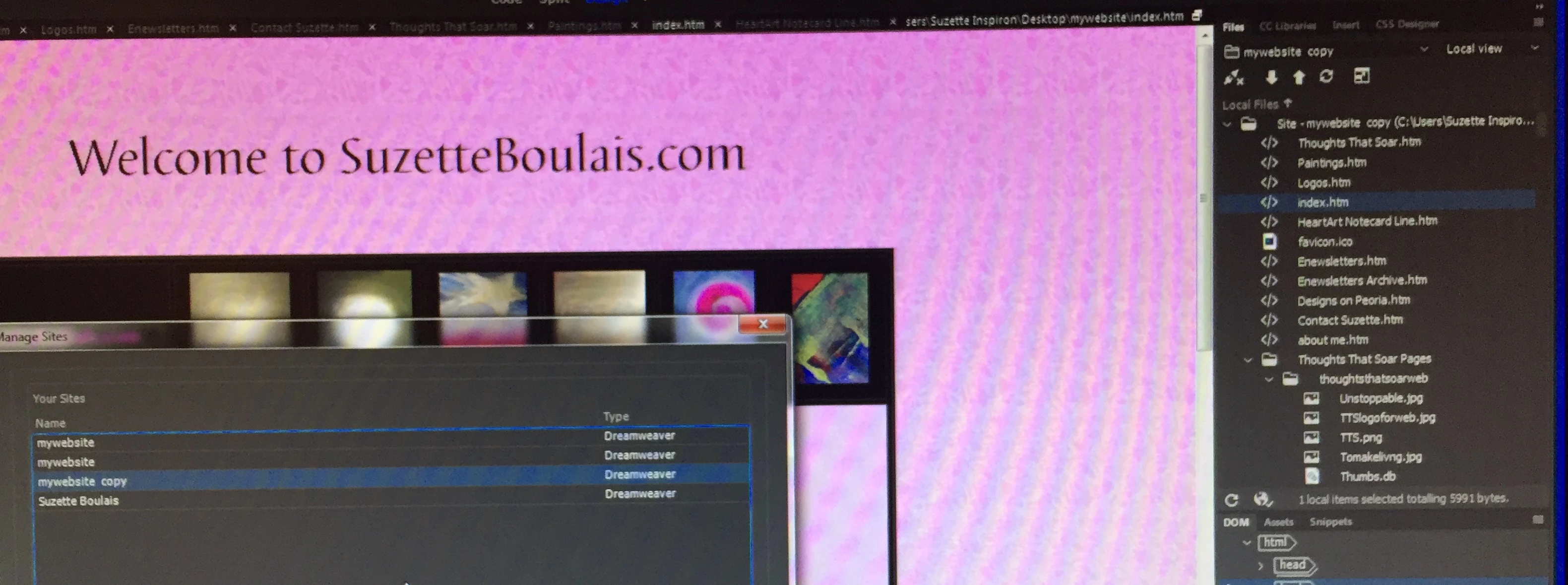
What in the world could I have done? I went to save and export a copy of my website as I'd made several changes and when I went to view manage site, what did I find? Several copies of my "my website" and one at the bottom that even had my name on it and don't use. How do I know which, if any, to delete? (How did I ever get my name as a copy of the website when it was named "my website"?)

Thanks for any thoughts.
    This topic has been closed for replies.

    1 reply

    Inspiring
    June 5, 2018

    No idea how you happened to create multiple site definitions with the same/similar name. The best way I can see off the top of my head as to determining which site definition is the most current is to navigate to your file folders where the documents are stored and see which ones are the most recently modified. For security sake, I'd then make an external back up of those defined sites in the (less likely) event you need to refer to them again before deleting those files from your computer.

    Your screenshot is clearly telling you that you are working with the my website "copy" definition and set of files, so logically the first two "my website" and "suzetteboulais" defined sites are likely the ones you want to delete at this point. Using "suzetteboulais" as the defined site name will give you the most clarity going forward--hence once you've cleaned up your files, you should probably rename the "my website copy" as "suzetteboulais."

    Chris

    Inspiring
    June 5, 2018

    Thank you, Chris. I did go ahead and make external backups, then bit the bullet and deleted not only the two "mywebsites" but also the one with my name on it. Back in business.

    Inspiring
    June 6, 2018

    Glad you have apparently sorted it out. Still recommend you don't use "mywebsite" as a defined site name.

    Chris