Inspiring
October 28, 2017
Answered

Tool Tips

  • October 28, 2017
  • 4 replies
  • 3616 views

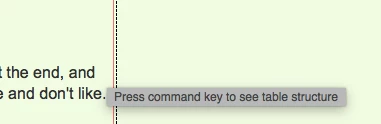
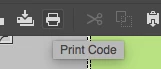
Version 18.0 was supposed to  turn off Description tool tips. The Beta version did but the full build did not. If I hover my cursor over anything in the upper toolbar then a description of that function pops up (see first screenshot). That wouldn't be so bad but the hated Press command key to see table structure is back (see second screenshot). What gives Adobe? You get rid of it in the Beta release and then put it back in the full release.

Unhappy user.

Alan
This topic has been closed for replies.
Correct answer lnayal

Hi Alan,

That option in preferences is for code hints description and not for tooltips in general. You can log a bug or feature request for same as in below link.

Adobe Dreamweaver CC: Feature Ideas

Based on user votes we will prioritize.

Thanks,

Lalita

4 replies

B i r n o u
Legend
November 14, 2017

are you talking about the tooltip that appears when hovering in exemple the main tool bar  ?

B i r n o u
Legend
November 3, 2017

yep, so I understood correctly the question, and effectively the deactivate tooltip, button in the prefs setting doesn't deactivate the UI tooltip.

I don't remember having such a feature or at least I never used it ?

where was this settiing in the previous build ?

Inspiring
November 3, 2017

Birnou

Same place as it is now - Preferences.

Alan

Community Manager
October 30, 2017

Hi English100,

Could you please rephrase the problem you are seeing? Is it the tooltip which comes for table in Design view?

But I can see same tooltip coming in DW CC 2017 as well. If you could tell us your specific concern, we might help.

Thanks,

Lalita

Inspiring
November 2, 2017

Okay to reiterate. I have the box against Descriptive tool tips in Preferences un-checked yet I still get tool tips if I hover over say the Paste icon and I get the dreaded Press command key to see table structure popping up whenever I move my cursor. All of this was supposed to have been fixed in 2018 release. Yes I see it in Design view which is where I work all the time.

Alan

pziecina
Legend
November 3, 2017

I have not done any OS programing for a few years, but if i remember correctly tooltips for any OS functions such as open file, save and print, were part of the OS functions and cannot be disabled except by using the OS settings, (not even certain if there is still a setting to do so).

As for the tooltips on tables, etc, which are specific to Dw, then yes i agree that if you have turned off tooltips in Dw settings, these should not show.

Nancy OShea
Community Expert
Community Expert
October 28, 2017

Open Preferences.

Nancy O'Shea— Product User & Community Expert
B i r n o u
Legend
October 30, 2017

Perhaps I didn't catch right the question, or did I missed your answer ? but this one doesn't deactivate the tooltip ? isn't it ?