

txtekguy
Participant
March 9, 2017
Answered

Transparent box over text

  • March 9, 2017
  • 2 replies
  • 330 views

There is a center column of text that appears to have a transparent box over it, making the text and graphics lighter. Any help in getting rid of it?
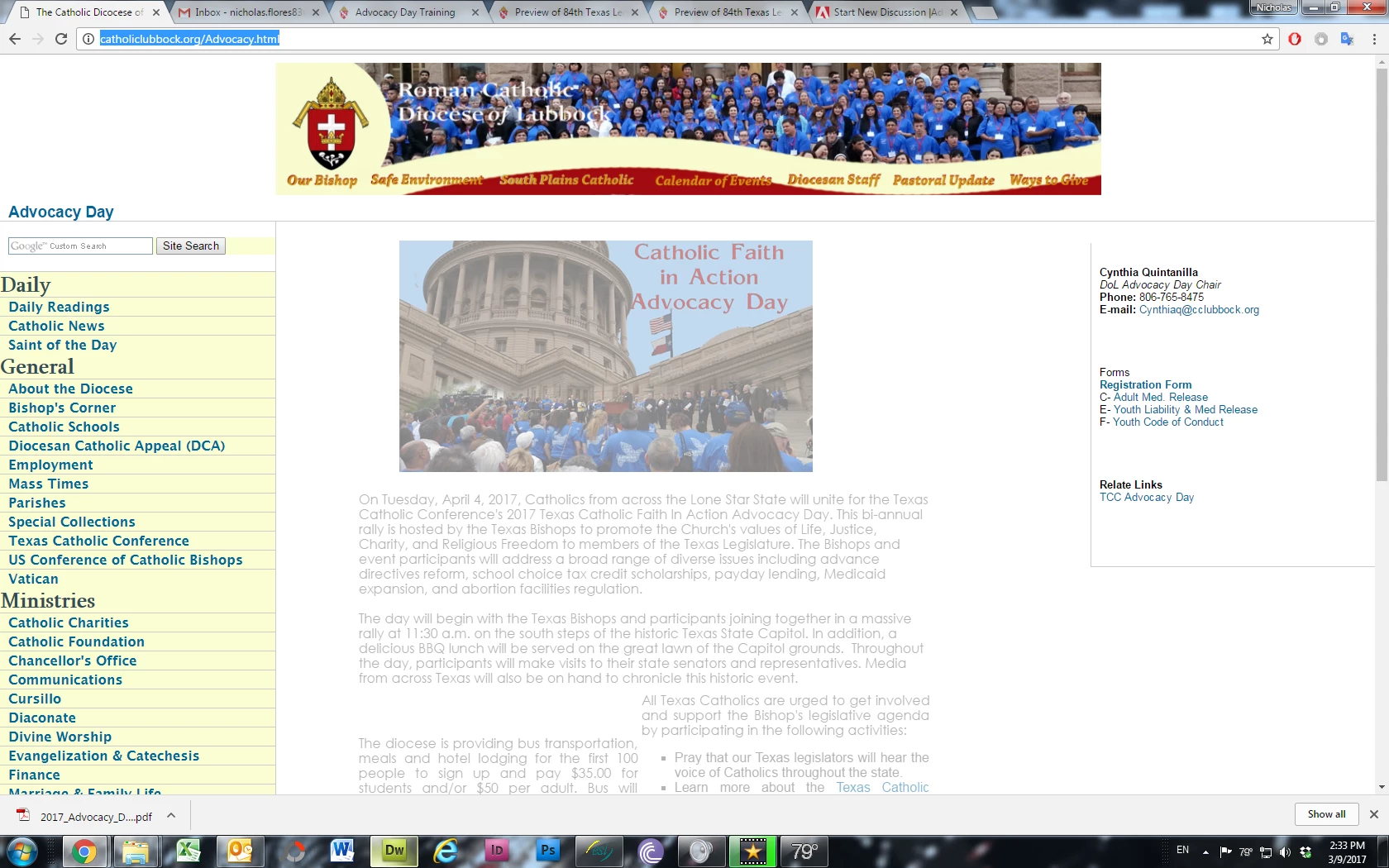
This topic has been closed for replies.
Correct answer Jon Fritz

In your 3col_leftNav.css file, you have set the opacity of the #content element to 50%

#content{

     float: left;

     width: 53%;

     background-color: #FFF;

     opacity: .5;

     color: #000;

}


...remove the opacity setting and it will come back.

2 replies

Nancy OShea
Community Expert
Community Expert
March 9, 2017

Here's the link: The Catholic Dicocese of Lubbock

Fix your code errors.  Among other things, you have too many <body> tags and unpaired HTML tags that need attention.  See link below for details.

[Invalid] Markup Validation of http://catholiclubbock.org/Advocacy.html - W3C Markup Validator

Once your code errors are cleaned up, we can take another look if needed.

Nancy

Nancy O'Shea— Product User & Community Expert
Jon Fritz
Community Expert
Jon FritzCommunity ExpertCorrect answer
Community Expert
March 9, 2017

In your 3col_leftNav.css file, you have set the opacity of the #content element to 50%

#content{

     float: left;

     width: 53%;

     background-color: #FFF;

     opacity: .5;

     color: #000;

}


...remove the opacity setting and it will come back.

