
Participating Frequently
September 19, 2018
Answered

Turn off annoying popups - How to, and please!

  • September 19, 2018
  • 1 reply
  • 550 views

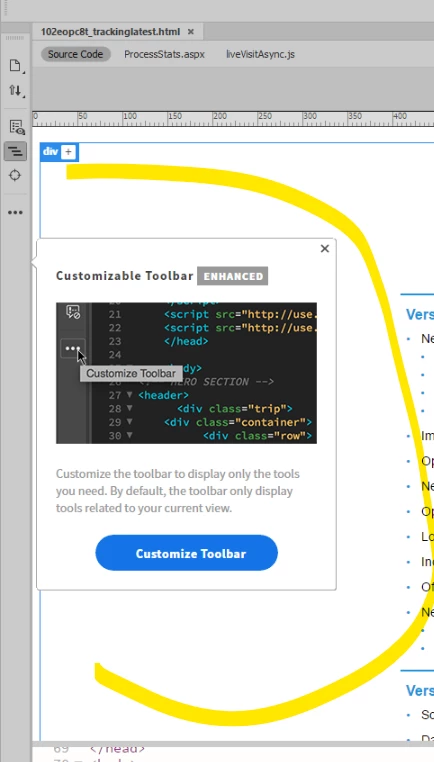
Surely there is an answer for this? How do we turn these off? I shouldn't have to stop what I am doing, find the tiny itty-bitty x and click it, and then return to what I am doing. Whoever thought it was helpful was wrong, wrong, wrong. I see a brief conversation earlier where the person was given instructions on how to do this in Photoshop, but those options don't apply in Dreamweaver. And that was the end of it. Heck, I even clicked the "I know what the heck I'm doing" option when I updated Dreamweaver.  I shudder to think what I would be seeing if I had clicked the "I'm a newbie" box!
This topic has been closed for replies.
Correct answer Jon Fritz

While multiple users have asked for one there is still no "off button" for the new feature pop-ups in DW.

They should only appear once. If you are seeing something other than that after closing them, you may have a bad installation or corrupt preference file.

1 reply

Jon Fritz
Community Expert
Jon FritzCommunity ExpertCorrect answer
Community Expert
September 19, 2018

While multiple users have asked for one there is still no "off button" for the new feature pop-ups in DW.

They should only appear once. If you are seeing something other than that after closing them, you may have a bad installation or corrupt preference file.

Participating Frequently
September 19, 2018

Well, hopefully turning off once will do it - thanx for that reassurance.  One wonders how many there are....
So sorry that they still haven't fixed this.
And thank you for your quick response!!
