stsmith1991
Participant
January 6, 2019
Answered

Typing in CC 17(19) like typing in CS 3 (6)

  • January 6, 2019
  • 4 replies
  • 631 views

Hello, world.
I`d like to typing in Dreamweaver CC same in previous versions. How can I change typing in settings, If that possibly.

This topic has been closed for replies.
Correct answer Jon Fritz

Could you explain what is happening when you try to type in Code View in the newer version and how it differs from what you expect to see from the older one?

Code View, by default, should act the same as Design View when adding text. There are a couple of things that could stop it from working though.

1. If your page is created from a .DWT Template file, certain sections of the code will be gray and you will be unable to edit them in the Child page. To edit those sections, you would need to modify the actual .dwt file and populate the changes across all of the child pages.

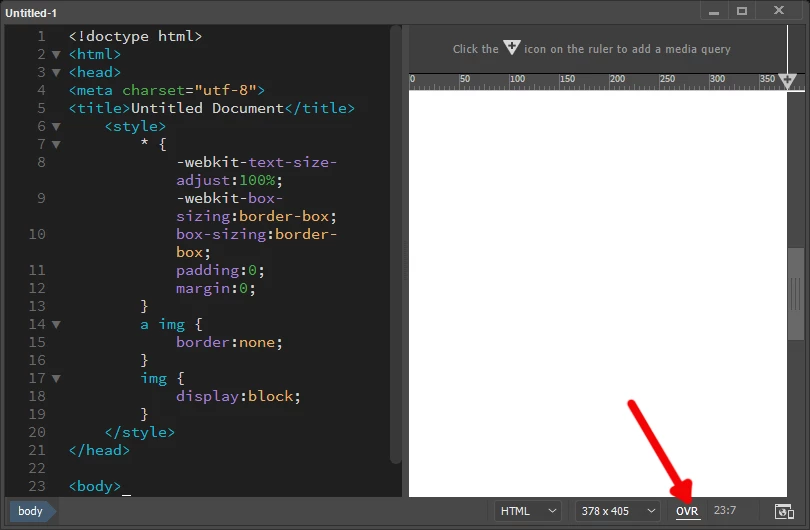
2. If you have accidentally selected OVR in the bottom right of the document window, DW will overwrite code rather than inserting new code when you type. If that's what is happening, click the OVR in the bottom right...

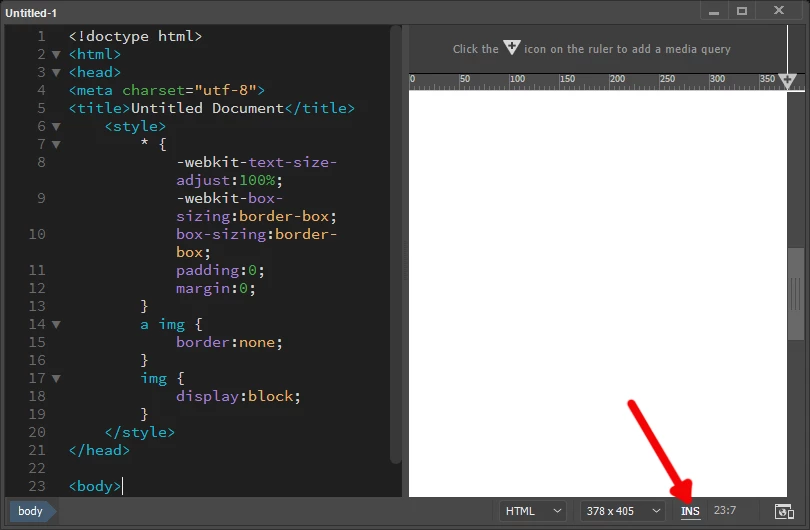
That should show as INS...

4 replies

Jon Fritz
Community Expert
Jon FritzCommunity ExpertCorrect answer
Community Expert
January 7, 2019

Could you explain what is happening when you try to type in Code View in the newer version and how it differs from what you expect to see from the older one?

Code View, by default, should act the same as Design View when adding text. There are a couple of things that could stop it from working though.

1. If your page is created from a .DWT Template file, certain sections of the code will be gray and you will be unable to edit them in the Child page. To edit those sections, you would need to modify the actual .dwt file and populate the changes across all of the child pages.

2. If you have accidentally selected OVR in the bottom right of the document window, DW will overwrite code rather than inserting new code when you type. If that's what is happening, click the OVR in the bottom right...

That should show as INS...

stsmith1991
Participant
January 7, 2019

Exactly! What`s that I want to know. Great thank you.

stsmith1991
Participant
January 6, 2019

Thanks. I`ll not leave my hope.

Nancy OShea
Community Expert
Community Expert
January 6, 2019

For legacy text editing, switch to Design View.   See screenshots.

The Live View editor requires you to double click before you can start typing inside the gold bordered box.

Nancy O'Shea— Product User & Community Expert
stsmith1991
Participant
January 6, 2019

Can I to type in "Code" mode like it doing in "Design" mode?

Nancy OShea
Community Expert
Community Expert
January 6, 2019

Sure you can.

Nancy O'Shea— Product User & Community Expert
BenPleysier
Community Expert
Community Expert
January 6, 2019

The latest versions of Dreamweaver use a different text editor to previous versions. The text editor is now based on Brackets which means that there is no return, unless you take the example of other users and stick to using earlier versions of Dreamweaver.

For more, see Next Generation of Dreamweaver | Adobe Blog

Wappler is the DMXzone-made Dreamweaver replacement and includes the best of their powerful extensions, as well as much more!