RobBarrett
Community Expert
Community Expert
May 12, 2023
Answered

Typo in "Test Page for CSS Styleguide" HTML Snippet

This is one of the supplied, default HTML snippets. There is a typo in the name, which is written like this:
Test Page for CSS Sytleguide


Dreamweaver 21.3, 15593 Build
macOS 12.1

This topic is closed to new replies. Start a new post to keep the conversation going.
Nancy OShea
Nancy OSheaCorrect answer
Community Expert
May 12, 2023

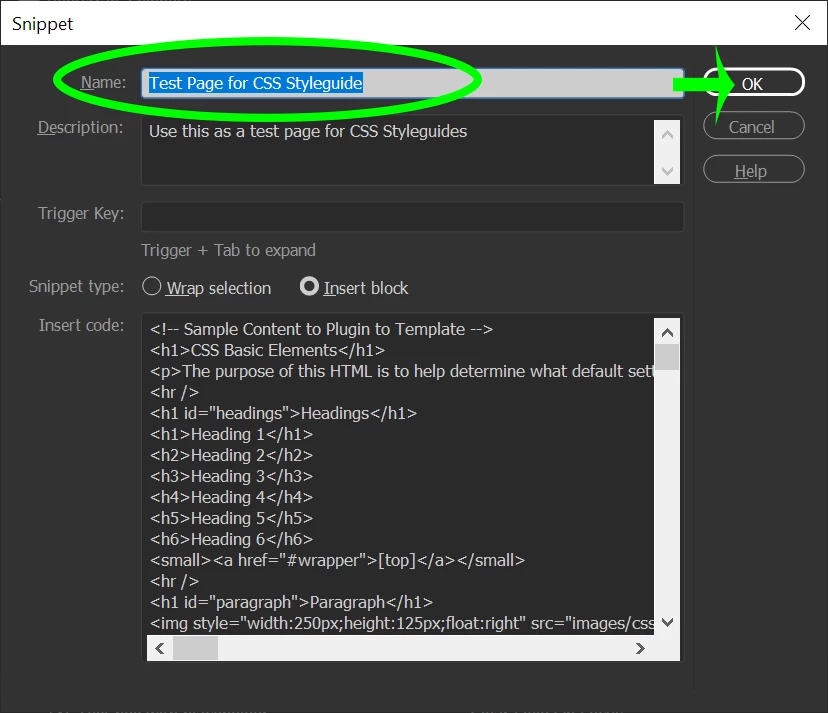
Nevermind what I posted above.  See screenshot.


1. Right-click on snippet > select Edit.

2. Correct the title.

3. Hit OK.


Nancy O'Shea— Product User & Community Expert

3 replies

Nancy OShea
Community Expert
Nancy OSheaCommunity ExpertCorrect answer
Community Expert
May 12, 2023

Nevermind what I posted above.  See screenshot.


1. Right-click on snippet > select Edit.

2. Correct the title.

3. Hit OK.


Translate
Nancy O'Shea— Product User & Community Expert
Nancy OShea
Community Expert
Community Expert
May 12, 2023

How exactly did you come across it?

Can you list the steps you took and post a screenshot?


Translate
Nancy O'Shea— Product User & Community Expert
RobBarrett
Community Expert
Community Expert
May 13, 2023

Hi Nancy, I just happened to notice it while looking at the HTML Snippets tab in a clean install of Dreamweaver. I don't personally need it fixed (but thanks for the instructions) – I was just bringing this to the attention of the Adobe team so that the typo can be corrected.

Translate