
Inspiring
September 22, 2026
Question

Unable to connect with server

  • September 22, 2026
  • 9 replies
  • 54 views

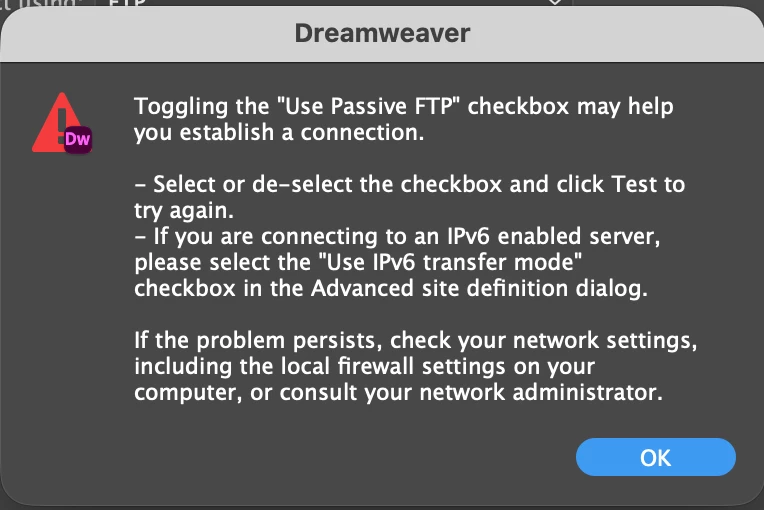
I have been on the phone to my host for ages trying to get DW to connect with the host, no luck. They even went to the trouble of downloading DW and testing it, and it worked so the problem must be at my end. Are their any little secret settings I may have wrong that is preventing me from connecting? I’ve done all of the suggestions on the error boxes that come up.
 

    9 replies

    ATIF BUX
    Participant
    September 23, 2026

    FTP error I’ve encountered the same issue problem an hour ago. I really think this is an DW issue!!! When I use an external FTP, everything works. I hope ADOBE is going to look into this very quickly. 

    Community Expert
    September 24, 2026

    Your error appears to be unrelated and different compared to that of the original poster. Can you try using a third party alternative like Filezilla and see if you are able to connect with the same connection details? Also, the next time you go to FTP, if you can go to Site → Advanced → FTP Log and see what error is appearing that may help us to further investigate your particular error.

    ATIF BUX
    Participant
    September 25, 2026

    Thanks, Ben. Just an update: Dreamweaver FTP is now working again, without me changing any of my connection settings.

    During the issue, the same FTP credentials worked perfectly with a third-party FTP client, while Dreamweaver consistently returned the network data error.

    So this appears to have been a temporary/intermittent issue rather than a problem with my FTP credentials or server configuration. If it happens again, I’ll check the Dreamweaver FTP log as you suggested and post the relevant details here.

    Community Expert
    September 23, 2026

    ​@Nancy OShea’s suggestion to test with FileZilla is a good first step.

    That test helps separate two different problems:

    If FileZilla cannot connect either, then the issue is probably not Dreamweaver itself. It may be the FTP/SFTP details, the password, the port, the network, the firewall, or something on the hosting side.

    If FileZilla connects successfully, then the hosting account and credentials are probably OK, and the next step is to compare the same settings in Dreamweaver.

    Looking at your screenshot, I would also double-check the username field. It appears to contain a URL or domain name. That is not usually the FTP username, although some hosts do use unusual formats.

    So I would ask your host to confirm the exact values for:

    • server name
    • username
    • password
    • port
    • root directory, such as public_html/, html/, or htdocs/
    • whether the connection should be FTP or SFTP

    Then enter those values exactly in Dreamweaver, without changing several settings at once, or start by a new settings set.

    After that, if it still fails in Dreamweaver but works in FileZilla, try changing the Passive FTP option and test again.

    The important thing is to compare the same information in both programs. If one field is different, especially the username or the connection type, Dreamweaver may fail even though the hosting account itself is fine.

    Nancy OShea
    Community Expert
    Community Expert
    September 23, 2026

    Which version of DW?

    Which operating system?


    Did you try using FREE Filezilla S/FTP client?  

    https://filezilla-project.org/download.php?type=client

    If it works, you have a way to transfer files to your server while you troubleshoot DW. 

    If it doesn’t work, you have other problems.


    Nancy O'Shea— Product User & Community Expert
    gunzelguyAuthor
    Inspiring
    September 22, 2026


    gunzelguyAuthor
    Inspiring
    September 22, 2026

    I tried to upload 3 screenshots but only one came up


    Nancy OShea
    Community Expert
    Community Expert
    September 23, 2026

    My root directory is public_html/  

    Some hosts use html/ or htdocs/

    I don’t know what your hosting provider uses. You should ask them.


    Nancy O'Shea— Product User & Community Expert
    Community Expert
    September 23, 2026

    In addition to what Nancy wrote, I would also look at that username and ftp address. Using a full website URL is not typical for a username because of the characters ://. And the FTP address is not always www either. I would verify all of the connection details with your host.