

higgsyd
Inspiring
January 8, 2020
Answered

unable to upgrade DW, app not appearing in list

  • January 8, 2020
  • 2 replies
  • 643 views

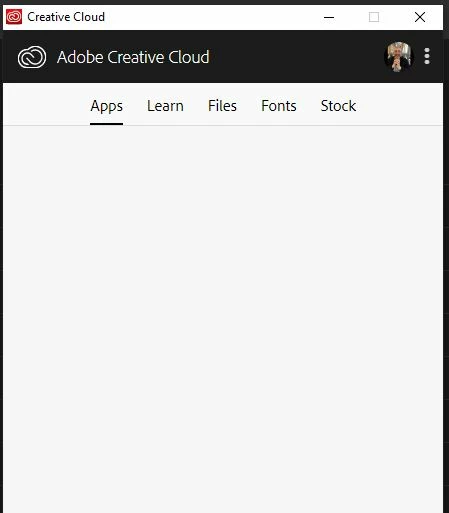
I am logged into my adobe account (see my profile pic, top-right) but app panel remains blank. i thought this is where the options to upgrade to 20.0 would appear.  Am i looking in the wrong place?

yhanks in advance
This topic has been closed for replies.
Correct answer Nancy OShea

Your CC Desktop App needs to be upgraded to the latest version 5.   To support the new app, you will need:


To upgrade, click the 3 dots icon beside your avatar.


2 replies

higgsyd
higgsydAuthor
Inspiring
January 9, 2020

many thanks Nancy, I always started DW in my Windows 10 system using Start button then clicking the Live Tile.  Now I start it from within Creative Cloud Desktop and I se the upgrade options so now safely on 20.0

Nancy OShea
Community Expert
Nancy OSheaCommunity ExpertCorrect answer
Community Expert
January 8, 2020

Your CC Desktop App needs to be upgraded to the latest version 5.   To support the new app, you will need:


To upgrade, click the 3 dots icon beside your avatar.


Nancy O'Shea— Product User & Community Expert