Inspiring
March 16, 2020
Answered

Unexpected Behavior

  • March 16, 2020
  • 1 reply
  • 2371 views

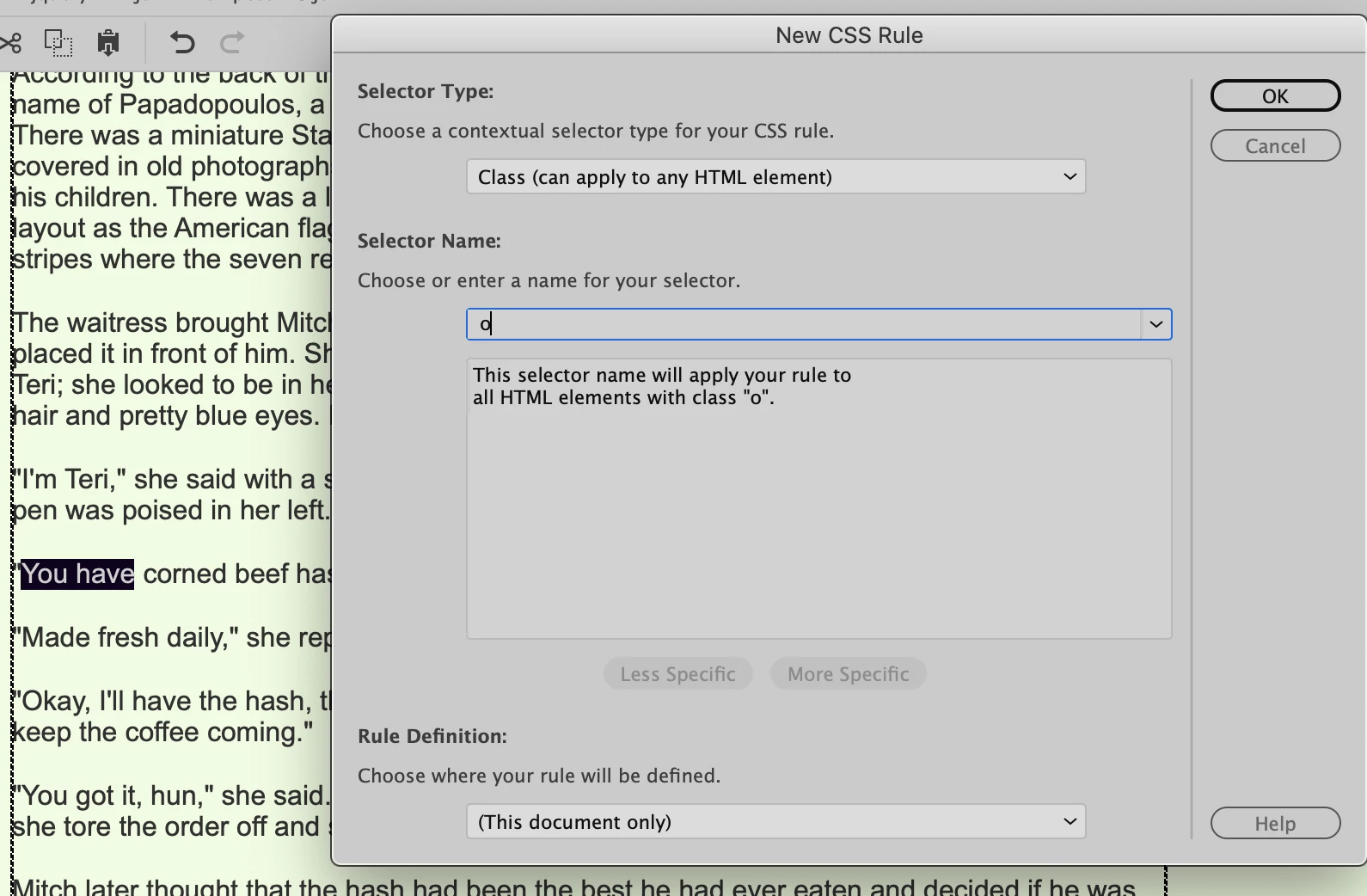
In editing in Design View, I'm getting some unexpected behavior. If you look at the screenshot, you can see that I have highlighted two words so I can edit them by overwriting them (I wanted to replace You have with How's the. But as soon as I begin to type the new word, that New CSS Rule window opens. Any idea why that's happening? I should add that this only happens when I highlight words to replace them. I can add words without the window opening.

Thanks

Alan
    This topic has been closed for replies.
    Correct answer Nancy OShea

    Nancy

    I hear what you're telling me, but this has only just started a month ago and I've been using DW for three years now. I have a suspicion that a latest release has caused this. How can I contact DW techs?
    Alan


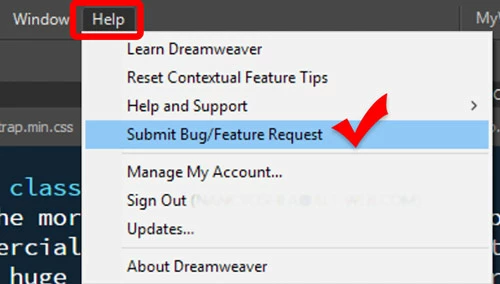
    Submit Bug reports directly to developers from your DW Help Menu.  Provide your system information, the work file and repeatable steps to produce the problem.


    1 reply

    Jon Fritz
    Community Expert
    Community Expert
    March 16, 2020

    That is pretty weird. I don't think I've seen that one before.

    Have you tried restoring preferences yet?


    https://helpx.adobe.com/dreamweaver/kb/restore-preferences-dreamweaver.html

    Inspiring
    March 16, 2020

    Jon

    Did the reset but it's still happening. It's making editing very tiresome having to close that window three times each time it opens.

    Alan

    Jon Fritz
    Community Expert
    Community Expert
    March 16, 2020

    Does this happen every time you highlight text and try to replace it with something else, or only when hitting the Shift + H in the word "How"?


    Have you done a full restart of your system after restoring prefs?