


Participant
June 11, 2017
Answered

Unwanted left and right browser margins

  • June 11, 2017
  • 3 replies
  • 752 views

I'm using Dreamweaver 2017.1 (build 9583).

I suddenly started getting these unwanted margins on the left and right of my web page, regardless of device and screen width. I do not get them in Dreamweaver live preview, only online.
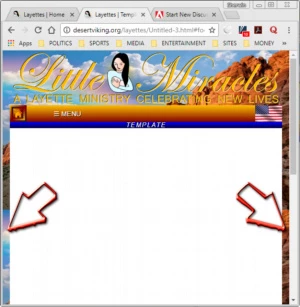
Against the image background, the page is a centered div container with a class "container-fluid" whose css paddings and margins are all 0. Bootstrap used to put 15px left and right margins, but I reset them to 0. Now I'm getting these margins again, and bootstrap .container-fluid margins and paddings are still 0.

How do I remove these left and right margins so the container fills the entire with of any viewport?

    This topic has been closed for replies.
    Correct answer Nancy OShea

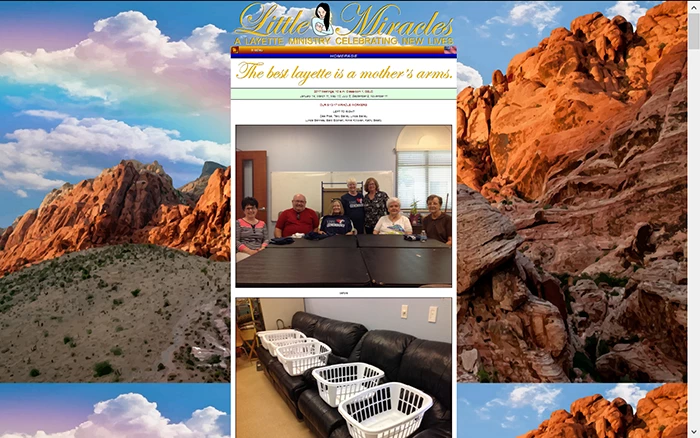
    OK thanks.   So your page is doing exactly what you've told it to do.  See my screenshot.  This is Zoomed out all the way in my browser to approx 25%.   I don't think you want to repeat your body background. 

    Another approach would be to put a more suitable background image inside your <header> and skip the body background entirely.  But that would produce a sea of white space on larger displays.

    Nancy 

    3 replies

    Nancy OShea
    Community Expert
    Community Expert
    June 11, 2017

    Using default Bootstrap code, I have no problem using container-fluid.  It works as expected.  See screenshot.

    So something about your code is either broken or not set-up right for what you're trying to achieve.   Check your code for errors.  Or post a link to your online page.

    Nancy

    Nancy O'Shea— Product User & Community Expert
    Participant
    June 11, 2017

    Nancy,

    Thank you for responding. Here’s the link: desertviking.org/layettes

    Nancy OShea
    Community Expert
    Nancy OSheaCommunity ExpertCorrect answer
    Community Expert
    June 11, 2017

    OK thanks.   So your page is doing exactly what you've told it to do.  See my screenshot.  This is Zoomed out all the way in my browser to approx 25%.   I don't think you want to repeat your body background. 

    Another approach would be to put a more suitable background image inside your <header> and skip the body background entirely.  But that would produce a sea of white space on larger displays.

    Nancy 

    Nancy O'Shea— Product User & Community Expert
    Inspiring
    June 11, 2017

    What is the width of your container? Looks to me like the body is set to 100% width and the container is (for argument's sake) 90% which would give you the slivers of background image that are visible.

    Chris

    John Waller
    Community Expert
    Community Expert
    June 11, 2017

    What is the website address?

    Participant
    June 11, 2017

    John,

    Thank you for responding. Here’s the address: desertviking.org/layettes