Participant
January 14, 2019
Answered

Uploaded Website Shows Differently in Different Size Computer

  • January 14, 2019
  • 2 replies
  • 2053 views

According to About Dreamweaver this was Dreamweaver 18.1

Hello,

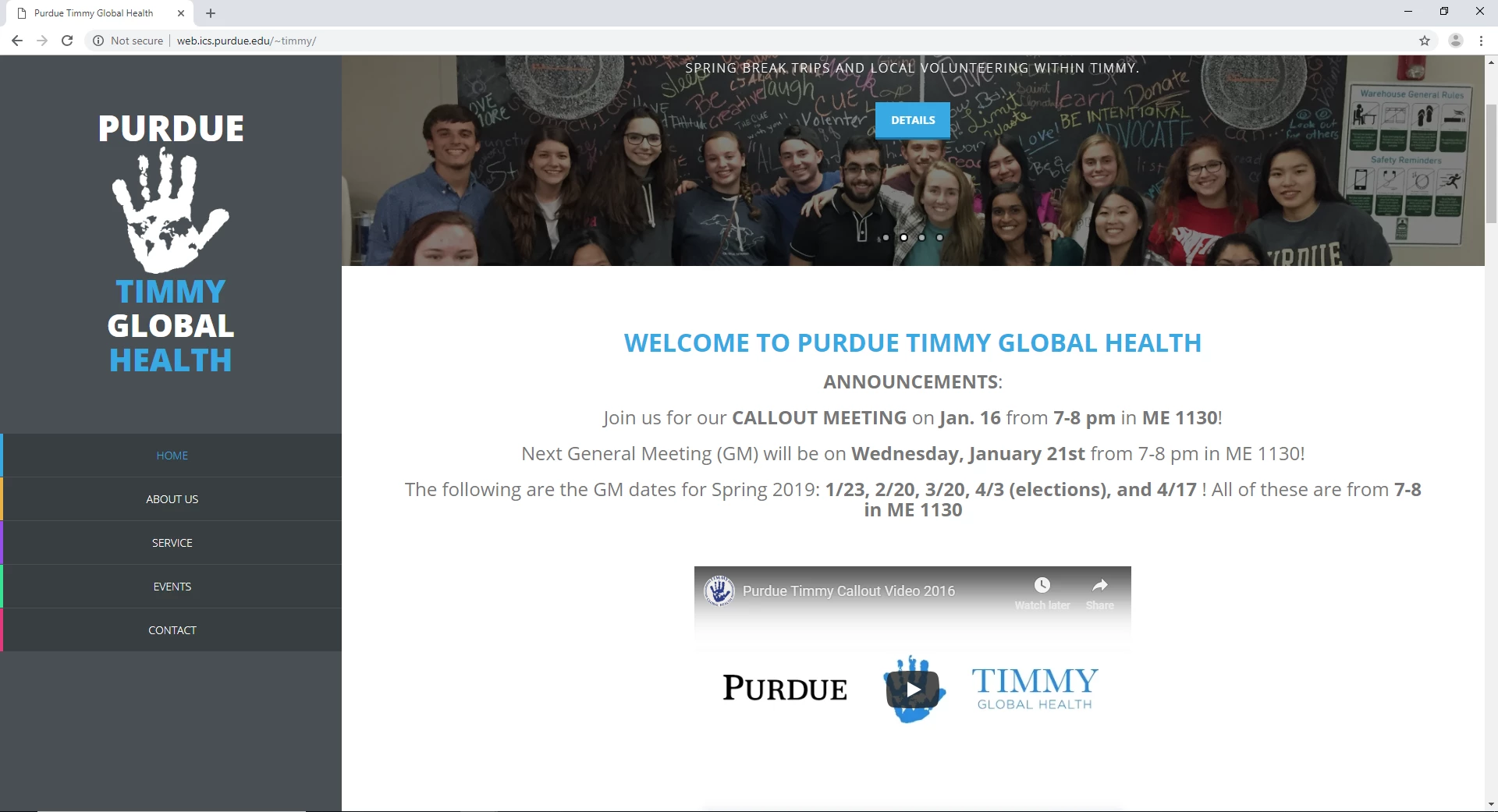
I am having difficulty in publishing my website in a correct form.

Write now, the only problem I am having is my main-side bar

On a school computer, everything shows up.

On my laptop computer, only (about) 40% of the expected main-side bar is showing up

And I do not know how to fix it......

Below are         and the url for the website;          pictures of those two different results;      myCodes;

url:    Purdue Timmy Global Health

_______________________________________________________________________________________

from laptop computerfrom school computer

_________________________________________________________________________________________

<div id="main-sidebar" class="hidden-xs hidden-sm">

<div class="logo">

  <a href="#"><h1 style="color: #FFFFFF; font-size: 46px;" align="center">Purdue</h1></a>

<a href="#"><h1 align="center">

<img src="Timmy Global Health png.png" width="150" height="163" alt=""/> </h1>

</a>

<a href="#"><h1 align="center">Timmy</h1></a>

<a href="#"><h1 style="color:#FFFFFF" align="center">Global</h1></a>

<a href="#"><h1 align="center">Health</h1></a>

<!--<span>Service Organization focused on Public Health</span> -->

</div> <!-- /.logo -->

<div class="navigation">

        <ul class="main-menu">

            <li class="home"><a href="#templatemo">Home</a></li>

            <li class="about"><a href="#about">About Us</a></li>

            <li class="services"><a href="#services">Service</a></li>

            <li class="portfolio"><a href="#portfolio">Events</a></li>

            <li class="contact"><a href="#contact">Contact</a></li>

        </ul>

</div> <!-- /.navigation -->

</div> <!-- /#main-sidebar -->

__________________________________________________________________________________________________

This topic has been closed for replies.
Correct answer Nancy OShea
That's beyond the scope of what a public user forum is designed for.  If you have a specific question, the volunteers here are usually happy to try & help.   But don't ask us to rebuild your code.  That's something you need to learn to do or hire somebody to do it for you.

Not sure I agree. Helping people is sometimes a nice thing to do. I wouldn't suggest recoding an entire site, but fixing a page is not beyond my scope.


This isn't a Dreamweaver question.  It's a 3rd party template problem.   The sidebar is unusable in xs, sm, md and some lg devices.  Since  it's based on older Bootstrap (3.1), one option is to hide the sidebar from all devices with built-in Bootstrap utility classes. 

On code line 56:   <div id="main-sidebar" class="hidden-xs hidden-sm hidden-md hidden-lg">

The other option is to refer to the Template maker's website and ask them for help.

Free Template 394 Sonic

2 replies

ALsp
Legend
January 14, 2019

Your sidebar does not adapt for small laptop / desktop screens. The simple fact is that if the menu does not fit in the sidebar, the browser will not spawn a scroll bar and the menu will not be accessible. Here is the actual problem, from your CSS file:

#main-sidebar {

float: left;

width: 23%;

height: 100%;

position: fixed;

background-color: #495054;

color: white;

}

You're going to need to come up with a more adaptive solution than position fixed.

It looks like your page is based on a template (most likely free). You could try contacting the author. If not, post back and perhaps I can fix it for you.

To reiterate the actual problem:

If the browser window is not tall enough to display all of the content in the sidebar, the content that doesn't fit will never be seen.

Participant
January 14, 2019

Thank you very much for your answer!

First, where did you see the code about

"

#main-sidebar {

float: left;

width: 23%;

height: 100%;

position: fixed;   " ?

Second,

If I send you the entire code, do you mean you could fix it for me?

You were right, it is based on the template...

ALsp
Legend
January 14, 2019

The code is a CSS rule, located in the CSS file (style sheet) that is linked to your page and serves to provide styling for your page. Position fixed should never be used on elements with a significant amount of height. It's very bad practice. To do what that template seeks to do, should have been done via JavaScript, or by using the more modern position sticky value, but it won't work on your page because the author is using some very outdated methods - or perhaps the template is 5 or more years old.

I can help you fix it, but I'm afraid that your apparent level of CSS skill is going to present some ongoing problems. Are you a student in the process of learning web design?

Nancy OShea
Community Expert
Community Expert
January 14, 2019

Simple solution.

  1. Open site in browser. 
  2. Hit Ctrl + - (minus) several times to reduce zoom.
  3. Hit Ctrl + 0 (zero) to reset normal zoom.
  4. Hit Ctrl + + to increase zoom.
Nancy O'Shea— Product User & Community Expert