Participant
February 26, 2023
Answered

Using automatic upload in code mode

  • February 26, 2023
  • 1 reply
  • 409 views

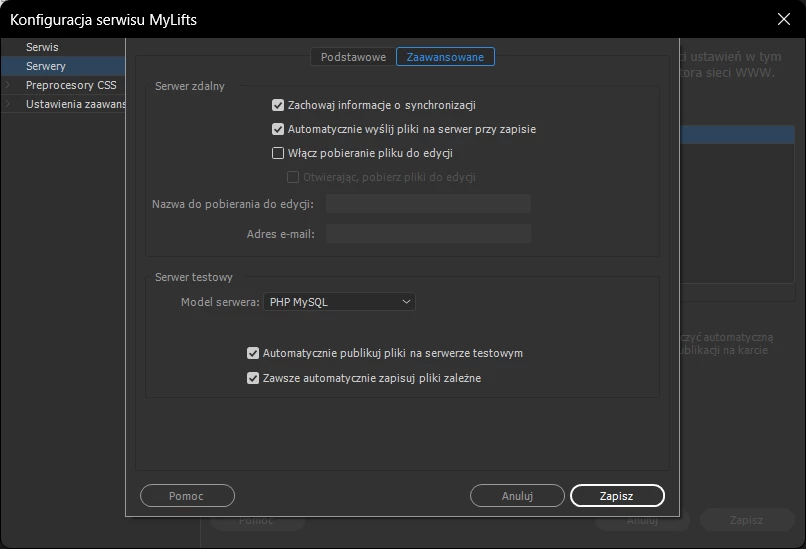
Hi. I would like to know how can I configure the program so that after saving the file (ctrl+s) it will automatically send the file to the server? I would not like to have an active page preview function.

In theory, it should work like this, with the "Automatically upload file to server on save" option checked. Unfortunately, this only works when the page is previewed

 

    This topic has been closed for replies.
    Correct answer Nancy OShea

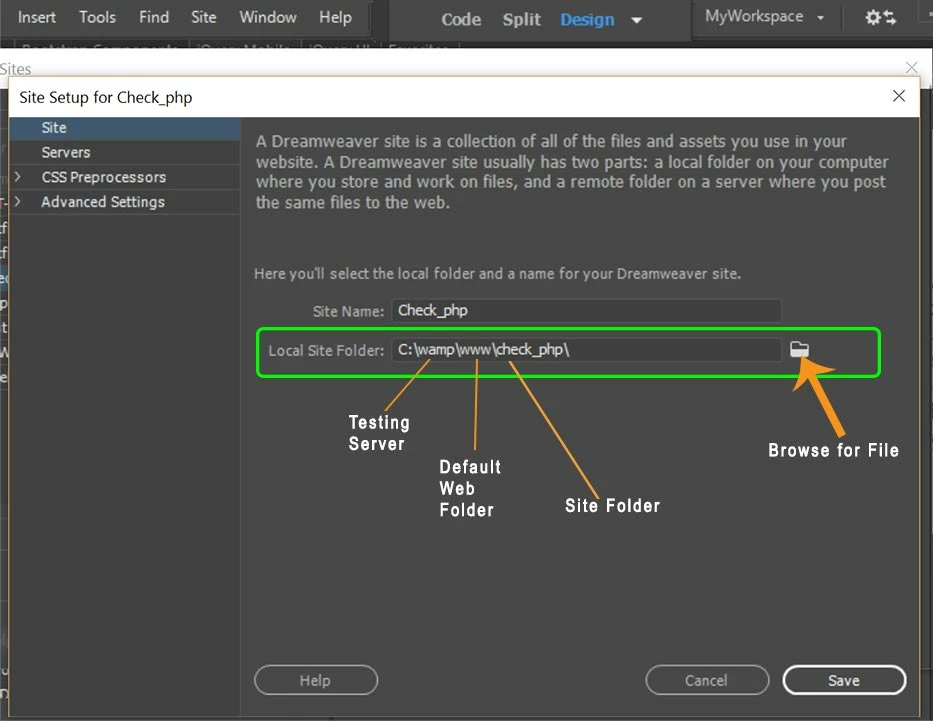
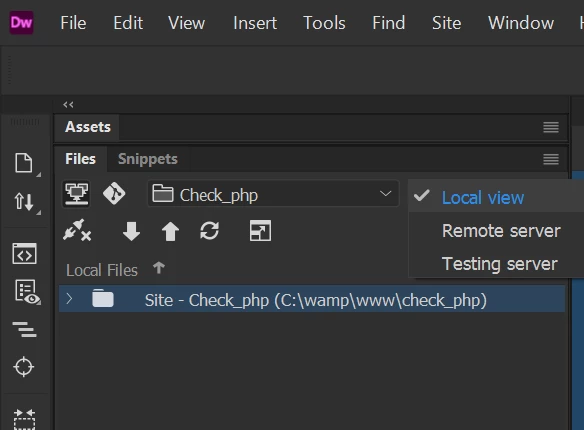
    My local site folder resides in my local TESTING server's default web directory. So

    saving files automatically saves to local testing server.  See screenshots.


    1 reply

    Nancy OShea
    Community Expert
    Community Expert
    February 26, 2023

    Use Ctrl + Shift + U to upload current document to server.


    Putting files to remote server on Save is very risky.  If you mistakenly save a bad file, it could compromise the live site. 


    Nancy O'Shea— Product User & Community Expert
    Participant
    February 26, 2023

    Yes, but for that I use testing server only, and it's secured by git.
    Unfortunately, when writing more complex pages that require a PHP server with MySQL, it can be quite cumbersome to write scripts frequently.
    Thanks for the keyboard shortcut. It speeds up my work considerably.

    I think such an autosave to server feature should be available.

    Nancy OShea
    Community Expert
    Nancy OSheaCommunity ExpertCorrect answer
    Community Expert
    February 26, 2023

    My local site folder resides in my local TESTING server's default web directory. So

    saving files automatically saves to local testing server.  See screenshots.


    Nancy O'Shea— Product User & Community Expert