

mycc3
Known Participant
November 23, 2019
Answered

v2020: Live Preview in browser without confirming of saving the file

  • November 23, 2019
  • 2 replies
  • 939 views

Hi,

after years of using CS6 it's the first time in v2020 – using the live browser preview. Thought, DW saves changes in the background and reloads the web page in the browser in the background, too. But each time, eg after typing some chars and making a short break, I will be asked to save my changes:
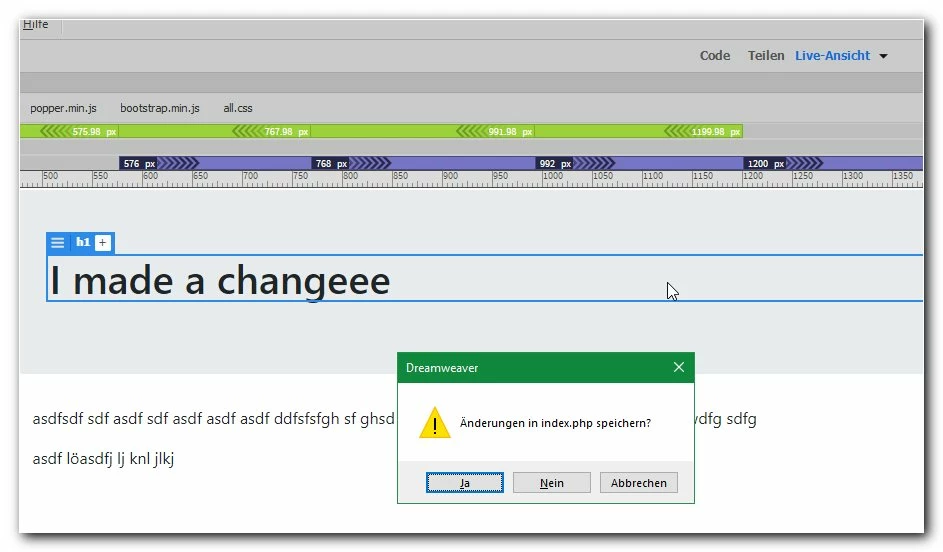
That's not the "sense" of this function, isn't it? 


thanks a lot!

mycc
This topic has been closed for replies.
Correct answer Nancy OShea

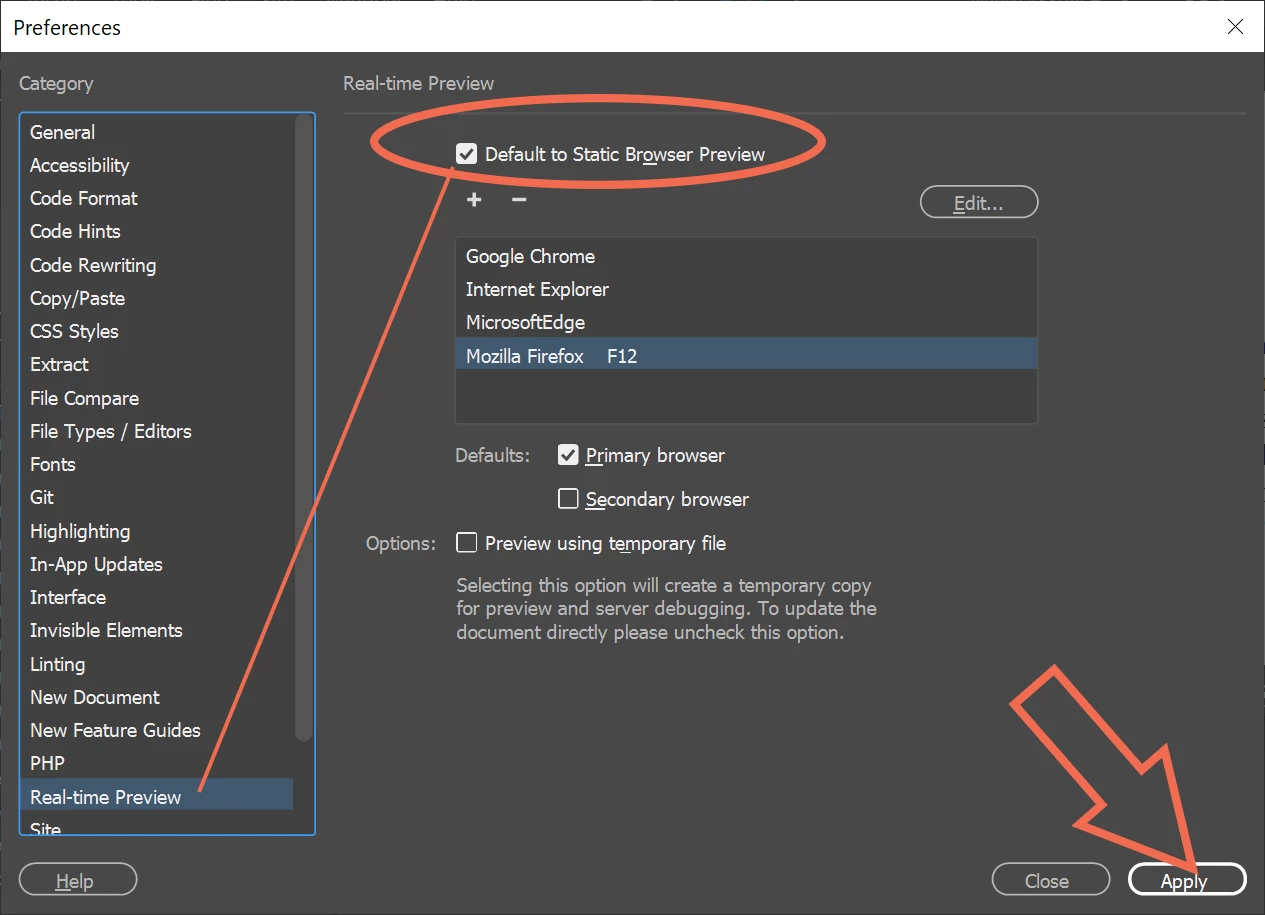
I stopped using Real-Time Preview because it doesn't get along with my local testing server so I disabled it in my Preference settings.  See screenshot.


For the type of work I do, Static Browser Preview works better.  After saving document, refresh your browser with Ctrl+R or F5 or Ctrl+F5..


2 replies

Nancy OShea
Community Expert
Nancy OSheaCommunity ExpertCorrect answer
Community Expert
November 24, 2019

I stopped using Real-Time Preview because it doesn't get along with my local testing server so I disabled it in my Preference settings.  See screenshot.


For the type of work I do, Static Browser Preview works better.  After saving document, refresh your browser with Ctrl+R or F5 or Ctrl+F5..


Nancy O'Shea— Product User & Community Expert
mycc3
mycc3Author
Known Participant
November 24, 2019

.... ah, just in preview mode I recognized that I have to save the file (ctrl-s) so that the file is automatically updated in the browser (and not as expected without having to save the file). But, hmm, why can't I find this feature in the online documentation?

By the way: this behavior is very similar to my little autohotkey script used for years in CS6 😉


But here in Germany it's 2 o'clock in the morning. 😞 Therefore: good night! 😉

And especially: THANKS AGAIN, NANCY!


Nancy OShea
Community Expert
Community Expert
November 23, 2019

If working with PHP files, switch to Design view from your document toolbar. 

Live View must refresh after each edit and that can slow you down considerably.  I mainly work in Code/Design view.  I use Live view to occasionally check my layout.


Nancy O'Shea— Product User & Community Expert
mycc3
mycc3Author
Known Participant
November 24, 2019

Thanks for your help.

At the moment I have no PHP code in my file. Editing a file with suffix HTML makes no difference. The live preview in none of my browsers work.

Even after following https://helpx.adobe.com/dreamweaver/using/previewing-pages.html 😉


[Post edit]

Hmm, just tried to insert the bootstrap component "responsive video embed" in the preview mode. I have to switch to the live view mode:


But after each change this message box to save the document appears again and again  – without any effect to the browser view:


Hmm, maybe it would be the best 😞 for using my good old autohotkey script/macros for getting a preview in one of my browsers just by hitting one key:


mycc3
mycc3Author
Known Participant
November 24, 2019

[this forum editor has a problem with one of my screenshots...]


But after each change this message box to save the document appears again and again  – without any effect to the browser view: