



v21.4 Randomly ceases ability to copy and paste code and displays the wrong code for page
What is going on? Why does this happen? No keyboard shortcuts work... going to Edit > Select All is ignored, too...
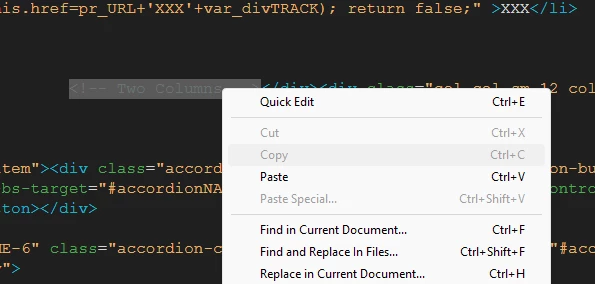
I can type in code, but no clipboard ops?
Save is also Disabled? Are you kidding?
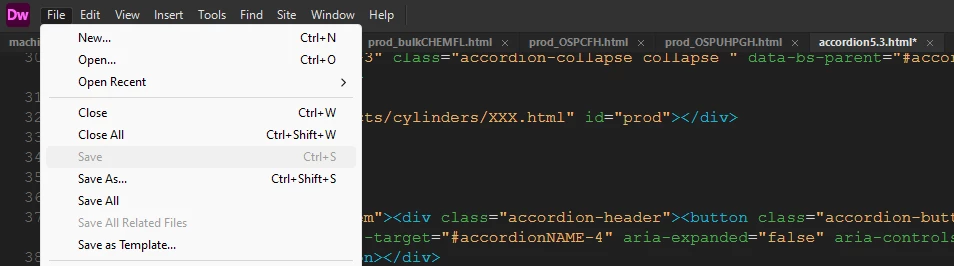
When I try to Save As, it tries to save a completely different page in the editor - the first tab,, not the current active tab!
When I try to then save the first tab, I get this cryptic message:
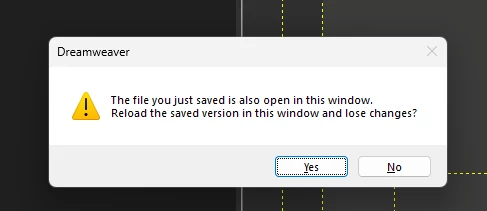
---------------------------
Dreamweaver
---------------------------
The file you just saved is also open in this window.
Reload the saved version in this window and lose changes?
---------------------------
Yes No
---------------------------
What on Earth does that mean? I just bloody saved the file, of course it is open in the window...
Whati s happening, Adobe?
 AdChoices