


Bobjoerules
Inspiring
February 16, 2023
Answered

Video does not show in viewport

  • February 16, 2023
  • 4 replies
  • 842 views

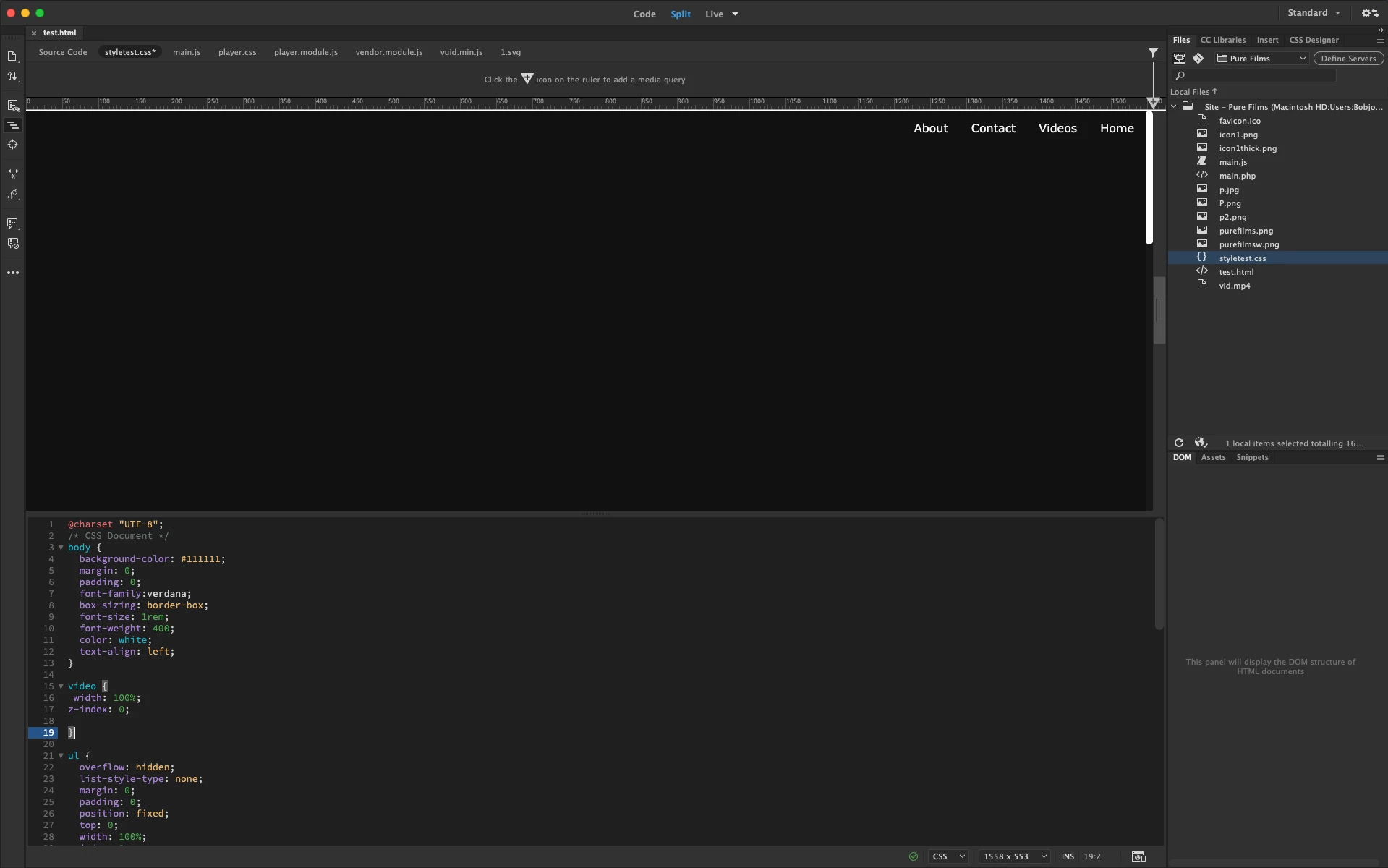
I have a video I'm using for my website, and it does not show up in the viewport, but it does on the browser. Any help would be appreciated.

This topic has been closed for replies.
Correct answer Bobjoerules

It may be that the video is to huge in size to load

4 replies

Nancy OShea
Community Expert
Community Expert
February 16, 2023

What's the URL to your online page?


Possibly related, CSS Z-index only works on positioned elements.


Dreamweaver is not an actual browser.  But assuming the code is valid and video is optimized for the web, it typically displays in Dreamweaver's Live View.


As a test, can you see this embedded video in Live view? [Excuse the Muppet Bohemian Rhapsody].

<!doctype html>
<html lang="en">
<head>
<meta charset="utf-8">
<title>Responsive Video Iframe</title>
<meta http-equiv="X-UA-Compatible" content="IE=edge">
<meta name="viewport" content="width=device-width, initial-scale=1">
<!--CSS code-->
<style>
.video-container {
    position: relative;
    padding-bottom: 56.25%;
    padding-top: 35px;
    height: 0;
    overflow: hidden;
}
.video-container iframe {
    position: absolute;
    top: 0;
    left: 0;
    width: 100%;
    height: 100%;
}
</style>
</head>
<body>
<h3>Responsive Video Iframe</h3>
<div class="video-container">
<!--Video embed from YouTube-->
<iframe class="embed-responsive-item" src="https://www.youtube.com/embed/tgbNymZ7vqY"></iframe>
</div>
</body>
</html>


Nancy O'Shea— Product User & Community Expert
Bobjoerules
Inspiring
February 16, 2023

That works because it is an embed. Mine is a vide file. 

<!doctype html>
<html>
<head>
<meta charset="UTF-8"> 
<meta name="description" content="Pure Films is a filming business">
<meta name="author" content="Pure Films">
<link rel="stylesheet" href="styletest.css">
<link rel="shortcut icon" href="favicon.ico" type="image/x-icon">
<title>Pure Films</title>
</head> 
<body>
<ul>
  <li><a class="active" href="#home">Home</a></li>
  <li><a href="#vids">Videos</a></li>
  <li><a href="#contact">Contact</a></li>
  <li><a href="#about">About</a></li>
</ul>
<div id="contain"><video id="background-video" autoplay loop muted>
<source src="vid.mp4" type="video/mp4">
</video></div>
<div id="vids"></div>
<div class="row">
  <div class="column">
    <img src="https://media0.giphy.com/media/xT8qBoDhee6aWOhLqw/giphy.gif?cid=790b7611a86749120009311d9c18651c96962c8e7e27def2&rid=giphy.gif&ct=g" alt="Sea" style="width:100%">
</div>
  <div class="column">
    <a onclick="openWin()"><img src="https://media4.giphy.com/media/UxTZDNv0Zej4s/giphy.gif?cid=790b76118b066a194adc23988667623a5aea3c7b55f3c44b&rid=giphy.gif&ct=g" alt="Forest" style="width:100%"></a>
  </div>
  <div class="column">
    <img src="https://media4.giphy.com/media/l41lQIclE3lItAlfq/giphy.gif?cid=ecf05e47mgmmt0kas0kp9zc0435gcanw878chwmk129z9uhf&rid=giphy.gif&ct=g" alt="Sky" style="width:100%">
  </div>
</div>

<script src="main.js"></script>
</body>
</html>
Nancy OShea
Community Expert
Community Expert
February 16, 2023

Sorry but it's not because I'm embedding. It's because you're putting your video in the background with "autoplay."  That simply won't work on most web devices due to "autoplay" blocking.  Read more about it below.

https://developer.mozilla.org/en-US/docs/Web/Media/Autoplay_guide


Try this code instead of what you have.  Add your own Poster image and Video to the code where <!--commented-->.


<!doctype html>
<html lang="en">
<head>
<meta charset="utf-8">
<title>Full Page Video Background</title>
<meta name="viewport" content="width=device-width, initial-scale=1">
<style>
* {
    box-sizing: border-box;
}

body {
    margin: 0;
    font-family: Arial;
    font-size: 17px;
}


#myVideo {
    position: fixed;
    right: 0;
    bottom: 0;
    min-width: 100%; 
    min-height: 100%;
}

.content {
    position: fixed;
    bottom: 0;
    background: rgba(0, 0, 0, 0.5);
    color: #f1f1f1;
    width: 100%;
    padding: 20px;
}

#myBtn {
    width: 200px;
    font-size: 18px;
    padding: 10px;
    border: none;
    background: #000;
    color: #fff;
    cursor: pointer;
}

#myBtn:hover {
    background: #ddd;
    color: black;
}
</style>
</head>
<body>
<!--ADD YOUR POSTER IMAGE AND VIDEO FILE BELOW-->
<video 
poster="path/YOUR_POSTER_IMAGE.jpg" muted="muted" autoplay="autoplay" >
<source src="path/YOUR_VIDEO.mp4" type="video/mp4">
</video>

<div class="content">
<h1>Heading</h1>
<p>Lorem ipsum dolor sit amet, an his etiam torquatos. Tollit soleat phaedrum te duo, eum cu recteque expetendis neglegentur. Cu mentitum maiestatis persequeris pro, pri ponderum tractatos ei. Id qui nemore latine molestiae, ad mutat oblique delicatissimi pro.</p>
<button id="myBtn" onclick="myFunction()">Play/Pause</button>
</div>

<!--play/pause button-->
<script>
var video = document.getElementById("myVideo");
var btn = document.getElementById("myBtn");

function myFunction() {
  if (video.paused) {
    video.play();
    btn.innerHTML = "Pause";
  } else {
    video.pause();
    btn.innerHTML = "Play";
  }
}
</script>
</body>
</html>


Good luck with your project!


Nancy O'Shea— Product User & Community Expert
Jon Fritz
Community Expert
Community Expert
February 16, 2023

How is the video being added to the page? Please share the entire code of the page (copy and paste into a forum response) so we can inspect it.

DW's browser emulator (live view) probably hasn't been updated in a few years.

However, if there are no errors in your html (as noted by the green check at the bottom of your second screenshot), and the file works as expected in a browser (the first screenshot), you're  good to go.

Testing in the actual browser is the only way to get a truly accurate rendering of your page, no matter what version of DW you use.

Community Expert
February 16, 2023

Can we see the code you are using?  All you are showing us is the CSS.  In your browser screenshot is that the live server or the testing server? DW uses the testing server for previews so if that is not running, previews may not show.

Bobjoerules
Inspiring
February 16, 2023
That is just the local file view(the one on the browser)
Bobjoerules
BobjoerulesAuthorCorrect answer
Inspiring
February 16, 2023

It may be that the video is to huge in size to load
