


Participant
May 19, 2017
Answered

View | Code-Live menu not working in v2017.1

  • May 19, 2017
  • 2 replies
  • 581 views

I just upgraded my Adobe Creative Suite to Dreamweaver 2017.1.

The Code-Live view is now not working so I cannot see the Live View mode.

When I select the menu View -> Split -> Code-Live, nothing happens. The selection doesn't change, even though the menu still exists. It stays on Code-Design as shown in diagram #1 below.

Even the View -> View Mode -> Live doesn't work. It stays on the Design selection. Refer to diagram #2 below.

I found this article online: View live data in Live View in Dreamweaver

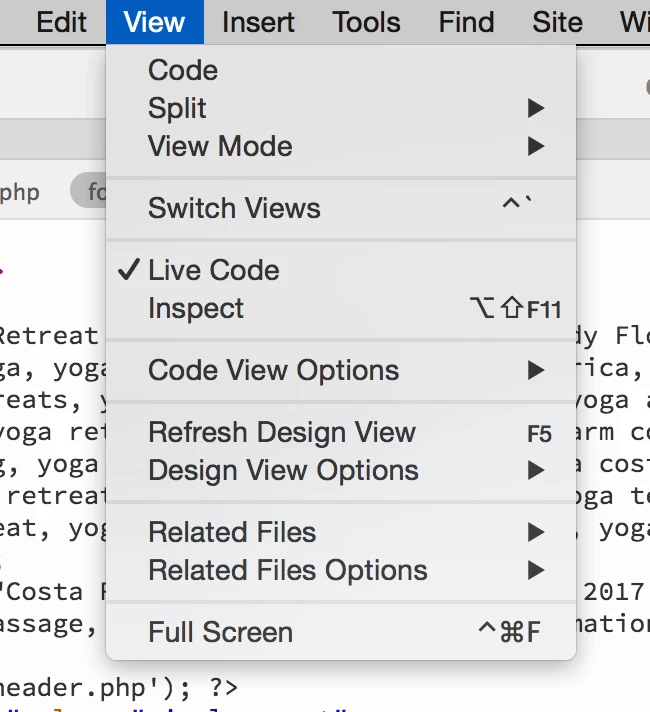
It says to go to View > Live View Options > HTTP Request Settings but there is no option in my View menu for that. Refer to diagram #3 below.

Any ideas?

Thanks,

Sally

Diagram 1:
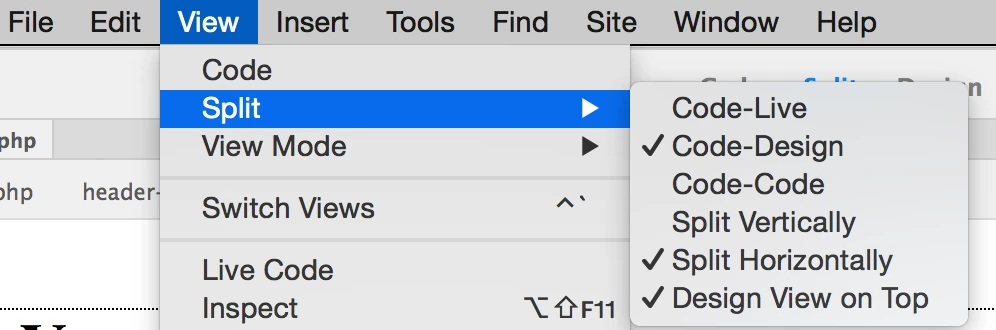
Diagram 2:
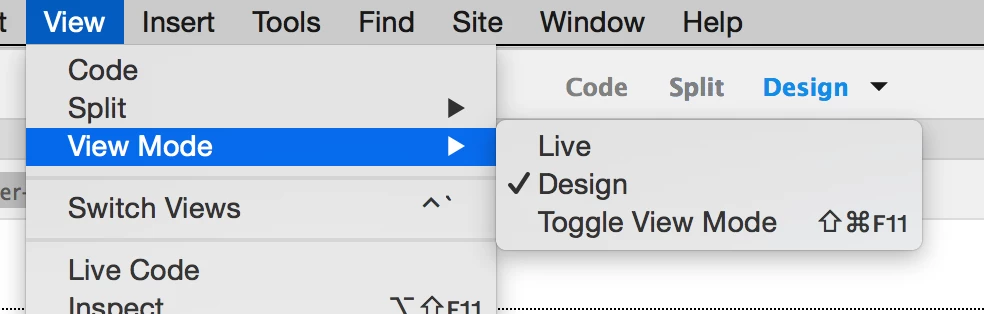
Diagram 3:
This topic has been closed for replies.
Correct answer lnayal

Sally,

This is not ususal behavior and can you please try

1. Restart of DW and have focus in DW and then switch to code-live

2. If option 1, doesn't work please try restoring preferences

Unusual behavior in Dreamweaver? Try restoring preferences.

2 replies

lnayalCorrect answer
Participating Frequently
May 19, 2017

Sally,

This is not ususal behavior and can you please try

1. Restart of DW and have focus in DW and then switch to code-live

2. If option 1, doesn't work please try restoring preferences

Unusual behavior in Dreamweaver? Try restoring preferences.

Participant
May 20, 2017

Thanks - 1 didn't work, I tried that multiple times. 2 worked, I did restore preferences and it's great now, thank you!

BenPleysier
Community Expert
Community Expert
May 19, 2017
Wappler is the DMXzone-made Dreamweaver replacement and includes the best of their powerful extensions, as well as much more!