

mycc3
Known Participant
June 23, 2020
Answered

WebDAV connection refused after latest CC update

  • June 23, 2020
  • 1 reply
  • 1713 views

Dreamweaver CC, latest version (june update), connecting to WebDAV


Hi,

"suddenly" DW refuses to connect to a site via WebDAV.

Maybe it's such a problem which I found by a web search:

https://helpx.adobe.com/dreamweaver/kb/webdav-error-connecting-server-using.html

– but it's for an older version of DW (and the link to an updated version of NetIODav.dll is broken):


In Adobe Dreamweaver CS3, when you try to make a WebDAV connection to a server using Basic authentication for the PROPFIND command, the connection fails and the following message is displayed:

"Cannot display the remote folder: An HTTP WebDAV error occurred. Dreamweaver cannot get a listing for the folder you specified. Make sure you have proper authorization on the server, and the server is properly configured. Make sure the remote folder is available or select a different one by clicking Manage Sites. To try again, click the Refresh button in the Files panel."

The WebDAV connection is successful with earlier versions of Dreamweaver.

This problem only occurs when the WebDAV server doesn't require authentication for the OPTION command, but the server does require Basic authentication for the PROPFIND command. Most WebDAV users are not affected by this issue. (Ref. 226989)
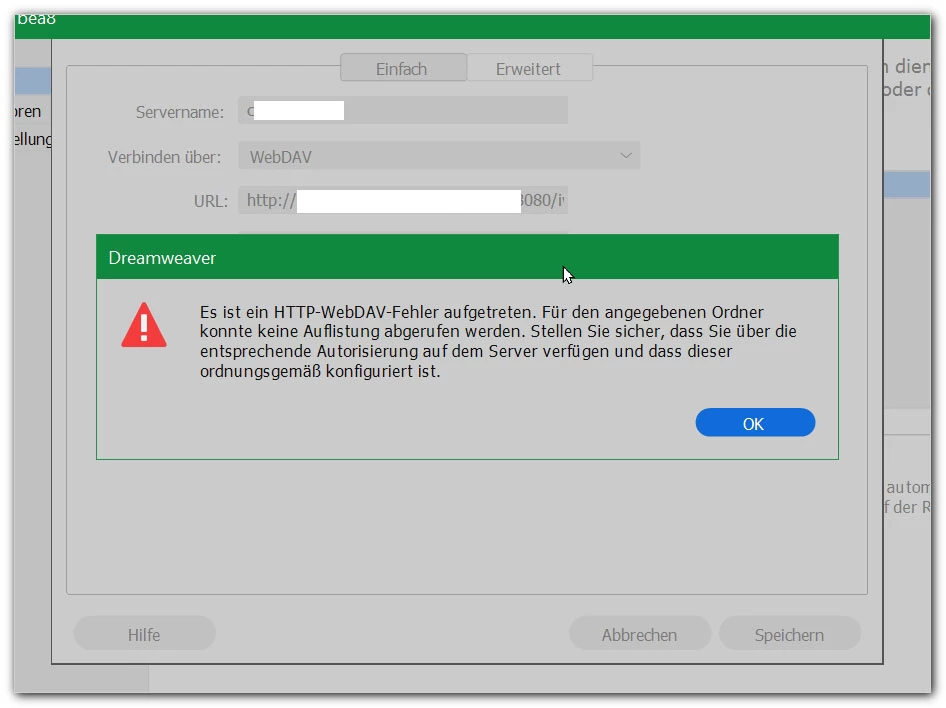


Does anyone know the solution?

Thanks!

mycc

This topic has been closed for replies.
Correct answer Nancy OShea

Dreamweaver has nothing to do with server configuration.  If your host is doing their job correctly, you should have SSL/TLS certificates installed.  SSL certificates come standard with most reputable hosting plans now.


Once the certificates are installed, all HTTP incoming traffic should redirect to the secure HTTPS server.  Linux servers use an .htaccess file while Win IIS servers use a config file.  If unsure, contact your hosting provider for assistance.   It's possible your server's certificates have expired and need to be renewed.  But I don't think DW updates had anything to do with this.  It's probably just coincidental timing.


1 reply

Nancy OShea
Community Expert
Community Expert
June 23, 2020

If it worked in 2019,  suggest you create a new site definition and delete the old one.


Nancy O'Shea— Product User & Community Expert
mycc3
mycc3Author
Known Participant
June 23, 2020

No, creating a new site defintion – of course with the same pathes – does not solve the problem – using DW 20.2, 15263.

It worked till the mentioned latest update over years...


But I discovered: if I open the server adress http://... with my default browser (Vivaldi) it tries to open https://... -- this fails.

But after clearing the cache the browser opens the path http//... "correctly" without a forwarding


Therefore: does such a forwarding happen within Dreamweaver in the background and therefore it can't connect to the site?

Really strange ...

Nancy OShea
Community Expert
Nancy OSheaCommunity ExpertCorrect answer
Community Expert
June 23, 2020

Dreamweaver has nothing to do with server configuration.  If your host is doing their job correctly, you should have SSL/TLS certificates installed.  SSL certificates come standard with most reputable hosting plans now.


Once the certificates are installed, all HTTP incoming traffic should redirect to the secure HTTPS server.  Linux servers use an .htaccess file while Win IIS servers use a config file.  If unsure, contact your hosting provider for assistance.   It's possible your server's certificates have expired and need to be renewed.  But I don't think DW updates had anything to do with this.  It's probably just coincidental timing.


Nancy O'Shea— Product User & Community Expert