
Known Participant
June 21, 2021
Question

Website Hijack?

  • June 21, 2021
  • 3 replies
  • 1661 views

Website Hijack?

Sorry if this is not a pure Dw question but…somehow related. After a long coding sweatshop, I managed to launch my new website, partly with help from this community.

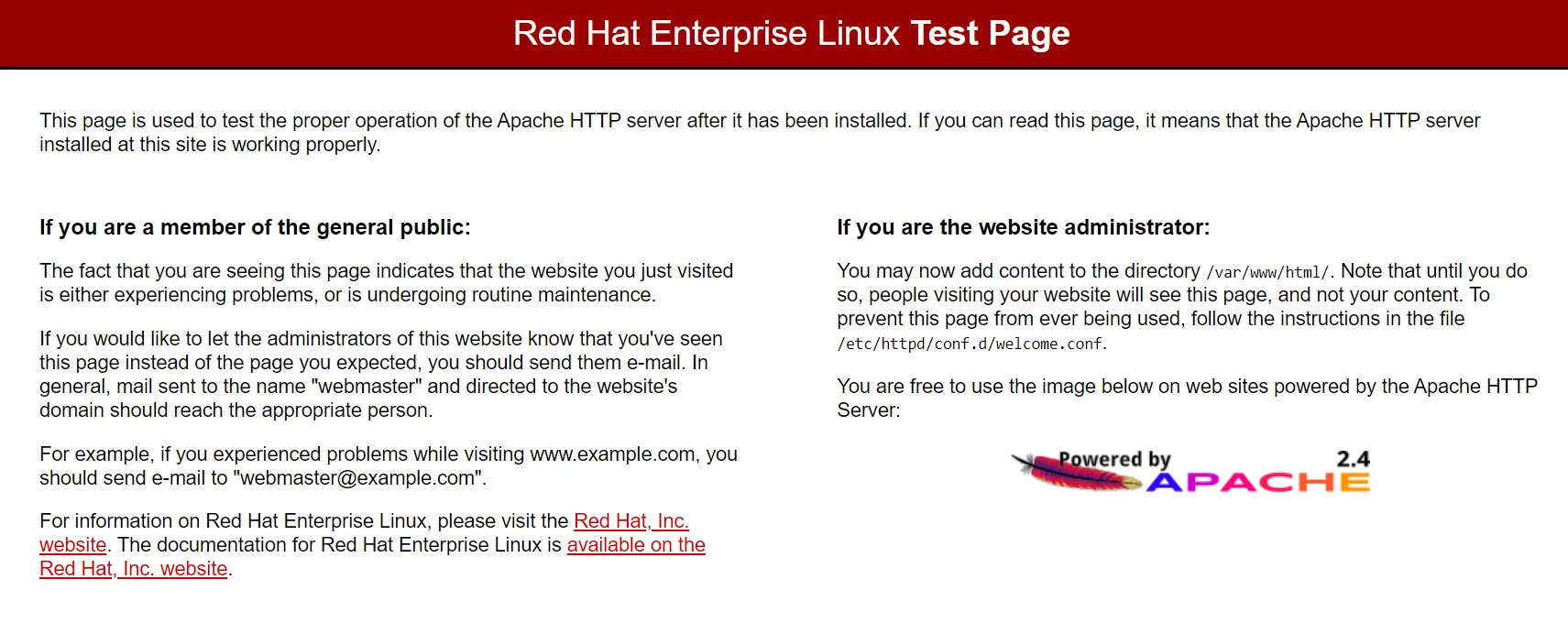
When opening it in the browser I receive this blocking message covering the screen.

Does anybody know what it is? Spam? Hijacking? If you understand anything of this, please help me.

Ingemar
 

    This topic has been closed for replies.

    3 replies

    Nancy OShea
    Community Expert
    Community Expert
    June 21, 2021

    That's a default server page.

    • What is the URL to your site?


    Nancy O'Shea— Product User & Community Expert
    Liam Dilley
    Inspiring
    June 24, 2021

    Nancy may be on the right track with the issue here.


    Your main page in a site folder is basically an index.

    This can be index.html, index.php, index.asp - All depending on the server and server configuration.


    If your home page is not index.html change it to that. If that does not work than you need to look into the server hosting you have and requirements. Their support has mentioned PHP to you so you may be required to have a index.PHP for your main page or go into the hosting configurations to configure the landing page away from their placeholder one.

    Legend
    June 21, 2021

    Thats not hijacking, its just the default page which appears until you upload your own files. As has been stated already, you probably have not uploaded your files in the correct location/folder.

    ingo9Author
    Known Participant
    June 21, 2021

    Talked to the web hotel support and they say that the right PHP version must be used for the FTP. (5.4, 5.6, 7.1-4) Something new perhaps? They said I can specify the PHP in Dw, but I have no idea where to find this preference dialog. Anyone knows?

    Legend
    June 21, 2021

    FTP has nothing to do with php. The remote server version of php is usually set via the websites control panel if you have access to a control panel. What is it you are trying to do?


    Are you actually using php in your website anyway? 


    I thought your issue was about not being able to view your files when you upload them. If so this has nothing to do with php.


    Do this, create a simple test.html file and insert some text in it. Upload it to the 'html' folder on your remote server. Then in your browser type the address to the test.html file, www.yourDomainName.com/test.html


    If you uploaded the file to the correct remote folder you should see your page. If you dont then there are 2 possibilities


    1 you have not uploaded the file to the correct folder


    2 your server is misconfigured and you need to seek help from your hosting provider


    B i r n o u
    Legend
    June 21, 2021

    it seems that you have not uploaded your files on the right place...


    connect with an FTP client, Dreamweaver, FileZilla, Cyber Duck... once connected you should see an HTML.... folder appear, place your site inside this folder.


    are you autonomous on these various tasks, FTP in the first place... or would you like assistance ?


    be careful, if your site is also composed of a database, you will also have to create and instantiate this database online on the server.

    ingo9Author
    Known Participant
    June 21, 2021

    Thanks for your input.

    Yes, Filezilla and sending by FTP on my own since a long time. No database! The files usually land in the remote "public_html" folder. This time I separated the pictures and put them in an images_folder. It worked fine when testing inside Dw but could have become a problem on the remote server as I can see today that only the image folder is there! 

    What about this Linus Test Page? Is that anything known in the community?

    Legend
    June 21, 2021

    The Linux Test Page is the default content/page that you will see until you add your own content. It even says where to upload the content/files, into the html folder.