Jim_Palik
Inspiring
April 1, 2019
Answered

Website local root folder does is not recognized after WAMP upgrade

  • April 1, 2019
  • 2 replies
  • 958 views

I have a creative cloud account. I upgraded my WAMP server. Now, when I open Dreamweaver I get  a Manage Sites... dialog that says the root folder to my website doe not exist. When I click Manage Sites, my site is identified. When I click import Site Dreamweaver defaults to looking for a file with an .ste extension. When I select all files I assumed that index.php is the file needed. However, Dreamweaver returns an error that says index.php is not a valid site definition file. I am not sure how to reestablish my site.

This topic has been closed for replies.
Correct answer Nancy OShea

Hi Jim,

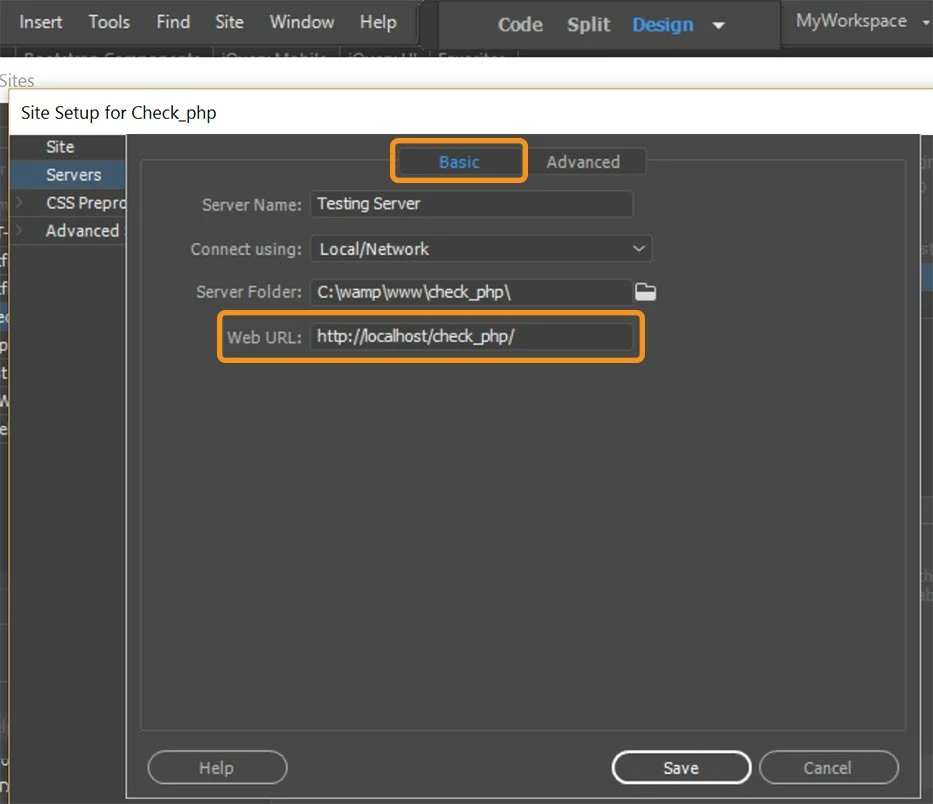
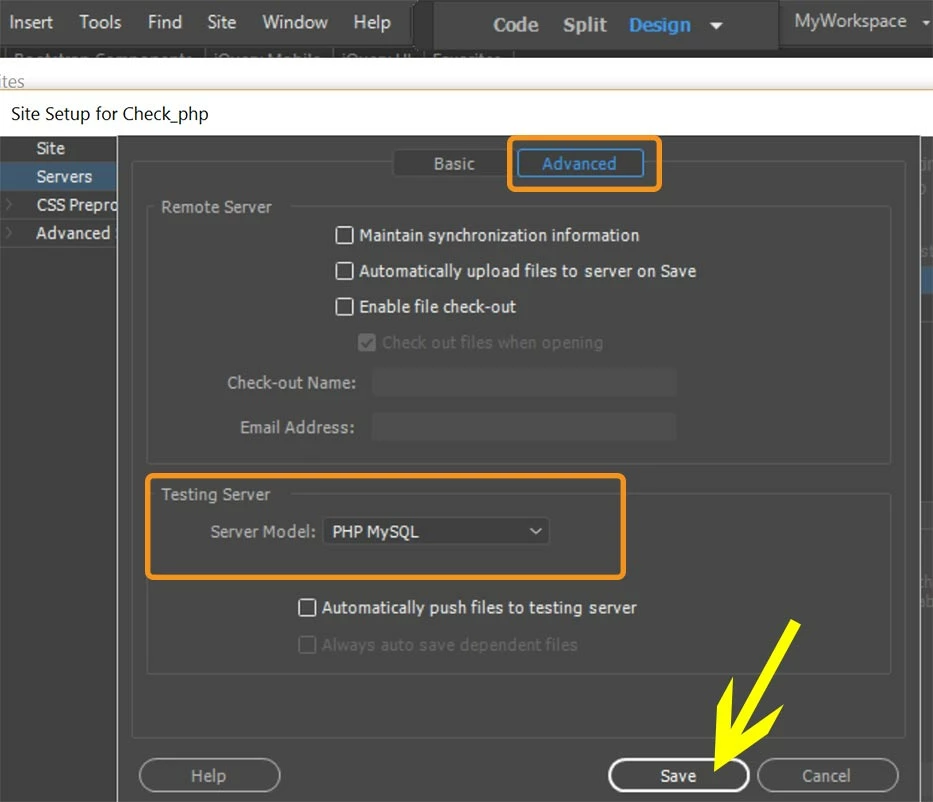
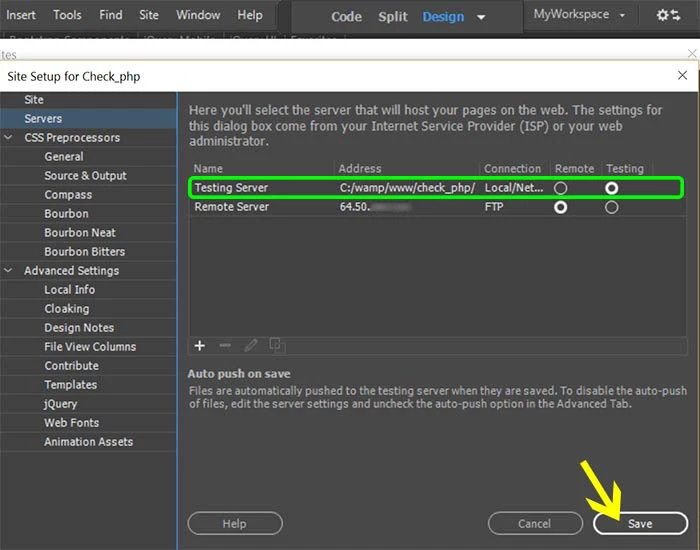
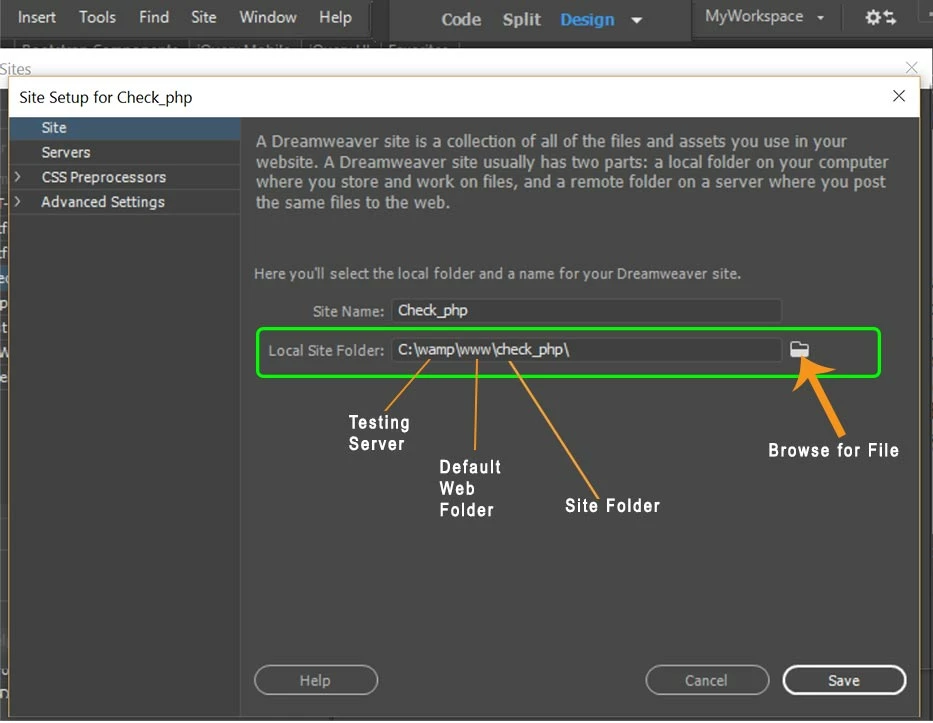
See my screenshots below.  This set-up assumes your local site folder is inside Wamp's default web folder.

2 replies

Nancy OShea
Community Expert
Nancy OSheaCommunity ExpertCorrect answer
Community Expert
April 1, 2019

Hi Jim,

See my screenshots below.  This set-up assumes your local site folder is inside Wamp's default web folder.

Nancy O'Shea— Product User & Community Expert
Community Expert
April 1, 2019

So it sounds like you have a few things going on here.

First, .ste files are site files within Dreamweaver. They contain the data such as the paths of your site, FTP information, etc. These are only created via the Export command in Dreamweaver, so if you have not exported a site previously, you will not have a site to import.

If you just need to create a new site that will work with your WAMP setup this tutorial should help: Project overview and site setup | .

The site setup has little to do with your WAMP server as the only thing that will likely affect is your testing environment, so when it comes time to define a local testing server, that is where WAMP will come into play.