weird E-commerce system glitch
I have built an eccomerce site which lays out the items in rows of 4
the php generates the same DIV container over and over with a different listing in each
the repeated div is floated so that they line up.
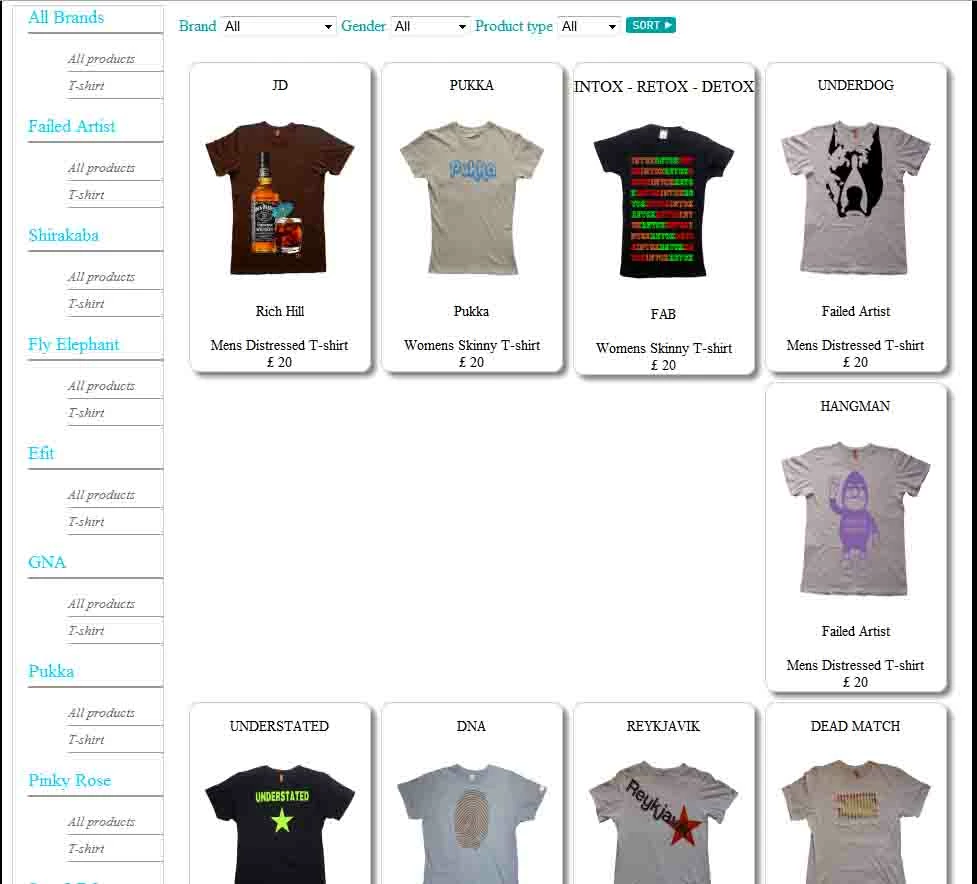
However sometimes the second row has a gap on the left where listings should be (which is odd considering they are floated left)
obviously i cant give you the code for the entire site so ill just copy the code for this part of the site
<?
$gender = $_GET['gender'];
$brand = $_GET['brand'];
$type = $_GET['type'];
IF ($_POST['brand'] == "") {
} else {
$brand = $_POST['brand'];
}
IF ($_POST['gender'] == "") {
} else {
$gender = $_POST['gender'];
}
IF ($_POST['type'] == "") {
} else {
$type = $_POST['type'];
}
// several lines of variables for other aspects of the site go here
$output = mysql_query("SELECT * FROM products WHERE Gender LIKE '$gender' AND brand LIKE '$brand' AND type LIKE '$type' AND hidden LIKE 'no'");
$num = mysql_numrows($output);
$I = 0;
// more HTML and PHP code for other aspects of the site here
<?
while ($I < $num) {
$ID=mysql_result($output,$I,"ID");
$Brand=mysql_result($output,$I,"brand");
$Price=mysql_result($output,$I,"price");
$Gender=mysql_result($output,$I,"gender");
$Title=mysql_result($output,$I,"title");
$Image=mysql_result($output,$I,"image");
$Caption=mysql_result($output,$I,"caption");
$Type=mysql_result($output,$I,"type");
$style=mysql_result($output,$I,"style");
$I = $I + 1;
print("
<div class=\"listing\">
<h2>$Title</h2>
<a href=\"purchace.php?ID=$ID\"><img src=\"$Image\" width=\"150\" height=\"180\" /></a>
<p></p>
<p><h2>$Brand</h2><br />
$Gender $style $Type<br />
£ $Price
</p>
</div>
");
}
and the relevant css is as follows
.listing {
font-size: 10px;
width:180px;
height:auto;
overflow: hidden;
text-align:center;
font-size:0.9em;
margin-top:10px;
margin-left:10px;
border: 1px solid #cccccc;
float:left;
-moz-border-radius: 10px;
-webkit-border-radius: 10px;
-khtml-border-radius: 10px;
border-radius: 10px;
-moz-box-shadow: 5px 5px 5px #888;
}
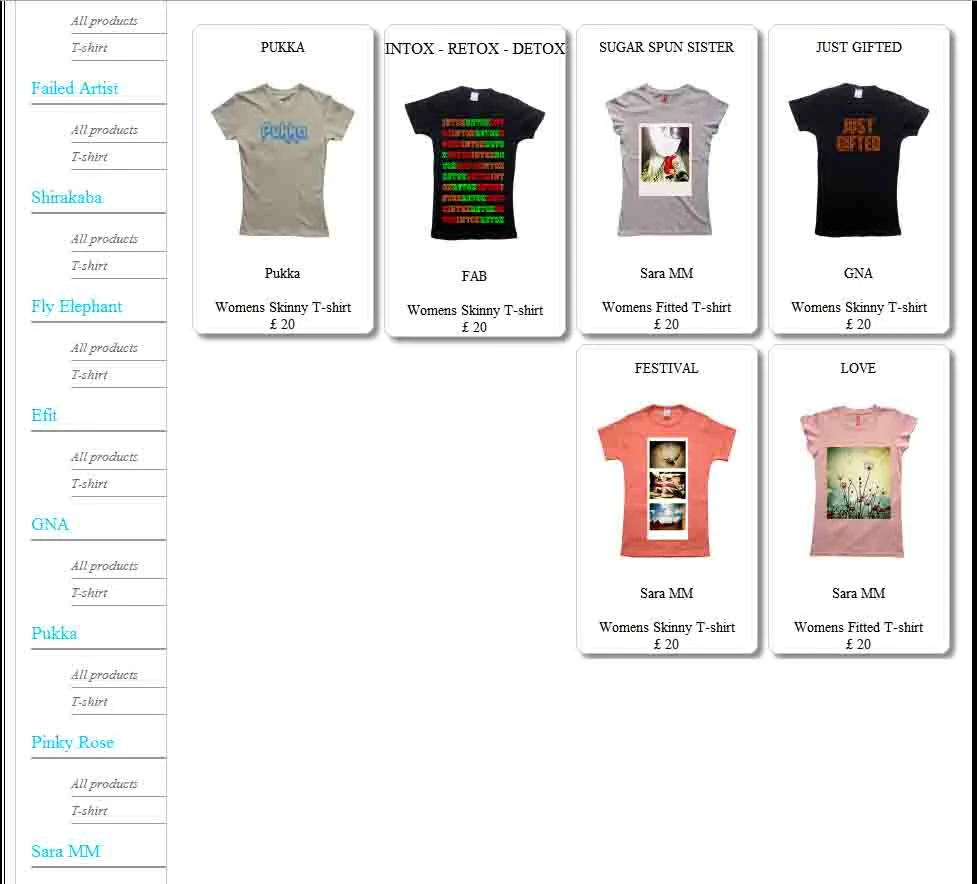
here are some pics of the problem, in the first pic the problem is obvious and in the second the bottom row appears to be floated right inspite float:left being set.
The first error is genrated if brand is set to all and gender is set to all
The second error is generated if brand is set to all and gender is set to womens.
both happen regardless of how the search is made (the site lets you search using hyperlinks or a set of listboxes)
I have not noticed any other set of search criteria causing the problem.
 AdChoices