



What is CSS to reshape a full-page video background?
I made a Muse page with full page video background and interactive buttons on top of it. It works great. The video is 1280x720 and the Muse page is 1080x500, the same size as the main website that the Muse page is iframed into it. See image below.
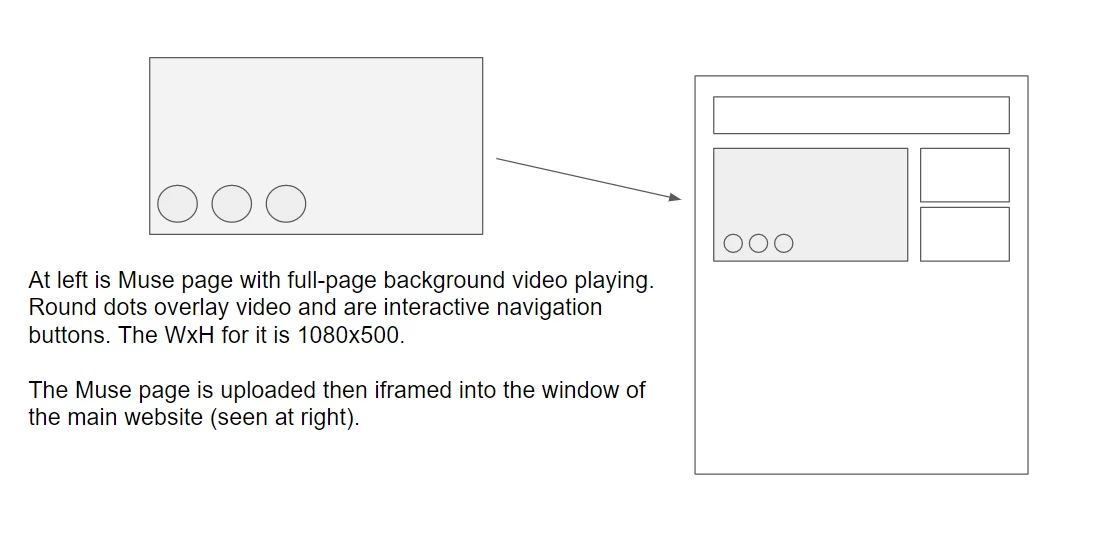
Because the video is an MP4 and needs to hold its aspect ratio, the video pushes the Muse page down so it plays at 1280x720, is correct height. And when the Muse page is iframed the buttons line up exactly like you see in the diagram above at right - the only problem is the video, because it is 720, looks too big for the iframe window.
I thought about just making the video in the upper left of Premiere and keeping all of the action within the 1080x500 - that would probably work. But what I'm really hoping is if anyone knows any CSS that I can add in the HEAD of the Muse page that will automatically shrink the parameters of the video so that it fits perfectly at 1080x500 and won't look stretched when it's iframed.
The code I added to the Muse page for the video is:
<video width="1080" autoplay loop>
<source src="bg-video.mp4" type="video/mp4">
</video>
* I know this is may sound like a weird way to do this but the reason is simply because the customer uses for its website a SharePxxxx website publishing system and I have to work within that system's publishing environment. Because Muse is so easy to use, it was easier to just create this quickly in Muse then figure out a way to make it fit in the website "window" as an iframe.
** Just an FYI - this iframe method works great when I originally made the Muse page with a full page photo slideshow as the background instead of the video. I just ran into this issue when I want to use a video background instead of a photo slideshow.
*** I posted this on the DW forum because this is not really a Muse issue but more of a CSS/DW issue and request.
Any assistance is appreciated. Thanks.

 .
.


 AdChoices