
Participant
August 7, 2021
Question

When I type inside Dreamweaver nothing happens.

  • August 7, 2021
  • 2 replies
  • 139 views

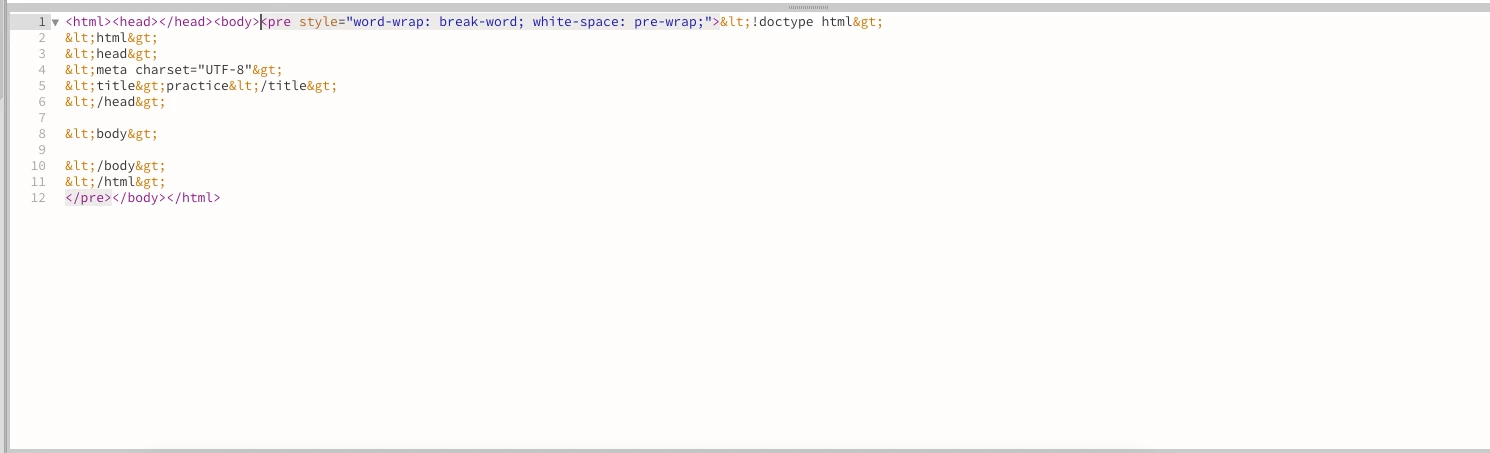
I qam new to dreamweaver and web development. When I type in the code area of dreamweaver nothing happens. Dreamweaver clearly recognizing when I use my key commands but, If I try and type inside the code section nothing happens and nothing appears. What am I doing wrong ?
 

This topic has been closed for replies.

2 replies

Nancy OShea
Community Expert
Community Expert
August 7, 2021

What you just showed us is not valid HTML code.  Maybe that's the problem. 😉


First define your local site folder.  Go to Site > New Site. 

Select a folder on your local hard drive for your project files.  For example, C:\MyTestSite\.

Hit OK.


Go to File > New > New Document > HTML and hit the CREATE button.


The resulting code is a valid HTML document.  Double-click in Live view panel to add/edit text in the panel. See screenshot.


Hope that helps.


Nancy O'Shea— Product User & Community Expert
Participant
August 7, 2021

in addition I got it to work. I had to put html at the end of the file but, why does the code secrtion not work when I open the live view ? 

BenPleysier
Community Expert
Community Expert
August 7, 2021

Have you tried writing proper HTML?


Wappler is the DMXzone-made Dreamweaver replacement and includes the best of their powerful extensions, as well as much more!