Known Participant
February 23, 2018
Answered

Where can I adjust the properties?

  • February 23, 2018
  • 1 reply
  • 2317 views

Hello, in earlier versions of Dreaweaver there was the possibility to show the properties

How can I adjust this in Dreamweaver CC?

    This topic has been closed for replies.
    Correct answer Jon Fritz

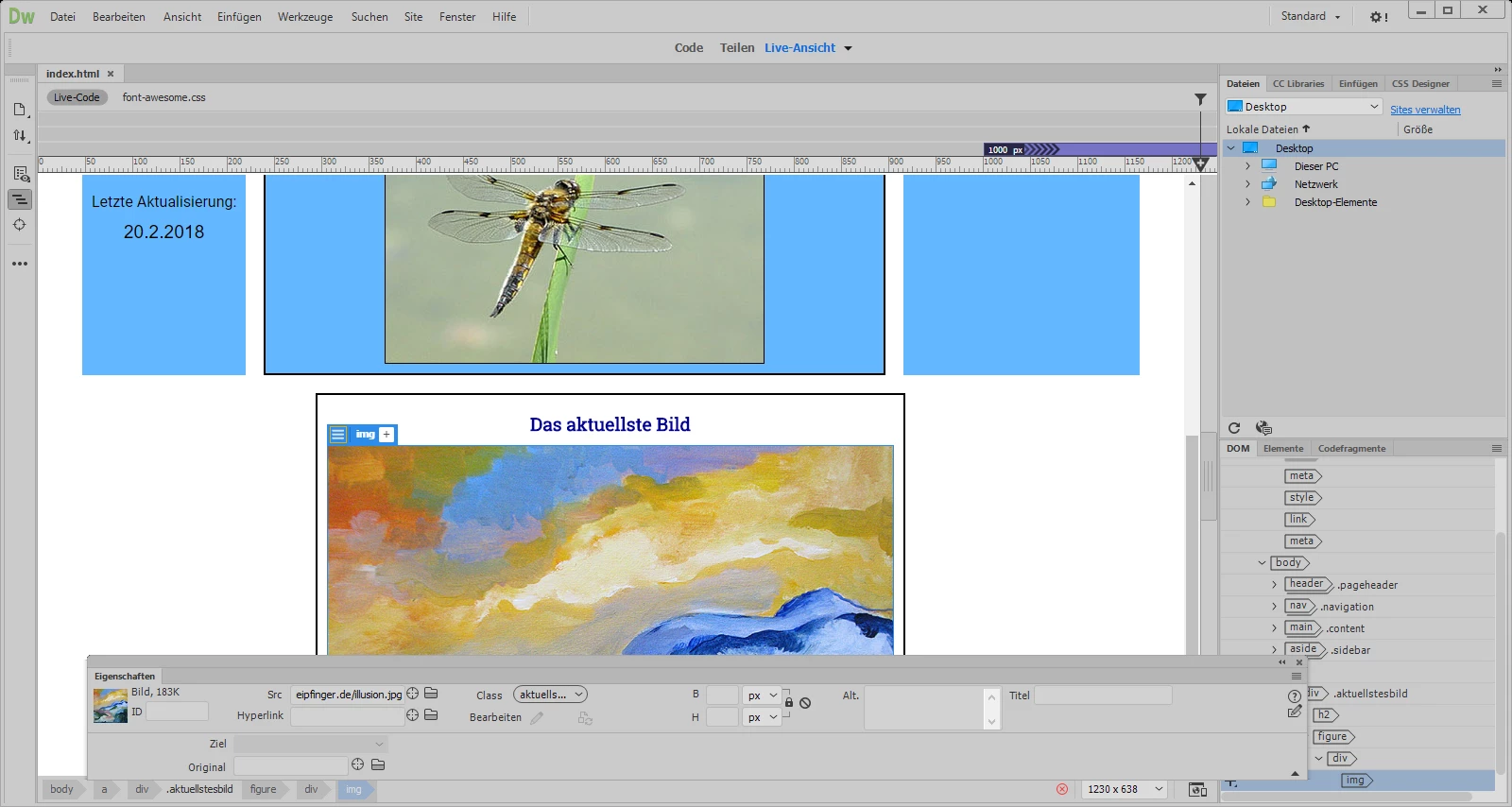
    Here a screenshot:

    the width is not as big as the width of dreamweaver


    You can drag the named tab of a window to the edges of the application frame to dock them in place.

    Right now your Properties window is just floating instead of docked.

    Click and drag it to the bottom of the screen until you see a highlight appear, then release.

    1 reply

    B i r n o u
    Legend
    February 23, 2018

    it still present,but not activated by default... you can find it in Windows > Properties.... or Ctrl / Cmd + F3

    Known Participant
    February 23, 2018

    Windows>Properities I cannot find. The adjustment is not in DW but in Windows or do I missunderstand you?

    Community Manager
    February 23, 2018

    Hi sommerhitze,

    If you want to load properties pane in DW, please try doing so via menu Windows > Properties.

    Properties pane comes undock by default, you can drag and dock it to the bottom of DW screen.

    Please let us know if you still have questions.

    -Lalita