
supergood
Participant
January 22, 2022
Answered

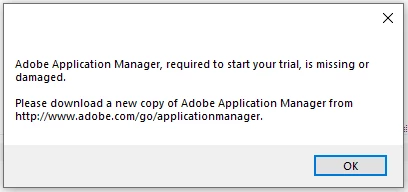
Where to get Adobe Application Manager to run DW 2015

  • January 22, 2022
  • 2 replies
  • 233 views

Yes, sorry, I am using old DW2015, because it works just fine, now so slow, not so buggy.

Just reinstalled Windows, Installed Creative Cloud, but cannot run DW2015.

Seems all links dead, or anyone knows where to get it?


    This topic has been closed for replies.
    Correct answer Nancy OShea

    Try this direct download link.  NOTE:  You must follow the very important instructions on that page or it won't work.

    https://prodesigntools.com/adobe-cc-2015-direct-download-links.html


    These links are safe to use.  The site is maintained by an Adobe Community Professional with Adobe's permission.  However, Adobe may remove the installers anytime without notice.  Keep a backup in a safe place.


    2 replies

    Nancy OShea
    Community Expert
    Nancy OSheaCommunity ExpertCorrect answer
    Community Expert
    January 22, 2022

    Try this direct download link.  NOTE:  You must follow the very important instructions on that page or it won't work.

    https://prodesigntools.com/adobe-cc-2015-direct-download-links.html


    These links are safe to use.  The site is maintained by an Adobe Community Professional with Adobe's permission.  However, Adobe may remove the installers anytime without notice.  Keep a backup in a safe place.


    Nancy O'Shea— Product User & Community Expert
    Community Expert
    January 22, 2022

    Adobe only keeps the most recent versions of CC active.  If you have a backup of your HDD before the crash that caused you to re-install the OS, you may be able to restore the application.  Otherwise, you will likely have to download the newer version of the CC app.