Inspiring
Dec 1, 2019 4:34 PM UTC
Answered

Why are My Links Broken?

My GALLERY links work perfectly within my computer, but now that the website is uploaded, all of the GALLERY links are broken. Why? WHY?

 

www.johncavaseno.com

This topic is closed to new replies. Start a new post to keep the conversation going.
osgood_Correct answer
Legend
Dec 1, 2019 7:44 PM UTC

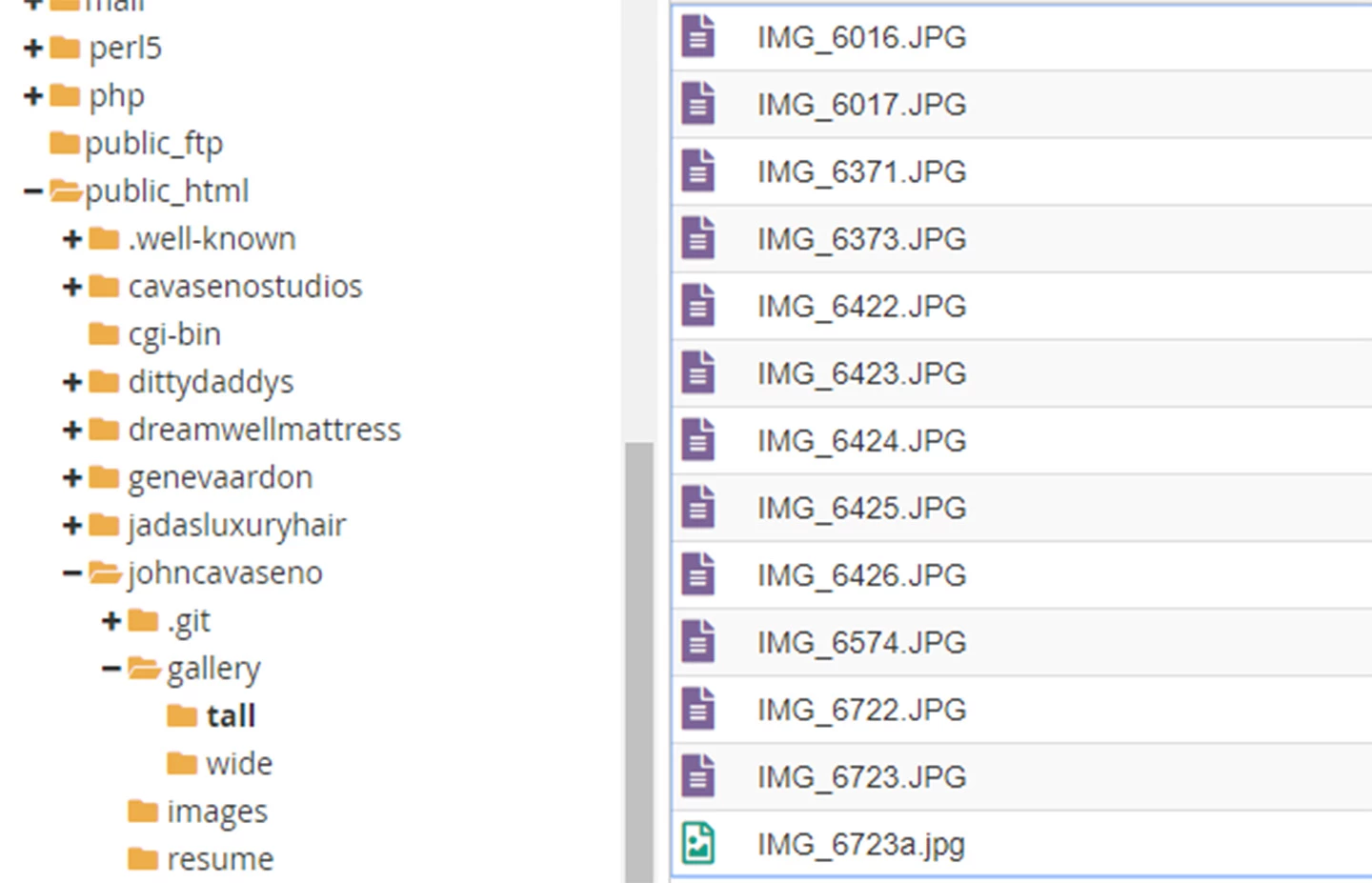
In the bluehost cpanel here is a screenshot of the file manager with the images within gallery/tall.


You have .JPG as the extension for your image instead of .jpg - as I said in a previous post make sure the file name and the link to the images ARE identical

14 replies

Legend
Dec 1, 2019 6:10 PM UTC

It doesnt appear as though you have uploaded your gallery images to your server?


http://www.johncavaseno.com/gallery/tall/IMG_6016.jpg


Not found

Translate
Inspiring
Dec 1, 2019 6:42 PM UTC

The images folder and the gallery folder are both loaded within the johncavaseno folder. I don't know why links to the images folder work, but links to the gallery folder do not. See image.

Translate
Legend
Dec 1, 2019 6:52 PM UTC

Are the images actually in the gallery folder, have you checked?


For instance:

I can find the pdf in the 'resume' folder:

http://www.johncavaseno.com/resume/jcResume.pdf


But if I attempt to get to the .docx file in the same folder:

http://www.johncavaseno.com/resume/johnResume.docx


Result: Not Found

Translate