kishalayg35068702
Participant
September 8, 2018
Question

Why can't I edit my themes in wordpress using Dreamweaver?

  • September 8, 2018
  • 3 replies
  • 355 views

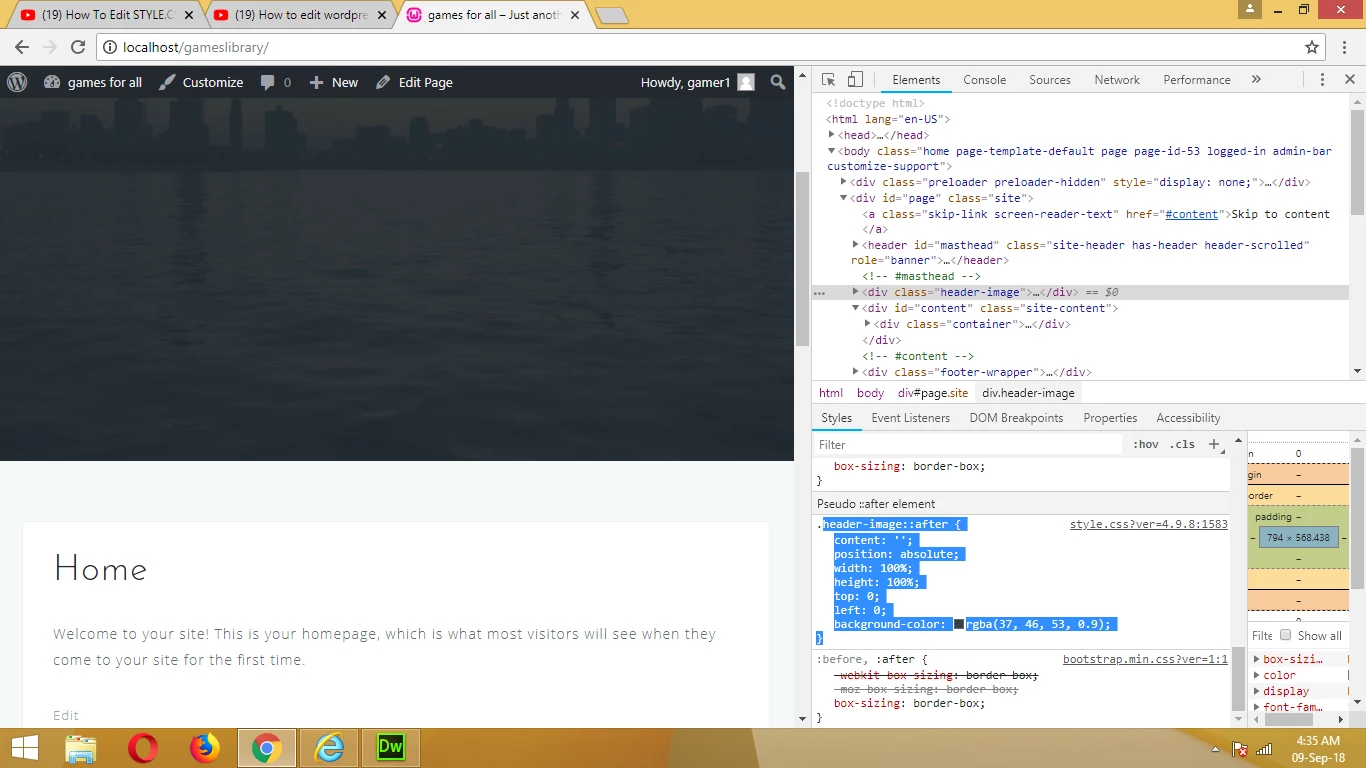
After making the required changes in the themes(style.css) and saving it , the desired changes are not seen in the webpage when refreshed(seen with google inspect).

In the images given below I tried to change header background color.
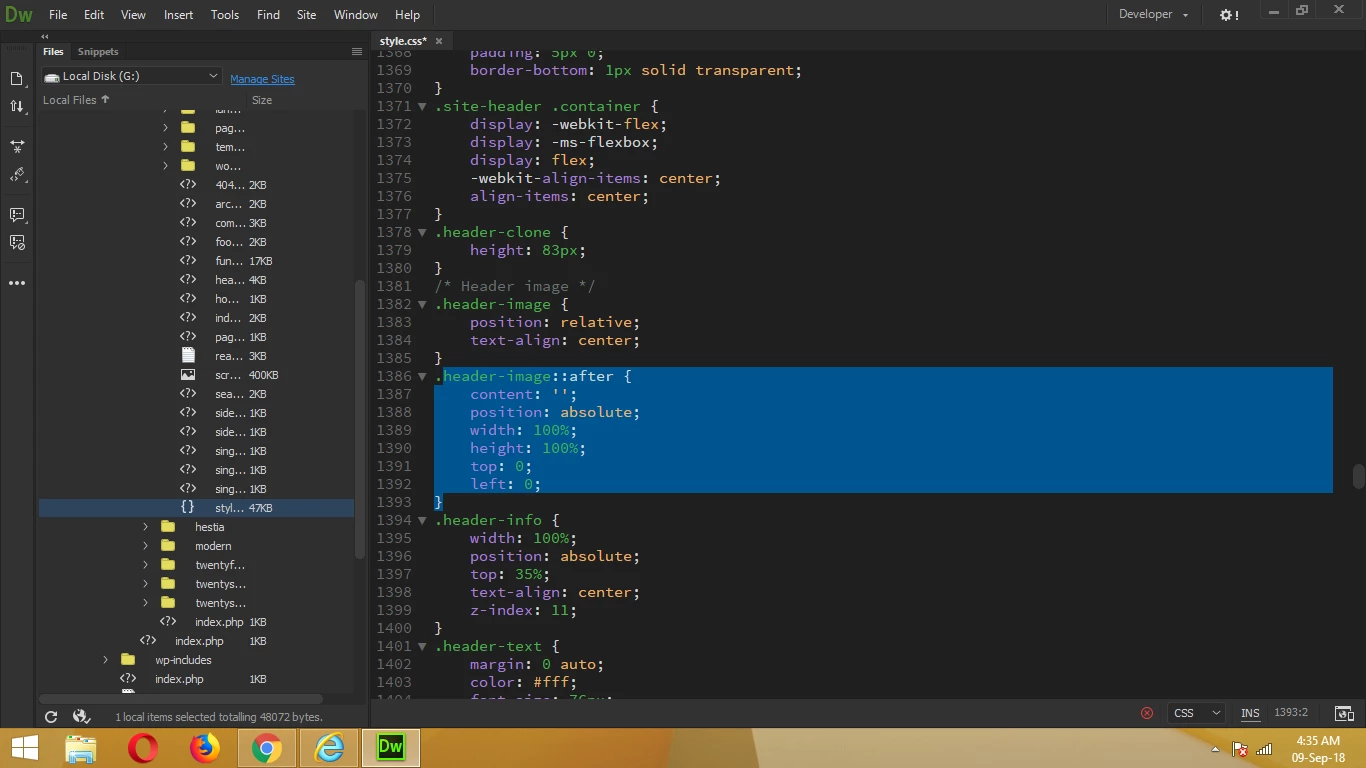
< Dreamweaver

< Google Inspect

P.S. I edited the style.css file with notepad and made the same changes as done in dreamweaver but still the same.

Please Help.

    This topic has been closed for replies.

    3 replies

    elizabethj1832779
    Participant
    February 10, 2019

    Clear your cache. In the inspector you'll notice that there's a ?ver= after the .css filename that's keeping you from seeing your updates.

    Nancy OShea
    Community Expert
    Community Expert
    September 8, 2018

    It looks to me as if you're editinig the dashboard's CSS styles.  You really should be working with a Theme or more accurately a Child Theme so your changes won't be overwritten when you upgrade WP.

    Child Themes « WordPress Codex

    Editing Themes directly in WordPress with the built-in Theme Editor

    Editing Files « WordPress Codex

    Nancy O'Shea— Product User & Community Expert
    John Waller
    Community Expert
    Community Expert
    September 8, 2018

    Your screenshot indicates that you're viewing Wordpress locally ("localhost"). That is, not on the web.

    Where are you saving the CSS file exactly? Are you viewing the Wordpress website offline?

    To view it online, you'd have to upload the CSS file to your website host's server.