ilkah37751329
Participant
September 18, 2017
Answered

Why do my art gallery pop ups stop working?

  • September 18, 2017
  • 3 replies
  • 523 views

I have DW CS6, but the problem has started with earlier versions for the past few years.

101 Art Gallery - Fazal Ali 2017

This is a page where I created thumbnails of art works that pop up and enlarge to medium sized pictures.

After uploading, everything works well.  But  when I make changes to the page, maybe text and reupload, the pop up function stops working. Worse, this homepage has hundreds of pages and old galleries from years ago which are also supposed to pop up at all times. But when I make a change to the template for example, like adding a link ( which changes all pages made from it), then, after reuploading all pages, every page that has a gallery on it with pop ups, stop working? I then have to select one thumbnail on each page,  and make it  pop up, then save the entire page and then all pop ups on that page work again. This is a lot of work to do each time I make a change.

Why do the pop ups stop working after reuploading an html page>

This started years ago, but did not happen with earlier versions of DW like CS3

Urgent solution needed!

This topic has been closed for replies.
Correct answer Nancy OShea

Newer browsers & DW versions are much less forgiving of code errors now than they were a few years ago. 

[Invalid] Markup Validation of http://101artgallery.com/2017-FazalAli.html - W3C Markup Validator

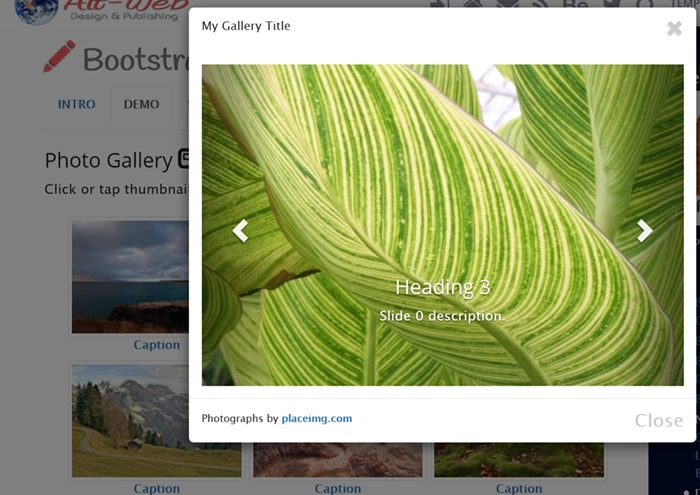
Eventually, you might want to update your site to use modal windows (lightbox viewer) instead of old fashioned pop-ups.  It's a better user experience.

Also  Flash & Spry Menus are dead.   Most web sites have replaced them with modern equivalents.

3 replies

pziecina
Legend
September 18, 2017

It's also worth mentioning that ALL browsers will stop allowing the flash player to be installed or used from the end of 2020.

Anything you have that depends on the use of the flash player, should be replaced immediately, as over the next 3 years browsers will make it more and more difficult for it to be used by anyone.

Nancy OShea
Community Expert
Community Expert
September 18, 2017

It's already happening, PZ.   Browsers are not making it easy for people to use Flash Player.  All browsers disable Flash player by default.

Windows 8 & 10 users can't even install the latest Adobe Flash Player plugins for MS Edge or IE11.  You must get Flash from your Windows updates now.  And that leaves you to learn the secret handshake to enable it.  It's just too much trouble.

Nancy O'Shea— Product User & Community Expert
pziecina
Legend
September 18, 2017

Thank you for the update Nancy,

I am left wondering though if or when Adobe, (Dw in particular) will finally accept and implement better support for css animations, transforms and transitions. As currently there is only the Google designer with anything resembling a usable program for using them, and that is so far out of date that anyone using it must modify the css it creates, plus it does not support the js api for those features.

Preran​ may be worth Adobe looking into for Dw or Animate. The only reason the specs for these have not made it to PR status, is because svg2 is including them in its requirerments.

Nancy OShea
Community Expert
Nancy OSheaCommunity ExpertCorrect answer
Community Expert
September 18, 2017

Newer browsers & DW versions are much less forgiving of code errors now than they were a few years ago. 

[Invalid] Markup Validation of http://101artgallery.com/2017-FazalAli.html - W3C Markup Validator

Eventually, you might want to update your site to use modal windows (lightbox viewer) instead of old fashioned pop-ups.  It's a better user experience.

Also  Flash & Spry Menus are dead.   Most web sites have replaced them with modern equivalents.

Nancy O'Shea— Product User & Community Expert
ilkah37751329
Participant
September 18, 2017

main template.

Re old fashioned pop ups. I have to use this old format linking thumbnails with medium sized images, then writing text below because have to keep making changes every day when something is sold, also the clients want to see the entire page at once to decide which art work they want to buy, so the info and the prices and the images have to be on one page and not in a sort of slide show.

pziecina
Legend
September 18, 2017

You could use css flexbox and a lightbox to layout the images and text -

http://www.pziecina.com/Adobe/lightbox/lightbox.html

click on an image, or touch on a mobile device for the lightbox.

Jon Fritz
Community Expert
Community Expert
September 18, 2017

The problem could be coming from DW attempting to rectify your code errors when you make changes.

Run your .DWT Template page through the validator at http://validator.w3.org and clean up your code issues. Getting everything where it belongs is a good first step for figuring out why code isn't working.