

higgsyd
Inspiring
October 9, 2021
Answered

Why is my CSS rule not being overridden?

  • October 9, 2021
  • 1 reply
  • 326 views

please look at http://v60.ancestry.higgsy.co.uk/higgs_harry_b1915.html

This image is too large in Desktop view:

archive/721_1950_18_Kirk_Street_Harry_and_Kit.jpg
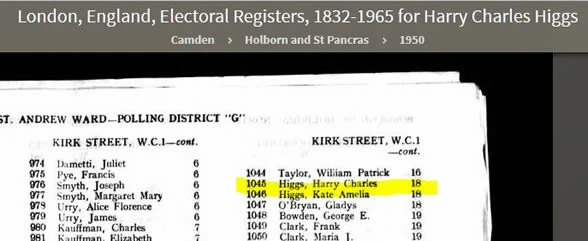


Can anyone explain why the rule .resp_image in global.css  is NOT being overridden by the same rule which is in test.css i.e. I want the one in test.css to be active to make the image smaller

    This topic has been closed for replies.
    Correct answer Nancy OShea

    Global CSS contains these image styles in this stacking order:

    ========

    .resp_image {
    width: 100%;
    max-width: 100%;
    }
    img {
    display: block;
    max-width: 800px;
    margin-left: auto;
    margin-right: auto;
    width: 100%;

    }

    Due to stacking order,  img tag (width:100%) takes priority over other styles. 


    In CSS hierarchy, tags take priority over #IDs and .classes.


    Hope that helps.


    1 reply

    Nancy OShea
    Community Expert
    Nancy OSheaCommunity ExpertCorrect answer
    Community Expert
    October 9, 2021

    Global CSS contains these image styles in this stacking order:

    ========

    .resp_image {
    width: 100%;
    max-width: 100%;
    }
    img {
    display: block;
    max-width: 800px;
    margin-left: auto;
    margin-right: auto;
    width: 100%;

    }

    Due to stacking order,  img tag (width:100%) takes priority over other styles. 


    In CSS hierarchy, tags take priority over #IDs and .classes.


    Hope that helps.


    Nancy O'Shea— Product User & Community Expert
    higgsyd
    higgsydAuthor
    Inspiring
    October 10, 2021

    Many thanks Nancy, I just removed my resp_image class and all looks good.  Now you mention it, I do recall reading about the tag selector taking priority but I think I hardly use them so have fallen into that trap! Your help is much appreciated.