


Inspiring
October 28, 2017
Answered

XAMPP for Mac Stops Running Apache Web Server

  • October 28, 2017
  • 2 replies
  • 2848 views

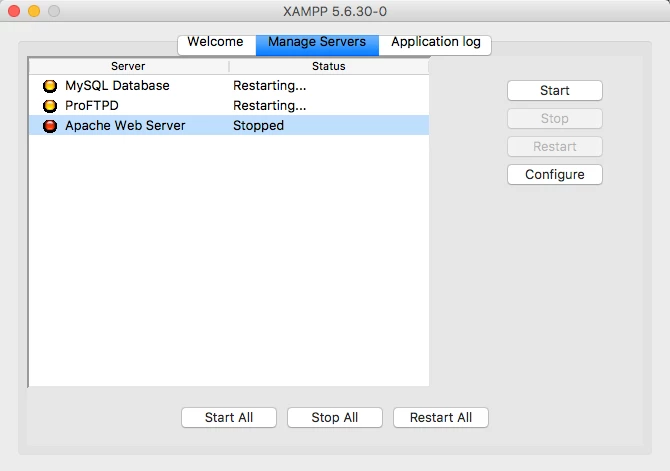
I've been using XAMPP for Mac for a year without problems. Today, for no apparent reason, when I activate it, the Apache Web Server stops automatically after two seconds activation. I've signed on to XAMPP's forum but I cannot find my way around it.

Do you know what might be causing such auto-stoppage? The version I'm using is XAMPP 5.6.30-0 for Mac.

Thank you.

Warren
    This topic has been closed for replies.
    Correct answer wcamp

    Hi, Nancy:

    I asked this question in October. Since then, I've replaced my six-year-old MacBook Pro with a new and fast iMac. XAMPP opens and operated quickly without stalls or hiccups.

    All's well for me today. Thanks for checking in with me.

    2 replies

    Nancy OShea
    Community Expert
    Community Expert
    January 4, 2018

    wcamp  wrote

    the Apache Web Server stops automatically after two seconds activation.

    What do the error logs tell you?

    /Applications/XAMPP/logs/error_log

    Apache Friends Support Forum • View forum - XAMPP for Mac OS X Apache Friends Support Forum • View forum - XAMPP for Mac OS X

    Nancy O'Shea— Product User & Community Expert
    wcampAuthorCorrect answer
    Inspiring
    January 4, 2018

    Hi, Nancy:

    I asked this question in October. Since then, I've replaced my six-year-old MacBook Pro with a new and fast iMac. XAMPP opens and operated quickly without stalls or hiccups.

    All's well for me today. Thanks for checking in with me.

    Mylenium
    Legend
    October 28, 2017

    I'm not clear what this has to do with Photoshop or any Adobe software for that matter, being that XAMPP isn't made by Adobe. Perhaps you should ask this questiojn in an OpenSource forum that deals with these kinds of things...

    Mylenium

    wcampAuthor
    Inspiring
    October 28, 2017

    Sorry, Mylenium. I meant to ask this question on the Dreamweaver forum.

    Please ignore it on this forum.

    Warren