
Participant
July 22, 2009
Answered

XML parsing fatal error... Can I uninstall and reinstall DW CS4 without losing my previous work?

  • July 22, 2009
  • 10 replies
  • 30600 views

I have a big problem with Dreamweaver CS4 for Mac. when I want start DW I get this error that goes something like this: XML parsing fatal error: Invalid document structure, line: 1, file: /filepath/John's Workspace.xml
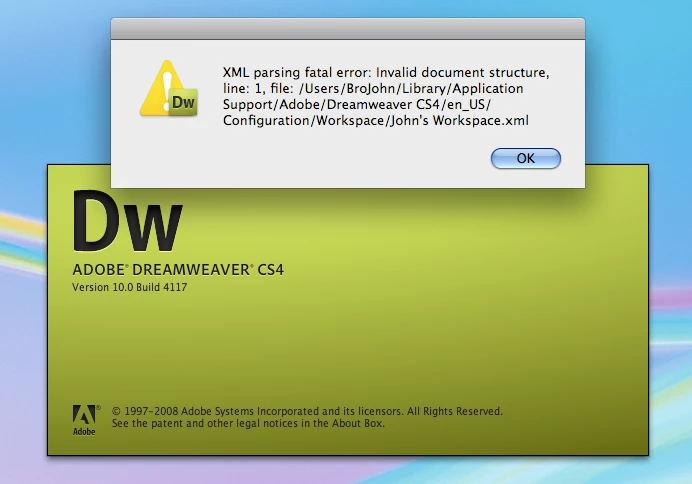
I click ok and get this:
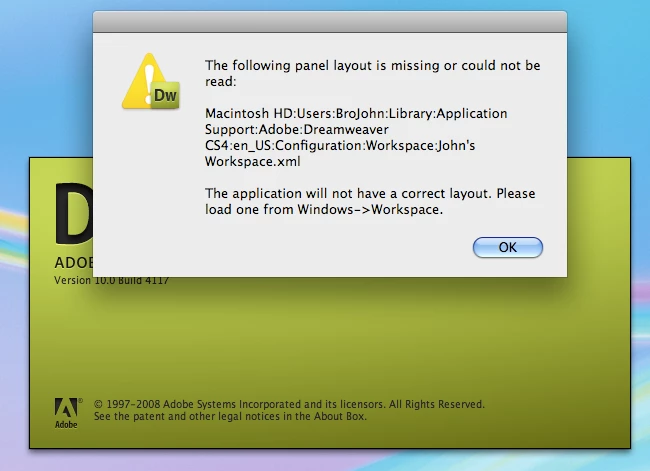
Click ok again and DW closes. it gives me no chance to edit preferences or anything.
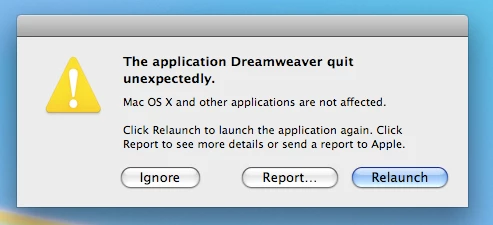
It seems like I need to uninstall and reinstall. Is that what you recommend? Will I lose all the work I've done on previous sites?

    This topic has been closed for replies.
    Correct answer David_Powers

    I don't think there is any need to reinstall. Simply go to the location indicated, and delete John's Workspace.xml. Then try to launch Dreamweaver. If Dreamweaver still won't launch. delete the entire Configuration folder. Dreamweaver should then create a fresh Configuration folder the next time you launch it.

    Reinstalling without getting rid of the Configuration folder will achieve nothing, because the Configuration folder is not removed during reinstallation. If the Configuration folder is corrupt, the problems will continue until the corrupted folder is removed.

    10 replies

    elsas91814661
    Participant
    October 2, 2015

    where do I go to do this? where is the location indicator

    Participant
    August 18, 2015

    Fix still works. Thanks! Saved some frustration. Had trouble locating file at first, but eventually located the path through my Dreamweaver file.

    Participant
    November 14, 2011

    Thank you, this worked for me too!

    Participant
    November 14, 2011

    Hallo!

    Ich bin bis am 25.11.2011 in den Ferien. Dringendes per SMS +41 78 699 10 99.

    Gruss

    Dominik Aebli

    Participant
    January 4, 2011

    I guess it is pretty common because deleting my "Classic.xml" problem, fixed the problem.  Thanks!

    Participant
    June 16, 2010

    I had the same problem. But I dont have any special workspaces definied. I changed the "current.txt" to "designer". DW starts. When I try to change to "classic", the same error is showed. My classic.xml is still empty... how can I get a working classic.xml-File.... please help. The error occured after updating from 10 to 10.0.2!

    It's a Mac-Version.

    oconnordesign
    Participant
    May 24, 2010

    I started receiving this same error after updating from Adobe Updater 5 to Adobe Updater 6, which then ran but did not complete because of weird errors.


    Thanks for posting the answer to this one – I was really stumped and frustrated, but deleting the faulty XML file worked!

    Participant
    April 8, 2010

    I am having this same issue with many of my students. We are using HP mini 2140 mini notes books with 2 gig of ram and 160 harddrives Atom 1.6 processors. The machines are running XP pro SP3. All of the machines have the CS4 Web Premium suite installed. The students log in and work from their network drives and we are getting this error multiple times the day. What causes this?

    I really need to find out to correct this. I can not seem to find what actually causes this.

    Thanks, Please let me know if I can give you any more information regarding this.

    Participant
    July 22, 2009

    i suggest you to check is there any special character

    left that's why you are getting xml parse error

    Thanks

    David_Powers
    David_PowersCorrect answer
    Inspiring
    July 22, 2009

    I don't think there is any need to reinstall. Simply go to the location indicated, and delete John's Workspace.xml. Then try to launch Dreamweaver. If Dreamweaver still won't launch. delete the entire Configuration folder. Dreamweaver should then create a fresh Configuration folder the next time you launch it.

    Reinstalling without getting rid of the Configuration folder will achieve nothing, because the Configuration folder is not removed during reinstallation. If the Configuration folder is corrupt, the problems will continue until the corrupted folder is removed.

    John BurkAuthor
    Participant
    July 22, 2009

    Thanks David. All I needed to do was delete the "John's Workspace.xml" and I was back in business! I'm embarrassed that such a simple little thing could stump me, but then I've never been accused of being the sharpest guy around. Thanks again!

    David_Powers
    Inspiring
    July 22, 2009

    I'm glad it was as simple a fix as that. I have never seen that particular problem before, so it's good to know that deleting the file worked.

    Participant
    July 22, 2009

    Hi

    Yes, you may reinstall it and your previous data will remain there as it will only clear your cache.

    Cheers,

    Maneet Puri