



Button and Checkbox scope with Topcoat
I'm new to topcoat and the markup used, and am trying to test the scope of a button and checkbox relationship I have in my extension. Since it's split into a few files, and I have to reload photoshop every time I want to test a script change, I'm having difficulty finding out exactly where it's occurring. Calling a function through hostscript.jsx that throws "alert(guideCheck.checked)" from a function will tell me the state of my checkbox, but without all the jQuery. Trying to utilize topcoat, I had the below script that I'm trying to figure out. My problem being, since there are multiple files that interact differently, I'm not sure if I'm simply having a scope issue, or if I can even call upon the checkbox variable used reliably. I tried to boil down my script to simply alert me, but I can't get photoshop to respond to tell me what "$(this)" is with files opened or closed. Any guidance would be much appreciated.
This is from index.html that renders the form:
<body class="hostElt">
<div id="content">
<input id="guideTest" name="guideTest" type="checkbox"> Ignore Guides
<button id="automagic" class="topcoat-button--large hostFontSize" style="width:100%">Automatic</button>
This is from main.js:
function init() {
themeManager.init();
$("#automagic").click(function () {
csInterface.evalScript('determineSwatchBounds()');
});
}
This is from hostscript.jsx where I'm trying to get the state of the checkbox from:
function determineSwatchBounds(){
alert($(this).attr('guideTest').checked);
}
Visual rendered extension below: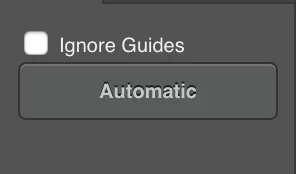
 AdChoices