



marcinz
Inspiring
December 12, 2018
Question

Cannot find installed extension

  • December 12, 2018
  • 1 reply
  • 976 views

Hello. On Exchange i've downloaded the 11 Magic Scripts for Photoshop extension.

On My Exchange webiste it is "Acquired", and the button is "Uninstall". But I cannot find the scripts in Photoshop (they are not in the C:\Program Files\Adobe\Adobe Photoshop CC 2019\Presets\Scripts folder and anywhere else).

When Uninstalling and installig again, the Adobe CC app gives the notification:
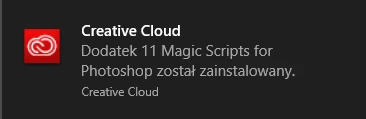
(Addon 11 Magic Scripts for Photoshop was installed).

But I cannot find it. Please help.

This topic has been closed for replies.

1 reply

marcinz
marcinzAuthor
Inspiring
December 12, 2018

Well, I've contated with te extension maker, and he told me the solution:

the file was downloaded into OS download folder (usually on PC is C:\Users\User_name\Downloads)

there was a zip file and in that zip were the scripts.

So, if anyone is looking for "installed" ext. go look for "downloaded" in download folder.

Thank goes to Jaroslav Bereza

Jonathan Ferman
Community Manager
Community Manager
December 12, 2018

Thanks Jaroslav,

It's important to check the 'Where to find it' section to see what to do after install but I noticed there was no mention of the fact it goes to the Downloads folder so I added some text. Please feel free to submit changes to what I wrote.

Thanks,

Jonathan