ananth padmakarp64550037
Known Participant
January 10, 2018
Answered

Debugging problem with browser

  • January 10, 2018
  • 2 replies
  • 930 views

hello,

while trying to debug through browser in adobe illustrator 2017 i am unalble to open the source file through debugging mode in browser. please have a look at the screenshot.
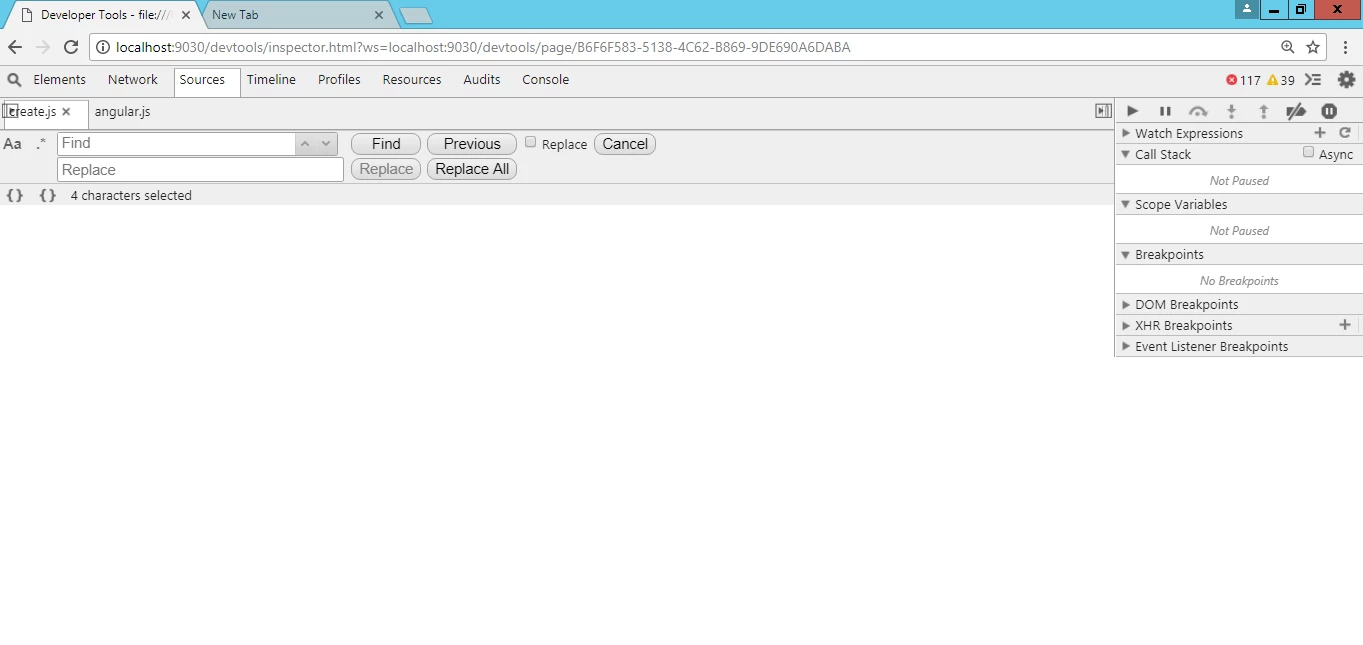
That is what it shows me. tried moving the or dragging windows and everything. PlayerDebugMode is also set to 1.

Suggest me a way to get out from here..

This topic has been closed for replies.
Correct answer Ten A

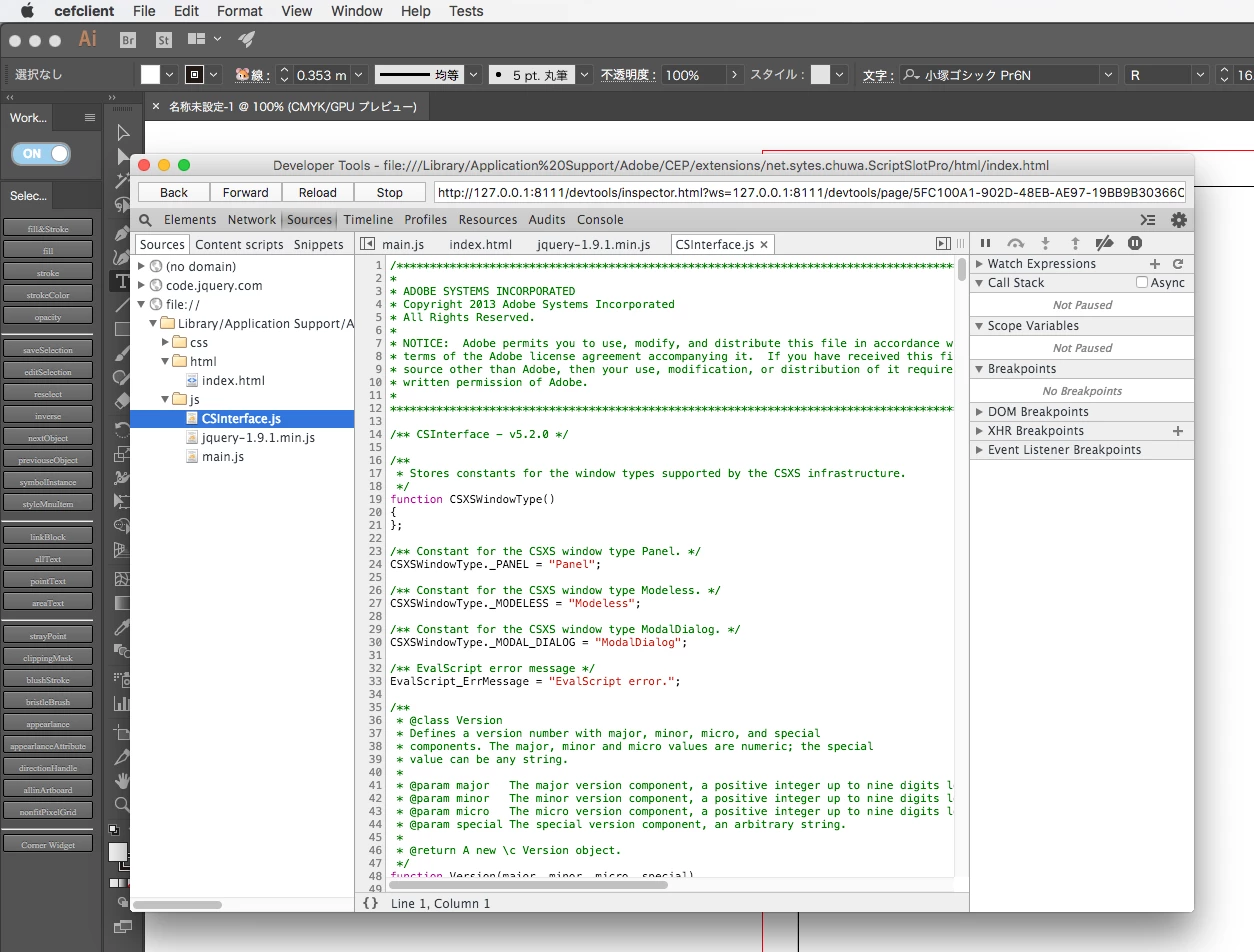
Try Cefclient, You can download below link.

CEP-Resources/CEP_8.x at master · Adobe-CEP/CEP-Resources · GitHub

Here is a sample shot in Illustrator 2017.

2 replies

ananth padmakarp64550037
Known Participant
January 11, 2018

Thank you ten.. its working fine..

Ten A
Community Expert
Ten ACommunity ExpertCorrect answer
Community Expert
January 11, 2018

Try Cefclient, You can download below link.

CEP-Resources/CEP_8.x at master · Adobe-CEP/CEP-Resources · GitHub

Here is a sample shot in Illustrator 2017.

ananth padmakarp64550037
Known Participant
January 11, 2018

Could you help me , where i can find it after clicking that link. I didnt get that.

Ten A
Community Expert
Community Expert
January 11, 2018

If you want to use in Mac, you can download Cefclient_Mac.zip.

If you Windows user, you need to select 32  or 64 bit version.