


Known Participant
April 15, 2025
Answered

How to execute a .exe file in CEP Premiere Pro

  • April 15, 2025
  • 1 reply
  • 420 views

I built a scriptin Node.js and packaged it and now I have a .exe file that works file, now I want a way to execute it in the the CEP panel via code.
I tried the 

//enabled the QE DOM
system.callSystem(cmd)

But QE was not supported in the PPRO v25 ig.

Then I tried to run the script via the child_process but it also did not work (I did not get the result printed into my HTML nor any error was seen)

childProcess.execFile(exeFullPath, args, function (error, stdout, stderr) {
        var logMsg = "";
        if (error) {
            logMsg += "ERROR executing command: " + error + "\n";
            logMsg += "STDERR: " + stderr + "\n";
            updateResult(logMsg);
            callback("ERROR: " + error);
        } else {
            logMsg += "Command executed successfully.\n";
            logMsg += "STDOUT: " + stdout + "\n";
            logMsg += "STDERR: " + stderr + "\n";
            updateResult(logMsg + "Reading output file...");
            // Read the output file using CEP FS.
            var resultFile = cepFs.readFile(outFileName);
            if (resultFile.err === 0) {
                callback(resultFile.data);
            } else {
                callback("ERROR reading output file: " + resultFile.err);
            }
        }
    });

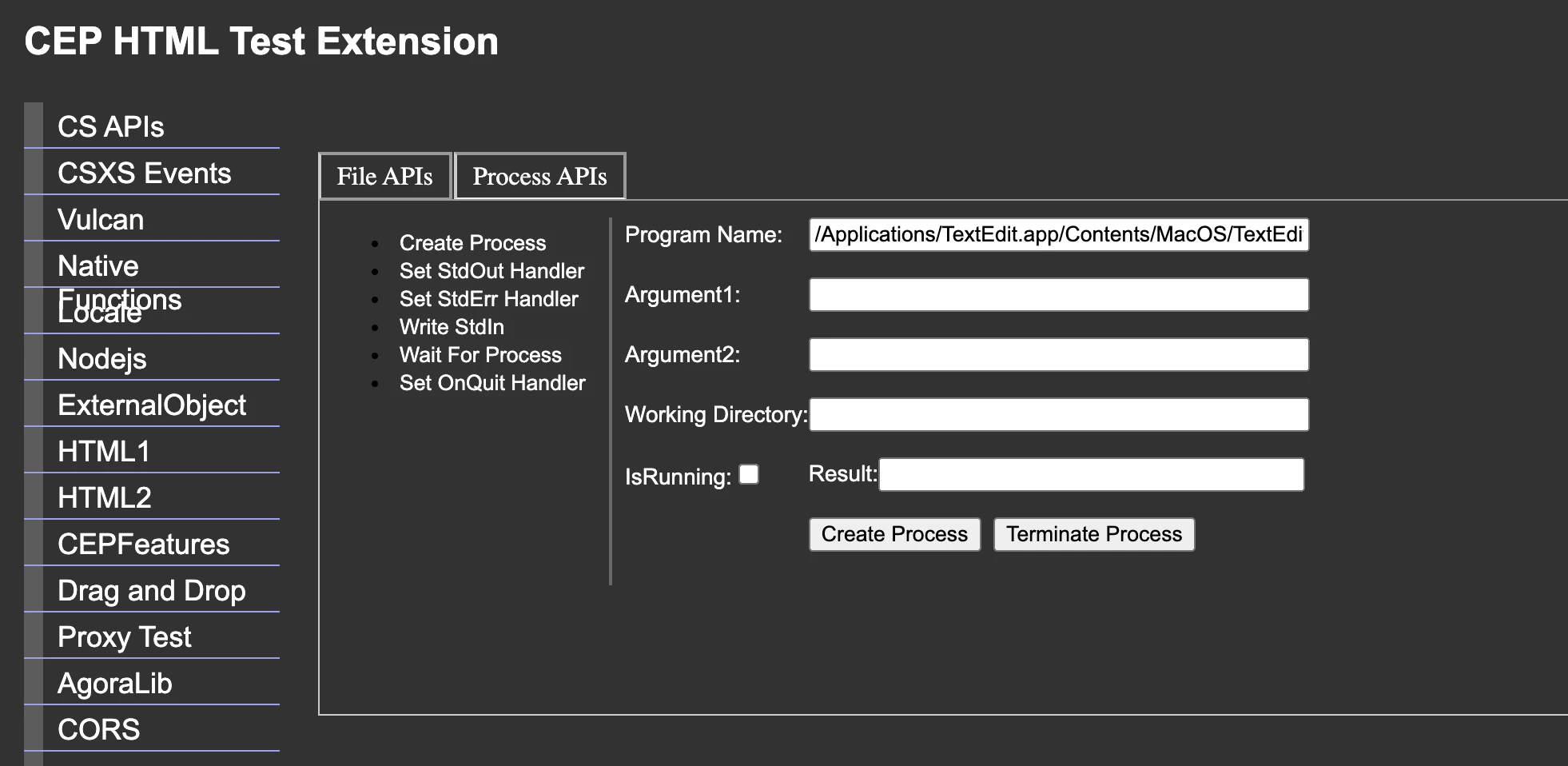
Correct answer bbb_999

execFile is for ExtendScript, not JavaScript. 

CEP HTML Test Panel shows how to access the system command line:


1 reply

bbb_999
Adobe Employee
Adobe Employee
April 15, 2025

>But QE was not supported in the PPRO v25 ig.

While not supported or recommended, QE DOM is definitely present in PPro 25.x. QE DOM has nothing at all to do, with system.callSystem(), which is (I believe) specific to After Effects. 

I'm unclear why you would package your node.js code as an executable, rather than using it directly from within the CEP/JavaScript layer...???

Let's step back: What are you trying to accomplish, in PPro?


Known Participant
April 16, 2025

I'm unclear why you would package your node.js code as an executable, rather than using it directly from within the CEP/JavaScript layer...???

I thought that would be the better approach, I now am using it directly in the CEP layer.
But the script is still not working and don't know what the issue is


function analyzeAudio(exeFullPath, audioFilePath, audioThreshold, minSilenceGap, minGapBetweenSilences, outFileName, callback) {
	const args = [
		exeFullPath,
		audioFilePath,
		audioThreshold,
		minSilenceGap.toString(),
		minGapBetweenSilences.toString(),
		`--outFile=${outFileName}`
	];

	updateResult("Executing: \nnode " + args.join(" "));

	const process = spawn('node', args);

	let stdout = '';
	let stderr = '';

	process.stdout.on('data', (data) => {
		stdout += data.toString();
	});

	process.stderr.on('data', (data) => {
		stderr += data.toString();
	});

	process.on('close', async (code) => {
		let logMsg = `Process exited with code ${code}\n`;
		logMsg += `STDOUT: ${stdout}\nSTDERR: ${stderr}`;
		updateResult(logMsg);

		if (code !== 0) {
			callback("ERROR: " + stderr);
		} else {
			try {
				const resultData = await cepFs.readFile(outFileName, 'utf-8');
				callback(resultData);
			} catch (readErr) {
				callback("ERROR reading output file: " + readErr.message);
			}
		}
	});
}

The command is working fine when i execute it in the terminal. I also tried the execFile but that too didn't seem to work.


bbb_999
Adobe Employee
bbb_999Correct answer
Adobe Employee
April 16, 2025

execFile is for ExtendScript, not JavaScript. 

CEP HTML Test Panel shows how to access the system command line: