Inspiring
April 8, 2019
Question

Instabilities in VS Code ExtendScript Debugger

  • April 8, 2019
  • 2 replies
  • 2249 views

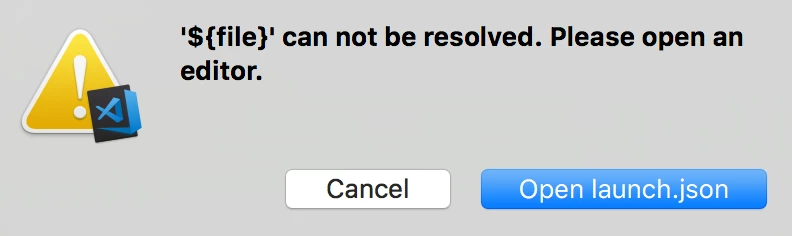
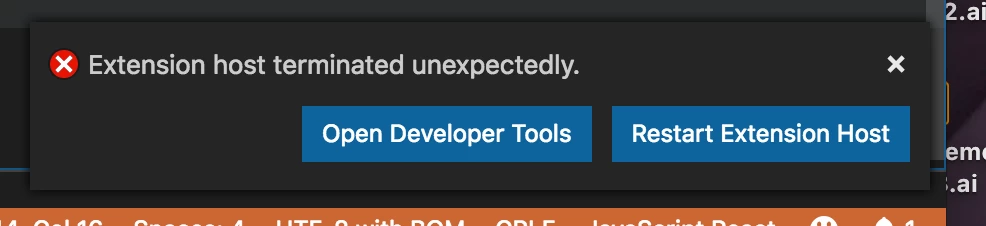
I've been making the transition to VS Code from ESTK, and have got things running, but I am finding the extension breaks often and I have to restart the host frequently.  I'm wondering if other users are experiencing this.  I'm no expert on VS Code, that's for sure, so I'm not sure if certain setting affect the performance of the extension.  I'm getting "Extension host terminated unexpectedly" and "'${file}' can not be resolved."


The latter refers to the configuration file that specifies "program": "${file}" as the file to debug (it's supposed to debug the open file).  Note that the extension runs fine most of the time, but I have to keep restarting.  Also, ES Debugger is the only extension I've installed, so that rules out conflicts between extensions.

This topic has been closed for replies.

2 replies

erinferinferinf
Adobe Employee
Adobe Employee
April 10, 2019

So if you're using the VSCode plugin on Windows, it's not a stable release, even though you can install it. The stable Windows build ought to be out by the end of the week.

Also this week VSCode 1.33 broke the ExtendScript Debugger plugin entirely, the release at the end of the week ought to fix it.

In general the next release ought to be more stable.

Inspiring
April 10, 2019

I'm on a mac, but I am on 1.33. I'll try again with the new release.

Thanks for all your work on this Erin! Excited to see this coming together.

Lawrence

Inspiring
April 10, 2019

I also get the "'${file}' can not be resolved." error consistently. Here are the steps to reproduce.

1. Set up the following configuration:

{

   // Use IntelliSense to learn about possible attributes.

   // Hover to view descriptions of existing attributes.

   // For more information, visit: https://go.microsoft.com/fwlink/?linkid=830387

   "version": "0.2.0",

   "configurations": [

  {

   "type": "extendscript-debug",

   "request": "launch",

   "name": "Current file",

   "program": "${file}",

   "stopOnEntry": false

  },

  ]

}


2. Write the following script and save it:

alert("Hello world");

3. Select the application to run at the bottom of the screen (I'm using InDesign).

4. Run the. It works! Indesign comes up and shows the alert. Hooray. But we stay in inDesign after the script is done.

5. Go back to ExtendScript and run the script again.

Actual: It fails with the error "'${file}' can not be resolved."

Expected: It should work again.

You can restart VSCode to get it working, but you need to restart VSCode every time.

Inspiring
April 10, 2019

Exactly what I'm getting.  Could really use a fix for both of these issues, Adobe!  Hard to make the switch until these are ironed out.