


Question
Issue with copying text in Photoshop extension
Hey guys,
we are currently building Photoshop extension and we got stuck in copying Text from one artboard to another one. The problem is that, we are copying text and in the moment we are making it bigger, it will not fit into text box. Imagine that we are copying text from smaller artboard to bigger one.
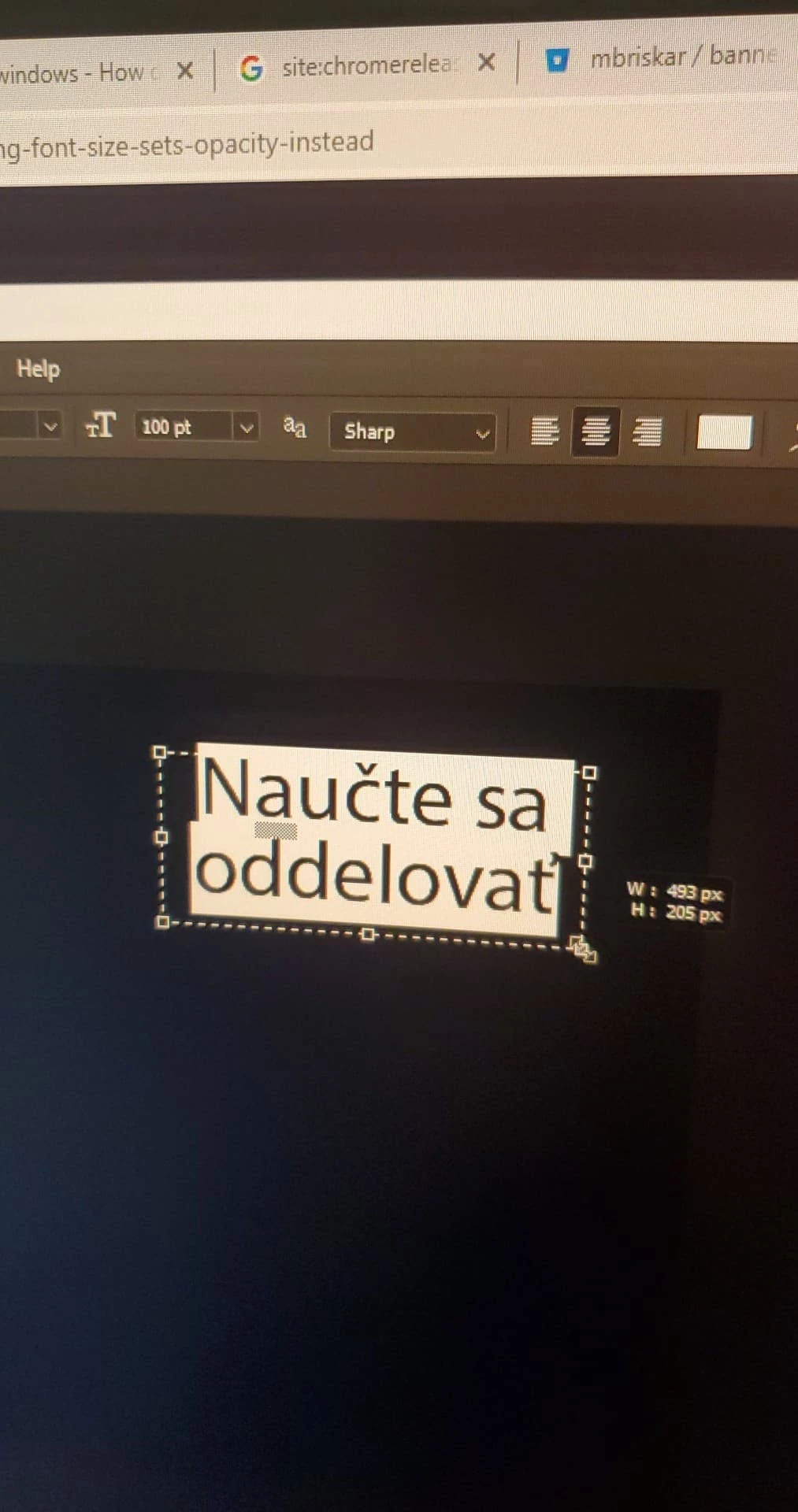
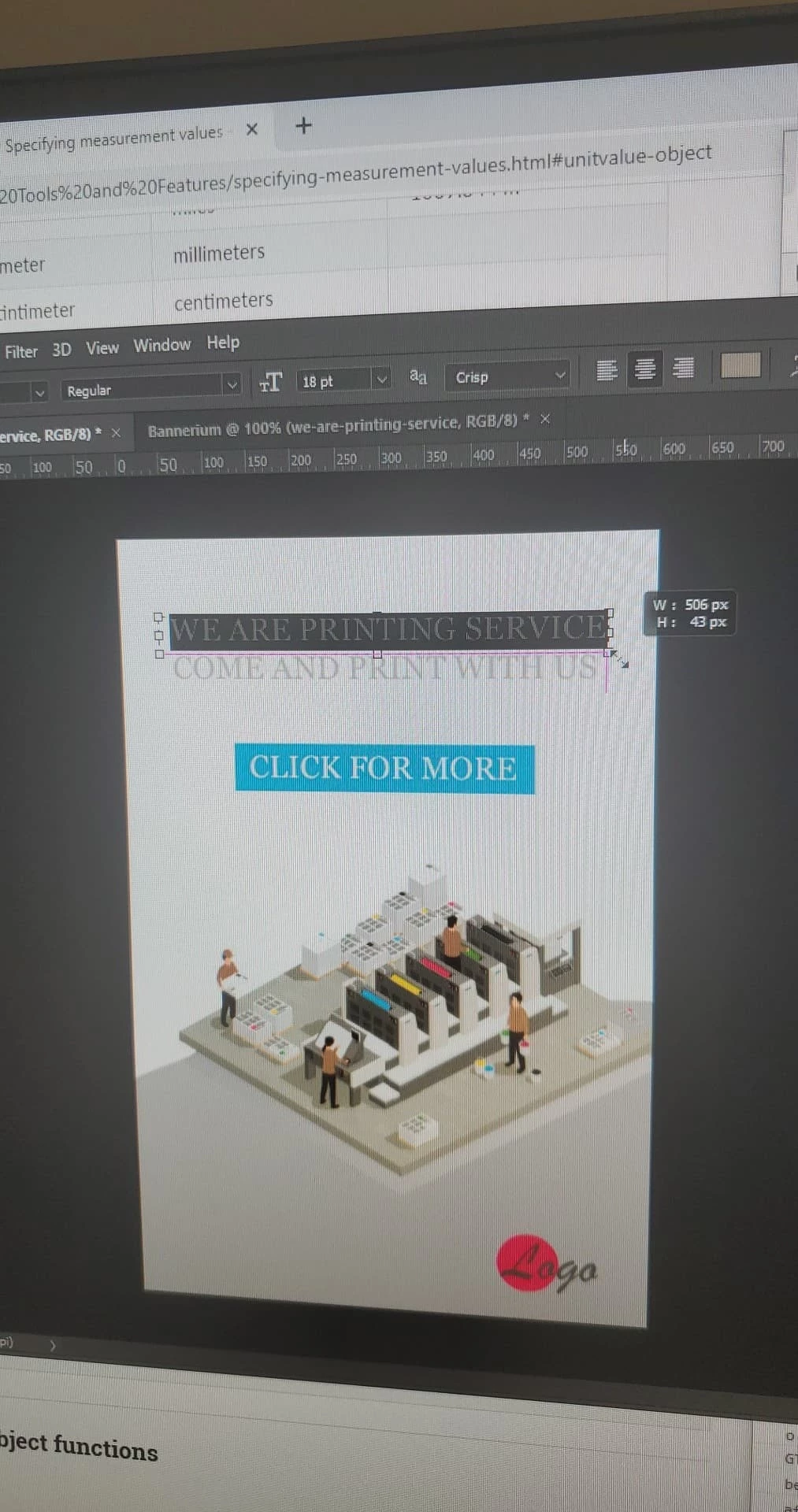
We have 2 textboxs like this:
A: the textbox is roughly 490x205 px with the font size 100pt.
B: 506x43 px text with font size 18pt.
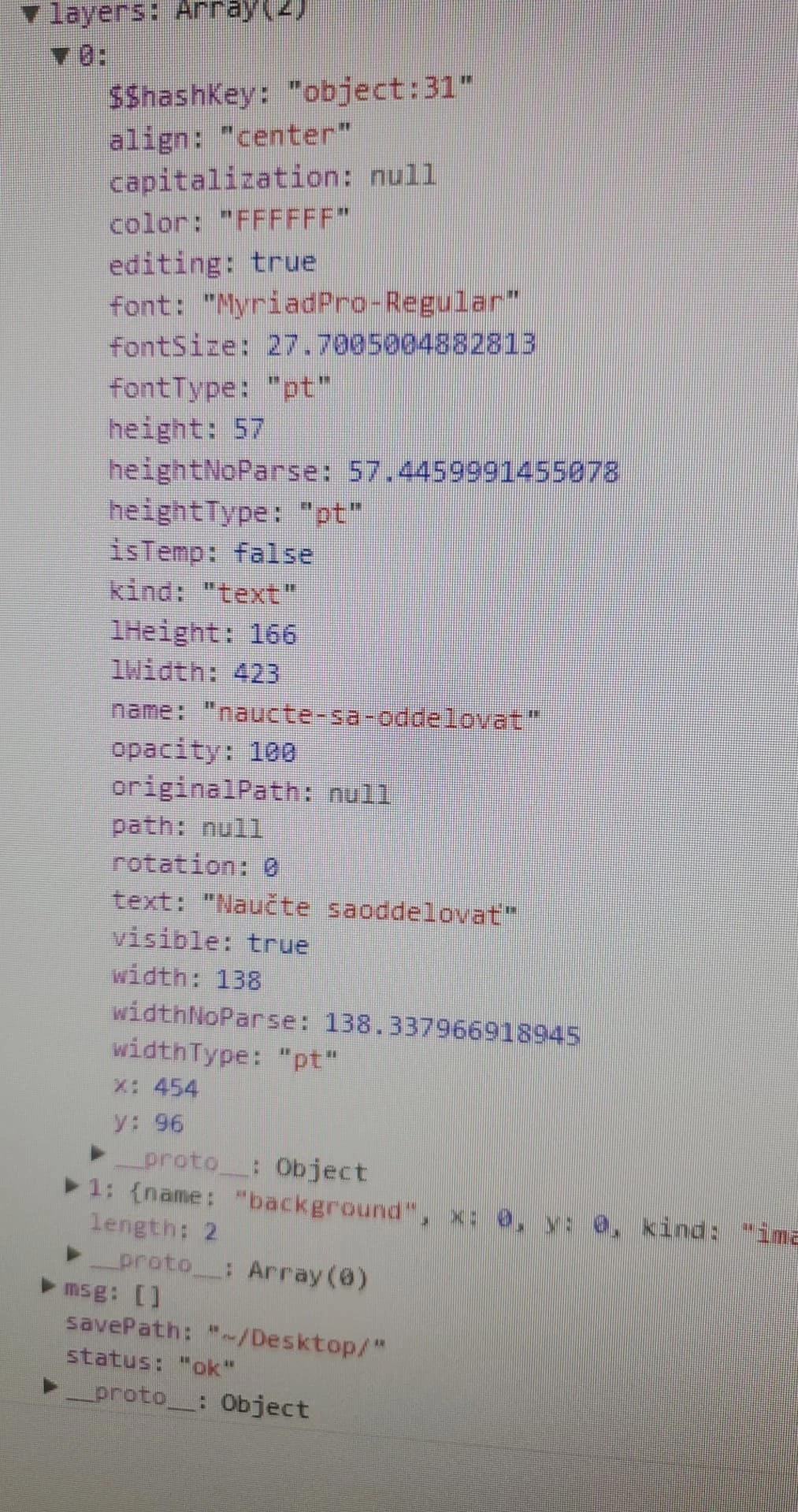
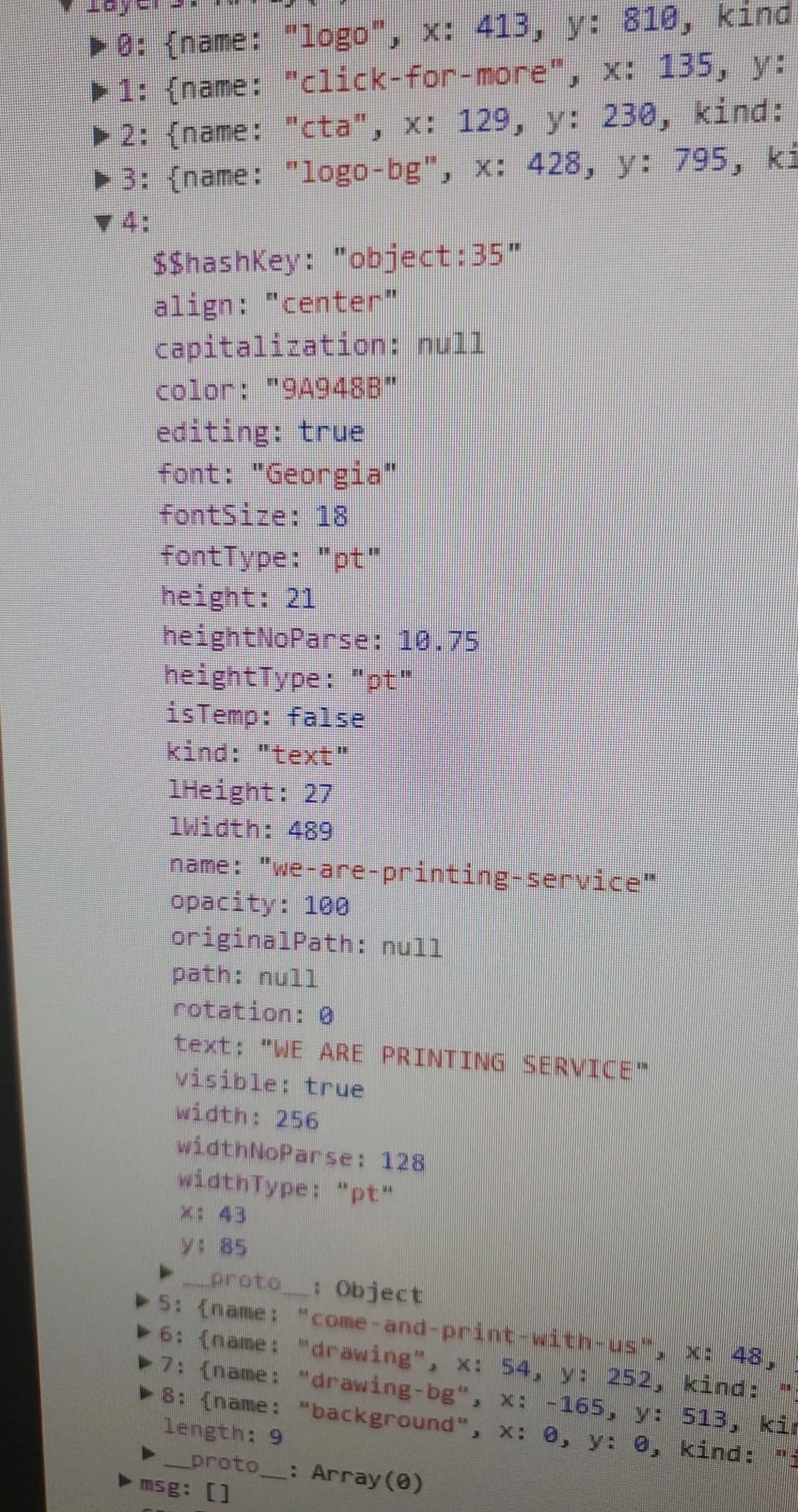
However, when we try to get information about the layer in photoshop API, the data is different:
widthNoParse = layer.textItem.width .... A 138.33 |. B 128
widthType = layer.textItem.width.type .... A pt |. B pt
heightNoParse = layer.textItem.height .... A 57.44 |. B 10.75
heightType = layer.textItem.height.type .... A pt |. B pt
fontSize = layer.textItem.size.value ... A 27.7 |. B 18
fontType = layer.textItem.size.type ... A pt |. B pt
layerWidth = layer.bounds[2] - layer.bounds[0] ... A 423 |. B 489
layerHeight = layer.bounds[3] - layer.bound[1] ... A 166 |. B 27
We are confused with the data we are getting.
Why is as('px') transforming the data only sometimes? Even if, it doesn't seem to calculate the data properly to px though.
Why is font sometimes OK sometimes off?
Is this data reliable?
Foto documentation:
A:
B
 AdChoices