


Panel doesn't open a download file dialog
In my panel I download a file via a nodeJS URL. When I test this page via my browser, it visits the URL, downloads the file to the server, and then opens a filedialog window to ask you to place it.
script.js
// TODO: DOWNLOADING TEST //
////////////////////////
let btnDownload = document.getElementById("btnDownload");
btnDownload.addEventListener('click', function () {
window.location.href = 'http://localhost:3000/downloadmedia?productionid='+productionId+'&mediaid='+mediaId;
}
The nodeJS server code
app.get('/downloadmedia/', async (request, response) => {
//Setup API client & connection
//...
// Downloading file to server via API
//...
console.log("Downloading file to __dirname + /temp/: " + __dirname + "/temp/");
await mediaObject.download(__dirname + '/temp/');//Download file and place in temp folder
let file = mediaObject.structuredDescription.fileName; //mediaobject filename
console.log("Downloaded : " + mediaObject.structuredDescription.fileName);
let fileLocation = __dirname + "\\temp\\" + file; //Complete path
console.log("FileLocation = " + fileLocation);
//Send the download response, and browser asks user for location
response.download(fileLocation);
});
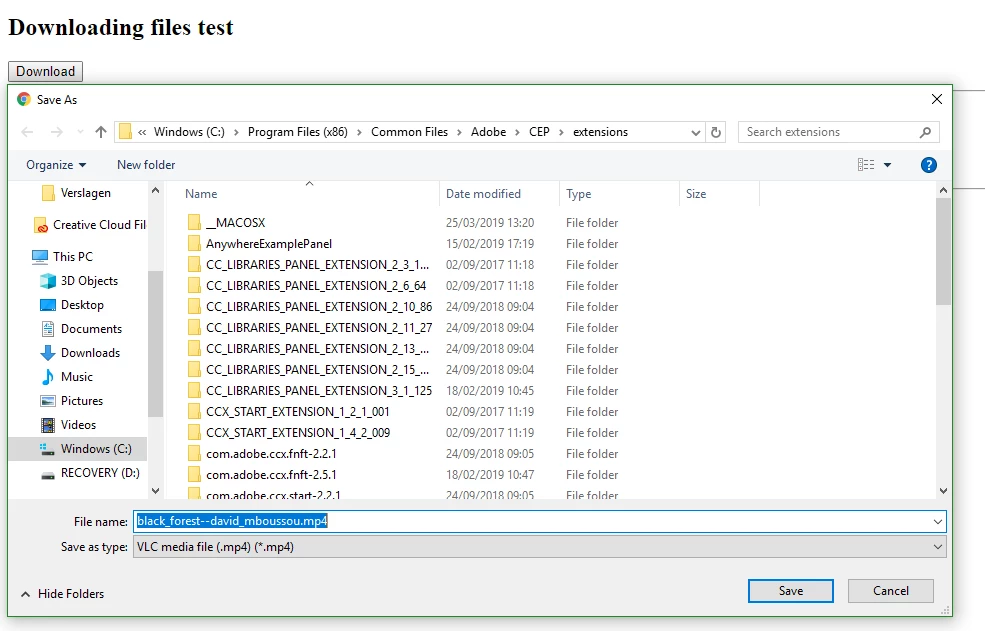
HOWEVER, when I click the same button but in the panel in Premiere Pro, the logs state that it still downloads the file correctly, but doesn't open a filedialog to ask the user for a location to place it to. How can I solve this?

 AdChoices