


pradeep152802844
Participant
May 8, 2019
Question

Unable to add the CEP extensions in Illustrator CC 2019

  • May 8, 2019
  • 2 replies
  • 915 views

Hi,

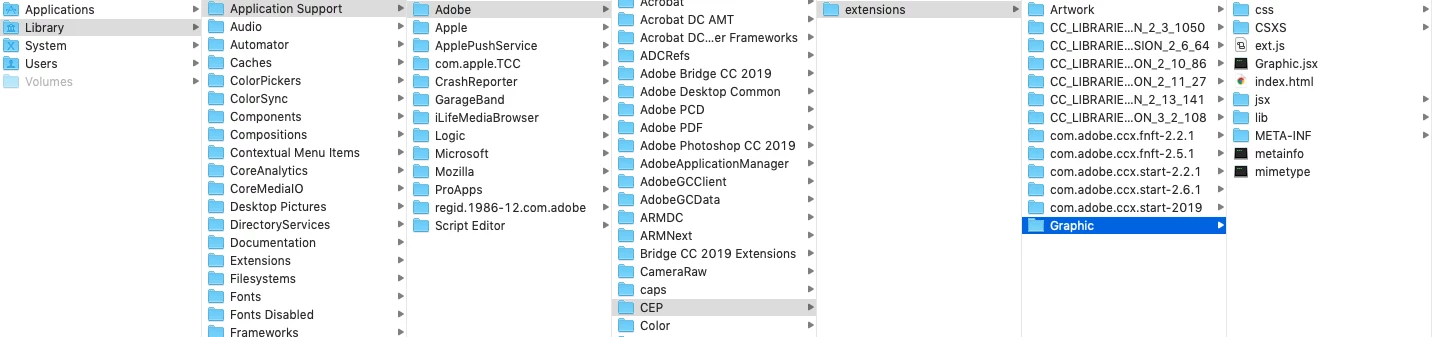
I am using CC 2019. I add files in the CEP extensions path: "Macintosh HD⁩ ▸ ⁨Library⁩ ▸ ⁨Application Support⁩ ▸ ⁨Adobe⁩ ▸ ⁨CEP⁩▸ ⁨extensions", but it is not showing in illustrator extensions menu why...?

Please help me.
Pradeep A.P

This topic has been closed for replies.

2 replies

Community Expert
May 8, 2019

I assume you have not code signed the build, so did you switch on the debug mode for the CSXS version that you are using in your extension? Have a look at the following url

CEP-Resources/CEP 9.0 HTML Extension Cookbook.md at master · Adobe-CEP/CEP-Resources · GitHub

Make sure you do it for your version of CEP that is being used in your extension

-Manan

-Manan
Inspiring
June 10, 2019

Hi,

check plist file for cc 2019 in preferences folder and set PlayerDebugMode to 1

Abambo
Community Expert
Community Expert
May 8, 2019

Discussion successfully moved from Adobe Creative Cloud to Illustrator

ABAMBO | Hard- and Software Engineer | Photographer